
#689 – A Jumperless Breadboard with Kevin Cappuccio
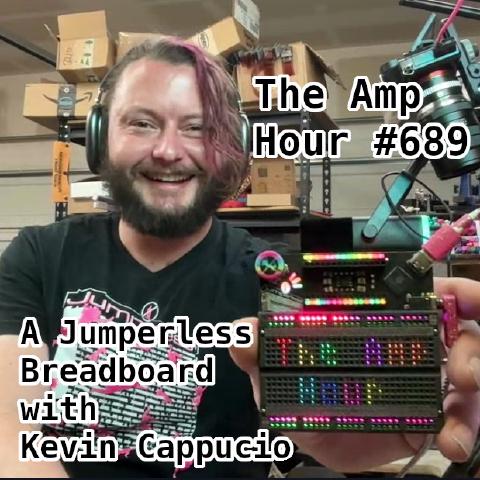
Download episode · 111 MB
Also on Apple · Spotify · YouTube · RSS
Show Notes
Welcome Kevin Cappuccio, creator of the Jumperless Breadboard (v5 and before)
- Check out the Jumperless v5 on Crowd Supply
- This update shows a bunch of images with the breadboard off
- 3M whitelabels their breadboards (because of the adhesive?)
- Elecrow
- 369
- CH446Q, a clone of Zarlink MT88161
- FPAA
- Resistance of the traces
- BSky
- Schematic
- CLOSS network
- Power Op Amps
- +/- 9V supply
- Or just all the parts laid out in one pic
- Interface
- Full color WJP 3d printing (and on X)
- Zephyr shells
- You can still buy these on CrowdSupply
- Repos
- Follow Kevin online

Transcript
Kevin Cappucio: This is The Amp Hour Podcast. Released February 26th, 2025. Episode 689. A jumperless breadboard with Kevin Capuccio.
Chris Gammell: Welcome to the Empire. I'm Chris Gammell, Contextual Electronics.
Kevin Cappucio: And I'm Kevin Capuccio. I make jumperless. Hey, welcome, Kevin. Hey, thanks for having me.
Chris Gammell: The jumperless is probably something people have seen. It is the backlit, awesome, interactive, blinky, and actually functional prototyping platform. Is that a good way to say it?
Kevin Cappucio: Yeah, yeah, as good as any. I don't have a good elevator pitch for it, so that'll work.
Chris Gammell: We're going to develop that. By the end of the show, we're going to have an elevator pitch. It's going to be tight five. Tight five seconds. Yeah, right. That's great. We'll have to cut it out of different parts of the show later on. Yeah, exactly. We'll just piece it together. And then when the V6 is ready, then you can highlight the amp hour in your promo of it, of course. Why wouldn't you? You lead with the strong thing, right? But you are on V5. You just funded this back in November of 2024. So maybe how did we get to V5, right? So we've had multiple versions. V5 is kind of getting towards production or in production. How did we get there?
Kevin Cappucio: Yeah. So like V1, which I'm calling the OG, the original gangster now. It has been retconned. I mean, a lot of those decisions were like, I wasn't sure it was going to work. You know, there's so much to it that you're like, you know, I was just being more conservative with, you know, what I was willing to shove in there. But now...
Chris Gammell: Well, but why were you building in the first place? I mean, like a lot of people like look at a breadboard on their bench and they're like, oh, yeah, they're sitting there. That's good. And they say, oh, this could be more, you know, I've seen like power supplies, you know, things that kind of go onto it. But this is like, this is building ground up. This is like the breadboard is electronics now. So that feels different to me.
Kevin Cappucio: Yeah. I mean, I don't want to take credit for the idea. I feel like everyone's had this idea at some point, you know, like doing, you know, wiring breadboards. And then you're just like, oh, why can't I just, you know, do this and whatever. Yeah. These wires are so annoying. What if I didn't need them? Yeah. And so then like, you know, when you get down to it, it ends up being really complicated. Like there's old forum posts of people doing like mixers for, you know, for audio stuff. And yeah, it's like a, it's like one of those...
Chris Gammell: They're doing mixtures for audio on a breadboard?
Kevin Cappucio: No, it's the same circuit, like same chips, analog crossbar switches. I see. Um, yeah. And it's just, it gets, it gets unwieldy very quick. Yeah. And so, uh...
Chris Gammell: Those little strips of metal are doing quite a bit, huh? Yeah. When they have to do a little bit more intelligent things in there. So, uh, I mean, and you know, a standard breadboard too is not like a small, oh, I have, I have one here. I'll have it as a reference point. Mm-hmm. And, uh, you know, foreshadowing, it's got an RP2040 on it. Uh, so maybe we're, we're matching the thing. But like, yeah, I mean, it's, it's got a bus. It's got a whole bunch of holes on here, right? And then the one I'm holding, obviously people aren't going to see what we're talking about. It's, you know, a bunch of overlaid wires. So it is, it is a mess. It's a, this is a terrible design. And signal integrity wise, it's a bad idea, but it's, boy, is it convenient. Um, so were you, were you trying to make it more convenient, more easy, more accessible from a learning perspective? What was the, what was the spark that, that made you like jump and say, oh, I should build this. I mean, I really just did it cause it sounded hard, but like that. That's great. That's the answer.
Kevin Cappucio: That's the idea of, of being able to, yeah, it was your Everest. It's like so many electronics just boil down to like a screen and a microcontroller and like a couple of buttons. And I was like, all right, this is finally a project. That's like interesting. I didn't really have education in mind. And I still kind of like, I think with V5, it's kind of mature enough that I can consider it like an educational thing. But I think for stuff like, you know, reading out ROMs or like doing like weird chip stuff that you just simply couldn't do with wires where you're taking in some signal and then rewiring it based on the signal, you can make like weird Turing machines with that. Yeah. Yeah. Yeah. That was kind of what I was at first going for. And then, then everyone came up with better ideas for what to do with it.
Chris Gammell: It's like, oh, it's so much work to move this one wire to a different slot. But what if I just redesign the whole backplane so that it, it was just a single switch, but I also have to do it in software and I have to write that software and I have to, yeah, you don't need software in the new one. Right. But like, uh, yeah, there's a lot of layers that make that, that one wire jump really possible. So like, this is, this is like Sisyphean task that is, uh, it's worth doing. I like it.
Kevin Cappucio: The idea is like, if you know, enough people out there have them, like people always come up with like cool stuff to do with them. You know, like, I just felt like it was a tool that should have been out there. Like just if someone has an idea to do with it, like it's kind of a cool, you know, backend tool to use in something else.
Chris Gammell: Yeah. Well, okay. So now we've done, did some of the motivation. I'd say maybe can we do some word pictures now for the current day, like the V5, um, that has this, it has like a stylus. So maybe you can just kind of describe some of the things that someone might open up the box, start using it with.
Kevin Cappucio: Yeah. I think that was the main sticking point with the original jumperless. I think even Dave did like an unboxing. I sent it into the mailbag and like, yeah, cause by software was crap, but like crashed and it was just, um, but yeah.
Chris Gammell: And like, you know, sending Dave software is always a bad idea. Just so that the audience knows that I think that other people think it's just like every time someone's like, oh, and I sent you software. It's like, oh boy.
Kevin Cappucio: That's, that seemed to be the consensus.
Chris Gammell: You are in the, uh, the Dave arena of, uh, it better be precisely what he thinks it should be. Yeah.
Kevin Cappucio: Okay. Yeah. Uh, and, and so that, you know, getting your face on a screen while you're trying to, you know, prototype something isn't always the best. Um, so yeah, that's what brought V five into existence. I felt like I, I hacked a probe onto the original jumperless. So when I made it, I did not think about there being a probe that just never even crossed my mind. Um, and then I had a bunch of units made and then later I figured out I could, this is one of the cool things you could do, you can connect each row to the ADC one at a time and you can measure each row and you can look for a signal coming out of the probe and it does it like 200 times a second. So that's how that is pretty cool. The original jumperless probe worked. Um, and yeah, then, you know, people were using them for audio stuff, like, you know, wanting to do like, you know, synth kind of live mixing and that, that process requires it to disconnect everything. Cause you know, it has to, you know, everything's disconnected and then it goes one at a time. Um, and I was like, all right, how can I get, how can I get a probe to work without having to disconnect anything? And so, yeah, so the V five now it's kind of, it's, it's a nuts setup. It uses one pin to read all the, um, all the probe pads. And so it just spits out 3.3 volts on the probe and it's a resistor divider. There's a hundred resistors in it and it reads it with an ADC. Um, yeah.
Chris Gammell: Uh, okay. So, well, let me, let me try and picture, do some of the interface, just kind of the high level things on this. So upper left corner, there's a little scroll wheel thingy that helps you interface with the LEDs that are underneath the breadboard. That's a 3d printed breadboard. Like the actual, like the waffle, the waffle iron looking thing or the waffle thing. Yeah. That's a, it's SLS by GLC. Okay, cool. Uh, and then there is a interface at the top. So you can plug in like, um, Arduino nano look like. Yeah. Or anything in that footprint. Okay. But then you don't need the nano either. Right. Cause it's had, this has its own intelligence on the jumper list as well. Like the, the chip in the upper right, that's kind of running all running the show. Right. What is that chip set?
Kevin Cappucio: Yeah. Uh, it's a RP 2350 now. Um, but yeah, no, you don't need the nano. That's basically just like more breadboard. That's a convenient place to put it. And so I can keep it exactly square.
Speaker ?: Okay.
Chris Gammell: Oh, nice. Yeah. Okay. So, so, so someone could put a nano up there, maybe write their own code interface for the sensor, route it through the, the switch bar matrix that connects it down to the, to the, to the, uh, breadboard portion. But they could also directly program the RP 2350. Is that right?
Kevin Cappucio: Yes. Uh, and it also, it'll take commands from the nano over UART. So if you hook up at UART lines, you know, you could do anything that you would do over serial. Okay. Um, okay.
Chris Gammell: And then there's some big, big chonkers underneath the nano footprint. What are, what are those things? Oh yeah. That's my, uh, that's the power supply.
Kevin Cappucio: So that's a charge pump circuit. It's a LM 2660 MX. And yeah, that's how I get a plus minus nine volts for the crossbar switches.
Chris Gammell: Oh, I didn't realize that was necessary. Okay. That's, that's an issue. I definitely want to come back to that. Okay. Yeah. Uh, then we have, it looks like a 3.5 millimeter jack on the right side of the board. Yes. Is that, yeah. And that goes out with, through a really nice looking cable actually, uh, to the probe and the probe is another PCB, any intelligence or is it just signal routing on the, on the probe?
Kevin Cappucio: Uh, so the probe is, is really simple. There's a WS 2811. Um, like a, it's a, it's a, like a RGB addressable LED, but it's like just the chip in its own package. So you can bring your own LEDs. Cool. And so I have it running cyan white and pink LEDs instead of RGB, just kind of fun. Uh-huh. But yeah, there's really not much in the probe. It's, it's, that's it. It's just an LED power ground. Um, there's an analog line. So there's a switch on the probe that allows you to, to switch it over to be a routable input. So that can go anywhere on the breadboard you want. It's a super weird circular thing, but it makes it so, cause you have to deal with nine volt tolerance versus three volt, five volt tolerance. Ah, yeah. Okay. And so if you want to arbitrarily poke stuff out, you want nine volt tolerance.
Chris Gammell: So that's what that switch does. Got it. Um, yeah, this is great. Cause this is like, now we're kind of like building it up in people's minds and like starting to see someone like, Oh, nine volt, oh, minus nine volt. Like, Oh, okay. Kevin's really lining up for, okay. So. Yeah. Sorry.
Kevin Cappucio: I've been, I've been in the weeds for so long. It's like, it's so easy for me to go like.
Chris Gammell: Why don't people know how to, how to deal with all these, these crazy problems. Like.
Kevin Cappucio: I just go like depth first immediately for everything. Yeah.
Chris Gammell: No, no, no. That's great. That's great. And, and I mean, we'll, we'll have links to the page and, you know, blinking lights is very important for all this stuff too to, you know, just get that high level type things.
Kevin Cappucio: Um, I, we can may, we can come back. I'm back to it, but it's the, the probe is really hacky and really weird if you want to, cause it runs, it's running like six signals over four lines on the, the Jack it runs. Oh, yeah. Okay. Uh, it's actually the Jacks or whatever. Um, but yeah, so it's, it's running the LEDs, like the led data over the same line as it reads two buttons. It uses the pull-ups and pull-downs to tell you which buttons pressed. Uh-huh. And then when you're not checking the button, it's sending led data. It's yeah.
Chris Gammell: Nice. That's great. Yeah. And it's got that crazy. I mean, the WS2011 or 12, I guess is what most people use. It has that super tight timing stuff too. Right. So I'm guessing that's going into like a PIO or something on the, on the, uh, yeah.
Kevin Cappucio: I mean, yeah, it's weird what they will put up with, you know, like so many things are here. Yeah. Uh, yeah.
Chris Gammell: And are you using it, you're using it as an led, but like with that serial to, you know, multi drop kind of like, like string LEDs are, it's really like a, almost like a port expander as well. Are you using like as a port expander or just, just to drive the LEDs directly?
Kevin Cappucio: Uh, yeah, no, it's just one led. So it's not, um, I mean, I guess you could kind of think of it as a port expander because it's driving three LEDs with one. Yeah. That's what I was. Yeah. Right. But, um, I, there was a lot of space for pads. So there's an invitation inside there to make this, to do whatever the hell else you wanted to do. Yeah. Yeah.
Chris Gammell: There's a lot of room. You could squeeze more stuff on there, right? Yeah. That's great. Okay. And, and then, uh, oh, I see, I mean, oh, that's seeing the buttons on here. So there's a remove and a connect button. So maybe explain those real quick.
Kevin Cappucio: Uh, yeah. So, so there's, you know, modes. So remove will, as you touch something, it will remove that connection. Okay. And connect will, you know, you touch something and then you're holding a connection. You put it somewhere else and it'll, uh, you know, connect those up instantly. Got it.
Chris Gammell: So this is like, so now I'm, I'm holding a probe in my hand. So it looks like a, like an oscilloscope style probe. I touch it to the, uh, one of the rows in, or sorry, I guess one of the columns. Cause we're going to talk about the columns being the, we're going to mess that up the whole time. I still say, don't worry about it. Yeah. Okay. Let's say Rosen. That's easy. Okay. So the row, which would be like five connected, like a strip of metal would normally be connected and on a breadboard. So the, I'm going to touch a row, which is effectively five, five connections on the breadboard. I hit connect and I can hit, I get what I could touch to the, to the row hit connect and then hit a different row and hit connect. Is that right? Or what is the,
Kevin Cappucio: you just hit connect once. So there's a mode and the logo lights up and that will show you what mode you're in. Uh, and the probe has three LEDs that show you what mode you're into. Got it. Okay, cool. Uh, so when you're in connect mode, anything you touch, just touch one, touch something else. And that will connect. Oh, cool. Okay. Okay.
Chris Gammell: And so I would do that maybe then for, I guess I'm looking at just like the cover image for the jumpers lead V five. So there's a resistor that's kind of far away from a led leg and these are through hole. So I would touch basically on the, one of the legs of the resistor, cause that's connected to the switch matrix and then to the leg of the led. And those two things then would just light up and be like, I know how to do this.
Kevin Cappucio: Yeah.
Chris Gammell: Yeah. It figures it out. That's pretty cool. Yeah.
Kevin Cappucio: Yeah. Cause, uh, at some point we can get into the routing algorithm. It's really, it's, it's really fun.
Chris Gammell: Yeah. I'm just saying this, these strips of metal and little wires, they're doing a lot of work compared to, you know, yeah. Hours, days, weeks of your life.
Kevin Cappucio: Years. It would have been less time though. If I had just shown up to everybody's house and just wired their breadboards for them, that would have been the easy way to do all this. Yeah.
Chris Gammell: Lights included. Everything. Yeah. Yeah. Okay. Yeah. Uh, yeah. I wonder like, um, one thing I've wondered about, we had been eater on the show a long time ago and, uh, he's got amazing courses and now he sells kits and stuff like that. But I'm always amazed that he's able to have people do his course and then deal with all these wires. Do you think that there are people that are having fewer of these kind of hiccups from like, uh, like I think we've all, everybody listening who has used the breadboard before they're like, ah, the circuit isn't working. And then they kind of like tap the top of the wires and then one wire kind of finds its way further into the hole. And you're like, Oh, like number of hours I lost in the lab at school. Like, yeah. My God. That was all labs in school. It's like, yeah, exactly. Just check every connection.
Kevin Cappucio: Yeah.
Chris Gammell: So is it better now? I mean, like, is this, is this also solving that problem or is it, that's not even the point?
Kevin Cappucio: Yeah, no, it does. I mean, that's, you know, if it says it's connected, it is connected. Um, great. I think just having the feedback with the LEDs underneath too, it kind of gets stuff, you know, like on your breadboard that you're just showing me, like everything's covered. So some wire is underneath another wire and it's always hard to, you know, uh, yeah.
Chris Gammell: See what's going to, you're like kind of like thumbing through it. You're like, you know, like, uh, like the hackers that are like going to hot wire the car, they're always separating the wires. You have to do that same thing, but then that also might jostle things out of the way. So yeah, you're right. I mean, like, and actually that is, that brings up a good point about this board is that all of these things are backlit as well. So how many LEDs are on the back of this thing? Is there a view of this without, without the SLA cover on it?
Kevin Cappucio: Uh, I mean, I have one right here. I don't know if I've posted one, but, um, yeah, there's 445 of them. Total.
Chris Gammell: Those are all RGB.
Kevin Cappucio: Yeah. So this is one long string of, uh, they're like XL 10 10. So they're one by one millimeter. Okay.
Chris Gammell: Um, yeah, you should, if we could get a closeup, but that would be very interesting. Oh yeah. I'll post it. It seems like this is a very complex routing. Like I'm. Yeah. To be as well. Right. Like this is. Oh yeah. It's so dense. Um, oh my gosh.
Kevin Cappucio: Yeah. I mean, I have, Oh, I actually sanded some off, which also more visual stuff, but, um,
Chris Gammell: Oh yeah. That's nice. Okay. So we'll have Kevin hopefully upload some, probably upload them and post them somewhere else. So there's not just capped up on the, the amp hour page. So we'll, we'll put some links though. Of course. Links to this stuff. This is, this is the deep stuff that we want to hear. Yeah.
Kevin Cappucio: Yeah. Uh, routing is intense. There's like, you know, there's, you know, sometimes there's times where you're routing this and you're like, I don't know if I can get that wire there. Like, I don't know if that's, that's going to fit.
Chris Gammell: What is, what is the specs of the PCB? Like how many layers on there?
Kevin Cappucio: Uh, it's four layers. Oh, okay. And yeah, basically everything I'm doing is pushing their capabilities, like right to the edge, you know, like, what do they say? Six mil traces or something I'm doing, you know, five and a half to fit more through. Yeah. Uh, but yeah, so, uh, you know, you've got the, the backlit breadboard. A fun part is the, the clips.
Chris Gammell: Cause I didn't have this made physical, like how it's actually physically connected now.
Kevin Cappucio: Uh, yeah. Well, the metal spring clips, like that's a, you know, no one will sell those to you. Like it's not a thing you can buy.
Chris Gammell: Well, what, wouldn't you go to the breadboard, uh, headquarters, um, or the, all of the super rich breadboard makers of the world, right? I'm sure it's, there's so many of them.
Kevin Cappucio: I don't know how, uh, like Adafruit just started selling the strips. I don't know how they got it.
Chris Gammell: Like, yeah, they just, I'm going to rip them apart and, you know, throw them in a bin.
Kevin Cappucio: And I, I guess so. I like, I actually like called a few companies in Taiwan when I was first starting this and they're like, no, no way. I was like, why cares? Just send me a roll of that. I don't know. They were like really weird about it.
Chris Gammell: Are there multiple, like, have you touched base with actual like a breadboard companies? Are there like, I have to imagine it's like one company is making all the breadboards in the world. Is that, is that likely? I don't know.
Kevin Cappucio: No, there's like, okay. So 3M is the main like white label manufacturer of breadboards.
Chris Gammell: They're white labeling other people or they are making things that are being white labeled.
Kevin Cappucio: They're making things that are being white labeled. Yeah. Interesting. I would not have guessed that. I know. Right. Uh, and there's like, there's like five, five different breadboards you'll see out there.
Chris Gammell: Is it because they're actually selling the sticky, the sticky stuff on the back that I often have breadboards that I never, ever use?
Kevin Cappucio: That's just like an option that comes with the tape. Yeah. Yeah. Yeah. Yeah.
Chris Gammell: Well, actually we just charge a lot for those sticky things that you put on your wall, just hang up photos, but then we just throw plastic on it. So that's how we, yeah. But yeah.
Kevin Cappucio: So, um, you know, there's the, the variance in quality of breadboards is kind of insane. Like, yeah, I hear that a lot from people like, oh, I don't like breadboards. They always like, you know, get all screwed up and it's like, you haven't, you haven't used a good breadboard, man. Ah, yeah. Yeah. Yeah. Um, a nice thing about these two, uh, which actually started from like a manufacturing kind of, you know, mistake, uh, is that the, the shells of these breadboards actually come off. So if you like jam a clip, like if, you know, if you screw up a clip really bad, you can actually peel the whole plastic shell off and just replace one clip and put it all back together. Yeah.
Chris Gammell: Okay. Use, use a replaceable parts inside.
Kevin Cappucio: Yeah. Okay. And it just happened. Cause like the tolerances, like when they printed them on one batch were really like, they're a bit smaller, so they're loose. Uh, yeah. Yeah. That's interesting. Turned out to be a great feature.
Chris Gammell: Okay. So if I am inserting a resistor leg, for instance, into a row, one of the five holes in a row, and hopefully people are visualizing what Kevin and I are looking at because it's tougher with audio sometimes. Uh, if I'm inserting that into a row that is hitting the metal, the, sorry, the metal leg is contacting the metal clip that's underneath the row. And then what is the interface from the metal clip to the PCB?
Kevin Cappucio: Uh, so this is a specially made thing, but they have tabs. So they actually solder down. So each side of the clip has a little leg that goes down and it's an SMD part now.
Chris Gammell: Really? Yeah. So, okay. So then the shell, like you mentioned, so the SLA shell that was, that is going over top of the overall unit, that is not, uh, mechanically connected normally to the clips unless something went wrong.
Kevin Cappucio: What? Uh, like they don't really touch the clips much. You mean like the metal or the plastic?
Chris Gammell: So it's just, yeah, it's just like a, oh, there we go. Okay. So I've got another photo. Hopefully we'll get in here. Oh, interesting. Oh, so each, okay. That is not what I was thinking. This looked like, this is, this is a great photo. I'm going to have Kevin post this one too, hopefully, but this looks like, okay. It looks like a honeycomb almost underneath there. I was expecting, I thought I'm going to do hand, hand symbols here. I thought that the, I thought the leg was coming down and just touching the top of like a bent metal kind of dome underneath all the lines, all of the five holes in a row. But each one has its own captive, like, uh, kind of like tulip shape thing that the, that the leg goes into. And that is what keeps tension on each leg that might go into a hole. Yes.
Kevin Cappucio: Yeah. So these work. Yeah. It would work without the shell actually. And these, especially cause they're soldered down. So they, yeah.
Chris Gammell: Like operation mode, you know, like you hit the wrong one.
Kevin Cappucio: Yeah.
Chris Gammell: Okay. So then, so then the light comes up through. So again, like now we have like a little bent metal tulip shell thing. The light comes up through the middle of the tulip. Is that right?
Kevin Cappucio: Yeah. So the benefits of Taiwan blowing me off about buying breadboard things is I could make them custom. And so I put, I had them put holes in the bottom. So yeah, each, uh, yeah, I know it's a visual thing. You, I have links to that cause I do. I saw these like at cost cause I just want other people to make cool breadboard stuff. And it's like, no one else wants to, you know, do the whole setup for it. Right. Right. Right. But, but yeah, so it's like, yeah, so it, they sit over LEDs. Like there's little notches in the bottom.
Chris Gammell: Yes. This is a more, this is a more descriptive, um, episode than I thought it was going to be. I should have figured it, but it's, it's really interesting. Uh, okay. So then because then those, uh, so now that we got five, five holes in a row, five LEDs underneath the row, five tulips, I'm just going to keep calling them on a metal strip that's soldered down into the board. But the, the, the five, the five holes that are electrically connected on the strip, then those contact the PCB because they're through a hole that basically it's just now you have a net that's hitting your, your PCB.
Kevin Cappucio: Yeah. Yeah. So those are soldered down. So all five of those holes go to those two solder joints at the top and bottom. Huh.
Chris Gammell: And that, that seems like that would be a tough process then. Cause like these are also standing themselves up as well. Like, do you have to have like a jig to, to make these things vertical or how does that work?
Kevin Cappucio: So my spring clip manufacturer actually offered to make this cause that, so Elikro does these for me and they actually, yeah, they do them by hand. They, they use the shells as a jig. So you put them all in upside down. Oh, I see.
Chris Gammell: And then you can like, if, if you do a little vibration and yeah. Okay. Yeah. Interesting. Well, I think we should state, um, this is not the cheapest thing. It is the, it is super cool, but it is not cheap. Uh, you know, I think breadboard, I think, you know, what, five bucks, maybe, uh, 10 bucks. Uh, how much, how much does this cost Kevin?
Kevin Cappucio: These are, they're $3.69 on crowd supply. Yeah. Okay.
Chris Gammell: Yeah.
Kevin Cappucio: Yeah.
Chris Gammell: And these are very, I think we're painting a very good picture though of like how complex these are both manufacturing electrically programmatically. Uh, yeah. So maybe not anyone's first breadboard, but maybe their favorite.
Kevin Cappucio: Yes. I mean, and that's the whole thing that the UI is it's supposed to kind of be fun. Like I do, I understand it's expensive. I really hope someone clones it for way cheaper. I like, I'm inviting people to clone this. Do it. Yeah. Come on folks. Get there.
Chris Gammell: Um, well, let's talk about the next most expensive. Well, I probably the most expensive thing on this thing, which is the, this crossbar switch matrix on the back of these. So if you look at the, I've had, I had seen photos of the back of this thing and I'm like, Oh wow. They almost look like PLCCs, but they're, what are they just like QFNs on the back?
Kevin Cappucio: Uh, yeah. Yeah. They're QFN 44s, I think. Yeah.
Chris Gammell: Okay. And what is the, what is the part number of those things?
Kevin Cappucio: Uh, those are CH446Q. Um, okay.
Chris Gammell: CH sounds like WCH. Yes. I know.
Kevin Cappucio: That's the craziest company in the world. They like make all of their products are bangers.
Chris Gammell: 10 cent, 10 cent microcontrollers and also analog crossbar matrices.
Kevin Cappucio: Yeah. And like the USB serial chip that everyone uses now, like the new FTDI. Yeah.
Chris Gammell: Yeah. That's true. That's it. Always. That is always the first memory where it was like, yeah, you know, this is some Chinese USB to serial, but go to the Swiss site or no, I thought it was Swiss because it had CH in the name. Right. Cause that's like the Swiss TLD. And then it was just like the shady download from my windows computer. I'm like, I am not doing that. And now I, you know, like that's just how it goes with like bottom up innovation. Right. Yeah. Anyways, what, what, what is their stated use of this thing? Why are they saying that they're using this?
Kevin Cappucio: So it is a clone. This goes so far back. So I think it's kind of a clone that they upgraded quite a bit. So there was a Zarlink, I think was the first company that made them was an MT8816. And that was in a chunky PLCC package. Got it. And yeah. And then they got bought like five times. Like there's like a data sheet. Private equity is involved. Yeah. And then they're like Mitel. And then I think they're eventually microchip product got abandoned. So yeah, it's a clone of those. They're for, a lot of them are for like PBX boards. Like if you were, you know, like telephone switch.
Chris Gammell: Yeah. Yeah. Yeah. Yeah.
Kevin Cappucio: Or also from video.
Speaker ?: Yeah.
Chris Gammell: I guess connecting lines at 90 volts or whatever. And yeah. Yeah. I guess PBX was, that was digital. Nevermind. That was not 90 volts. That was. Yeah. I was thinking like switch matrices, stuff like that. Yeah. Right.
Kevin Cappucio: And that's, that's where the name comes from is the crossbar switches. Yeah. Yeah. Right. Right. Right. Okay. Yeah. Uh, and yeah. And they also use them for video. Like if you have like a bunch of security cameras on a thing. Oh, interesting. Which also speaks to the fact that yeah. Frequency is not an issue on these things. Like. Aha. Interesting. Is that the, I think it's 50 megahertz is like what they're kind of rated for. Like the switches. Yeah. Um, which is well above what a breadboard physically can handle. That's right.
Chris Gammell: Yeah, exactly. Exactly. That's interesting. Yeah. I guess probably just the, uh, resistor leg to, uh, tulip connection. Probably you've already have some discontinuity enough there that you're starting to deal with, deal with that. Right. You know?
Kevin Cappucio: Yeah. Huh. Um, yeah. What else?
Chris Gammell: It is. So how did you find this chip first off? Like the Zarlink or the WCH or whatever?
Kevin Cappucio: Uh, yeah. I mean, that was early research. I mean, I think I even have my old proofs of concept, but yeah, I was just, how can I do this? How do I connect a bunch of things to a bunch of other things? I think like analog devices has some that are like, you know, 16 by 16 or something, but they're like $50 a pop. Yeah. Yeah. Good old ADI. Yeah. So yeah. Just random chip I found. And then I think someone actually, there's an old GitHub issue on my old breadware is what it used to be called. Um, okay. Yeah. And someone was like, Hey, can a CH446 be used instead? And I was like, no way. Just crack the case. Um, and yeah, and what's it great. Yeah. What they added, uh, that was also huge for this was a serial addressing mode.
Chris Gammell: So the old ones, the MT16 is parallel. Like four pins. Did you get 16 connections or whatever?
Kevin Cappucio: Yeah. Yeah. It's four and then three and then like a data like on or off and then like a chip select.
Chris Gammell: Like a row column kind of thing. Yeah.
Kevin Cappucio: Interesting. Huh. And these ones do both. Okay. But I mean, now I've already written the PIO state machine for that. So if anyone else is using up, it's, it's pretty easy now.
Chris Gammell: Mm-hmm. This is kind of what I've, um, I remember, oh, who was it? There was a, there was an FPGA maker that started talking about FPAAs, like field programmable analog arrays. And I, I always thought that this kind of like, really, this is a switch matrices, but then I, I thought they were going to put like a stuff in line with it. Like how Cypress now PSOC or the Cypress PSOC had some like inline analog processing. You could kind of switch stuff in or out. At the end of the day, it's like, this is really what, this is what I was thinking about it was doing. And then they were trying to do all this other stuff.
Kevin Cappucio: This is what I, yeah. I'm basically hacking one of those into existence with somewhat discrete parts. Like.
Chris Gammell: Yeah. Right. Right. Exactly. There's like, yeah. The FPAA is. This is the FPAA, right? Yeah.
Kevin Cappucio: They have like, oh, they'll have like two, they're like more about like writing high frequency stuff. I think. Yeah. Yeah. Someone made a Supercon, uh, like badge hack with those, like. Okay. Oh, interesting. But it's like four blocks. Like it's basically like three or four lines in it. And then there's also another, uh, jumperless breadboard that came out that uses one of those Cypress PSOCs. They use like the internal, uh, you know, they do have a routing matrix. It's just. Okay. Yeah.
Chris Gammell: Well, and it comes down to the same problem. I kind of always think about it. So like, I think I first started looking at these when way back in the day when I was at Keithley and I'm like, okay, that there's no way this, it's not like a, it's not a relay, right? It's not like you're not connecting two pieces of metal. You're going through basically analog switches, but not one of them either. Right. You're doing multiples now. Cause it's truly a crossbar. You need to have multiple FETs kind of all turned on in the right, not even FETs, I guess it's groups of FETs. So like signal and signal path wise, it's like, yes, it works high frequency, but it's not low resistance. Right. And that's, yeah, that's one thing that you showed on your, on your blue sky recently as well.
Kevin Cappucio: Yeah. Oh, that's the main, that is the main drawback. If, if people are about to click buy, hold on till the end of the sentence. Um, but yeah, so they, the, uh, the crossbar switches have, uh, like a total connection on a jumperless is 85 ohms. Um, yeah. So it's like 40, 40 something per switch. Cause it has to go through one to start and then one to end. Uh, the thing you saw on, on blue sky is now, uh, so how the, the routing algorithm works now is that any unused possible paths, it makes your packs paths first, and then makes a bunch of duplicates, like fills up the rest of the board with redundant paths. So now it gets down to like 25 ohms. Yeah. That's great. Yeah.
Chris Gammell: I think, I think some of this is just, you need some, some different marketing and you could say intelligently routed analog algorithms, you know, something, something AI. I mean, Kevin, you'd be swimming in money by the end of this show. I mean, like some BCs chucking money at the, their podcast player, you know, like, uh, and ammo only takes a 10% cap. I don't know if you knew that.
Kevin Cappucio: So yeah, at least they can do intelligent routing. People have used that term and I'm like, wait, what? It's just a mess of switch statements. It doesn't feel intelligent. Yeah.
Chris Gammell: Yeah. It's like that, uh, the, uh, astronaut meme. Yeah. Wait, wait, it's all switch statements. Always was.
Kevin Cappucio: But yeah. Uh, and it's weird cause so, okay. So I have, I want to make it arbitrarily routable. What is it? Something like a hundred, 110 nodes. You know, I've got 60 on the breadboard and then 20 on the 20 something for the nano. And then I have all the, like, there's, you know, eight GPIOs from the thing, from the RP 2350. There's, you know, what? Six ADCs now. Uh, there's the rails like, and then there's two decks to just other decks. Um, but yeah, so those are all nodes that I have to, you know, and turning a bunch of eight by 16 crossbar switches into, uh, 100 something by 100 something crossbar switches is a really weird problem.
Chris Gammell: Yeah. Okay. So, so then that interface from, so now, uh, what is the interface RP 2350 to the range of crossbar switches? Are they all, is it a bus? I don't actually know.
Kevin Cappucio: Uh, so yeah, it's a bus, but they all have their own chip select lines. So I sent, you send the data out to all of them, but then whichever one gets its, its chip select toggled at the right time, then that one is what does it. So you need 12 chip selects because of 12. Yeah. Got it. Okay. Yeah.
Chris Gammell: But probably relatively slow, like you're, you're not switching though. You can do 50 megahertz through the signal path, but you're not switching your 50 megahertz.
Kevin Cappucio: So that's not too big. It's like, it's pure CMOS. So it's like, it's so fast. It's like a couple nanoseconds hold time for a chip select. Yeah. It's so fast. Yeah. Uh, yeah, no, it works at like maximum clock. Like is so making a whole set of connections is like a couple of microseconds. And like, if I was pushing it, I could do faster. Like if I wanted to not, you know, you can take out some delays in the code if you wanted to. Yeah. Yeah.
Chris Gammell: Yeah. Yeah.
Kevin Cappucio: Huh.
Chris Gammell: Interesting. I mean, is there, is there a use case for that to switch that to need to switch that faster? Is it more of a just make versus break kind of speeds?
Kevin Cappucio: Um, yeah, I, there really isn't like, I'm sure someone will have a good one, but, um, it's just, cause it's like, I think it's just cause it's so dead simple in there. Like there's not that many gates it's going through inside the crossbar switch. So it could just might as well be as fast as you can send it. Yeah.
Chris Gammell: Okay.
Kevin Cappucio: Uh, what about, there are some things that like the old, uh, the old jumperless routing algorithm like that, you know, connects each row to a certain place. I think it's like 300 times a second, probably faster than it needs to be. It's scanning the whole board by sending a whole set of connections one after another. Huh? And that's not even as fast as it could go. And what, what is the purpose of that though? Well, that's just to scan the board just to make it snappy. So you don't, you know, if you're touching the probe to a certain row,
Chris Gammell: Oh, okay.
Kevin Cappucio: So you're to light up the second you touch it.
Chris Gammell: Got it. So you're basically saying, are you on yet? Or sorry, do you have the probe touching you? Do you have the probe touching you? So this is the mode that it's in. So now you're looking at the probe. You're looking at the switch or the, the currently active switch on one of, one of your pins, I guess. So it's basically routing to the detect pin on the RP 2350 and a, the other detect pins on the probe. And you're basically saying, if you're just doing like a continuity test almost to 300, 300 switches or 300 outputs.
Kevin Cappucio: Yeah. And also like the, the older probe also outputs PWM. So like it would know the difference between, you know, something just held high with a wire versus, it can tell if it's floating. It's the, yeah.
Chris Gammell: That's that. Yeah. That's a, there's a lot of complex things going on.
Kevin Cappucio: Yeah. Yeah. It wiggles the pull-ups, which is like one of my favorite tricks. Like, you know, if you, if you're reading something and you turn the, you know, the internal pull-up on and it stays low, then, you know, it's like actually grounded. Ah. But if it. Versus like tri-stated and. Yeah. Yeah. Just kind of floating. It would move with that. Yeah.
Chris Gammell: Okay.
Kevin Cappucio: Um, but yeah, no.
Chris Gammell: What I'm trying to like rectify in my mind is that like you come to the, you're on V5. You've spent a ton of time on this. I'm like, how the heck did Kevin come up with it? But like you've integrated these to these things over time. So like maybe just step back a couple of revs as well. Like, I guess on the first one, did it have all of the DACs, all the ADCs, all the switches, all that stuff? Like maybe I know we've been jumping back and forth with time, but like on the first one, did it have, what, what was the kind of the basis, like the high level view of it like this?
Kevin Cappucio: Uh, yeah, actually what's interesting is that didn't change that much. Like, okay. I went through before V1, I went through like, I probably, you know, four or five times of just deleting the matrix and starting over. Uh, and it's just a lot of staring at it and just trying to find counter examples of like, if I want to get there, like this switch will turn on here and connect it to there. And then how will that get to the next one? Um, and so basically the whole schematic was made by just staring at it for weeks, years actually right now. Um, but yeah. And so it's actually fairly similar to the old one, like the, the routing matrix and how it's all wired.
Chris Gammell: Okay. Um, what is the story behind? So I'm looking at the backside silkscreen and the chips on there and A, B, I, L, C, D, E, L. F, J, K, G, H. Is it like that you added this, the, you had eight chips and then you went to 12 chips and you just named them as you went through time or.
Kevin Cappucio: Uh, no. Okay. Yes. So it's a routing thing. Okay. Yes. So you got the, that's the names of the chips. Cause some people think it's like a secret code or something. And it's, uh, yes. Dicleeba. So yeah, no, it's, uh, they're, they're lettered, uh, A through L. So the special function chips, the Y it's out of order like that. I mean, first it's also mirrored. So, um, yeah. From the front of the board, A is on the top left side.
Chris Gammell: I see.
Kevin Cappucio: That makes sense. The special function chips have connections to all of them.
Chris Gammell: And those are like, why aren't the letters backwards?
Kevin Cappucio: Oh man. Missed the opportunity to do that. Yeah. Yeah.
Chris Gammell: You could have really, really made people be like, Ooh, this rune looks just like a backward seed.
Kevin Cappucio: Uh, yeah. So how, uh, I mean, I hope if, if you care, you're looking at the schematic cause it's really complicated, but the idea is every chip has a connection to every other chip, uh, on the breadboard. So there's, there's a section of eight breadboard chips that covers the simple, like, you know, just across, you know, from one row to another. And then there's four above it on the schematic, like right in the middle, those have a connection to every other chip, like all of them. And so that's another path that you can make. Um, you know, if you're routing something, like if you don't, if you've ran out of crossbar
Chris Gammell: of crossbars, that's what I'm getting here. Yeah.
Kevin Cappucio: Yeah. It's a, it's a class network kind of, if you want to Wikipedia that. Oh, yeah. Yeah. And except the differences, like the old crossbars, like those are the same. Basically zero resistance. You could go through as many as you want. So the old, the old way of routing, you'd basically go up hierarchically and then back down to, to, you know, if you want to fan out 20 crossbars to another 20 crossbars, it's easier to just kind of like funnel them into a couple and then funnel them back out into another 20.
Chris Gammell: Yeah. Yeah. Yeah.
Kevin Cappucio: Okay. Uh, and this, because of the, the switch resistance, you can't do that. Like you, you want to minimize that as much as possible. So it has to be kind of weird and flat. Um, but that is why the, the special function chips, uh, I J K L are right in the middle. It's cause they have the most external connections out to the other chips. Yeah.
Chris Gammell: Yeah. They need it. Hmm. That makes more sense than I thought it was going to make. Yeah. Yeah. It's, it's weird. I thought you just got it. You know, you just forgot to label a couple of them or something, you know?
Kevin Cappucio: Now, if, if there's any part on this board that you're looking at, I have, I've spent a couple dozen hours. Yeah. Worrying about it.
Chris Gammell: Uh huh. Uh huh. Yeah. I'm looking at this schematic as well. So it doesn't seem like it has all the LEDs on it or are they just indicated in another page cause there's like a little square bottom left.
Kevin Cappucio: All the LEDs are down here. Ah, okay. Um, but yeah, I mean, it's, it's bigger than the rest of the schematic, like by area. Uh, yeah. And I guess you can also see on the, if, if you're, if you're reading along at home and you're looking at the schematic, there's a lot of op amp buffers. There's actually a weird power supply thing. I have not seen a lot of people do it, but it actually works great is so an L two seven two D it's a, uh, a power op amp.
Chris Gammell: They're meant for like the right head with like a huge, a huge front end. Right. So like they have like really powerful transistors to crank some power through the output stage.
Kevin Cappucio: Yeah. They can do like an amp. Yeah. It's crazy. Yeah. And that's, that's how I'm doing all my power supplies, which is super weird getting like a little weak DAC signal from a, you know, a microchip deck. And then it scales and shifts it. So it's, I get like zero to 4.96 volts from the, you know, the I squared C DAC. And then that goes into one of those L two seven twos and it buffers them up to plus minus eight volts and can push as much power as the, the power supply is willing to give it.
Chris Gammell: So why do that versus like, uh, I guess you, you wanted a programmable supply. Uh, I'm trying to now think about when I've seen programmable supplies. My brain is mush these days. Uh, when you, when I've seen programmable supplies in the past, I guess they're doing the same kind of thing, a DAC, but then they might just like have a output driver stage. So I guess you're just kind of compacting that down into a single chipset, huh?
Kevin Cappucio: Yeah. Yeah. I mean like, and some of those like things where you could program like as a power supply, they don't go down to like one volts. They don't go below one volt or something. Okay. So if you want to, you know, if you want to do a sine wave, you're not going to do that. Um, I see. Yeah. Yeah. And, and because this board's so dense, it kind of requires being very simple about things, you know, there's. Yeah. Right. Right.
Chris Gammell: You see some integrated components versus making everything like a discrete optimized.
Kevin Cappucio: Yeah. Yeah. There's, you know, that always happens with like power supply people and they're like, Oh, just use this circuit. And you're like, dude, that's like 55 parts. Like, come on.
Chris Gammell: There's much room.
Kevin Cappucio: Yeah.
Chris Gammell: Well, let's talk about some of the other things that are on here. Well, let's talk about that. Actually, you're on the power side. So nine volts, it says eight volts on here, but so you need nine volts power the switches or, or something else?
Kevin Cappucio: Yeah. Yeah. So, uh, so nine volts is like the switch supply and then there's the dropout from all the things. So the power supply is eight volts. It's easy to say anything you're dealing with is eight volts, but everything is powered with nine volts. But yeah. Uh, so I am driving these CH446Qs way out of spec. So there, um. Oh, you said it on the amp hour. I did. Yeah. Uh, so they are. They're going to come after you. I mean, props to them for them not blowing up actually. Yeah, right. Just crazy. But yeah. So how analog crossbar switches work, they, um, I mean, just cause it's pure CMOS, like their on resistance goes down as their power supply spread increases.
Chris Gammell: Uh-huh. Why?
Kevin Cappucio: By giving them more voltage. Okay. It's cause it's like, I think it's cause it's driving the, the, like the MOS, like the semiconductor in there harder. And so it's like more on.
Chris Gammell: You're saying like, uh, so the VGS isn't at the threshold voltage. It's at some significantly higher, like the most optimal driver of that would be. I have a, um, like really, really on.
Kevin Cappucio: Yeah. I have a, uh, like a transistor level, like you ever use false dad, like the, of course. Yeah. Yeah. That's my favorite circuit simulator. It's so simple. I have a, I'll put it in your show notes. There's a link that you can play with an analog crossbar switch, like at the transistor level. It's fun. Okay. Great. Yeah.
Chris Gammell: Um, so what is it spec'd for? Is it like five volt?
Kevin Cappucio: 14.6 is what it's absolute maximum. Oh, and I'm doing 18. So I guess maybe not that far out of spec, but.
Chris Gammell: Oh, oh, oh. Plus to minus. I see. Okay. Yeah. I see.
Kevin Cappucio: Um, and yeah, and that's kind of like the diminishing returns place. Like I've, you know, tried it with plus minus 12 volts. It doesn't, doesn't help and kills them pretty easily. But, um, but yeah, so that gets like, I think they're in the data sheet for the, um, crossbars. They're like 65 ohms. And when I do this, it's 45 ohms. Okay. Interesting. Yeah.
Chris Gammell: What is the, what's the net effect of like, so now if it was 65 versus 45 and someone had a, you know, a circuit, I guess, what is the ultimate? Like, are they trying to, are people using this product or, you know, that you think are going to be using it for like just driving current through LEDs? Are they, you know, driving spy chips or like, I guess that becomes more of an application thing. Um, maybe the synthesizer example, like you mentioned, right. There's not a lot of current flowing through there. There's often like voltage signals and like bleeps and blurps and stuff. Right. But like. Yeah. What would be the net effect to the user? Right.
Kevin Cappucio: Um, yeah. So there's, if you're drawing zero current, you know, for digital signals going into a digital input, you know, they're really not pushing any current. Like resistance doesn't cause any voltage drop. So it's not going to.
Chris Gammell: It would probably just like filter stuff with like latent capacitance. I imagine. Right. You get the R of the path and then the C of the pin and stuff like that. But. Okay. Yeah. Not at frequencies you'd hear. Yeah, exactly. Yeah, exactly.
Kevin Cappucio: But yeah, I mean, that is, that is a bummer. That is like the, it doesn't for any sort of like digital stuff, it doesn't really have a big effect, especially because it's all even. So they all, you know, any given path can as the same resistance as the path next to it. Yeah. So kind of. But for power. Yeah, it does. It's annoying that certain, like, especially like ESP 32s when they're starting up draw a ton of power. Yeah. And they like don't work unless you like, unless you, you know, stack that connection as much as you can. And, you know. Okay.
Chris Gammell: Yeah. Got it. So it's powering of something that's on the board more so than like part to part on the board. So it might be something. Yeah. Okay.
Kevin Cappucio: Interesting. It can now. Now with the stacking, it actually will. But yeah, it's anything that's drawing power. Like that is. Got it.
Chris Gammell: Okay. Power. So it's not, you don't expect people to be driving power. So like overdriving an LED, not overdriving, but just like driving high brightness LEDs through it, that sort of thing. It's more of a, it's consumptive. It's like things that are consumptive. Yeah. But still routed point to point because you need to get the power supply. And I guess you do have.
Kevin Cappucio: From the rails. Yeah. There's no, it doesn't go 3D switches. So that if you just did a rail jumper from the rails, that's the backup there. So.
Chris Gammell: Got it. Okay. Yeah. That's good. And that wouldn't, that wouldn't impact anything or it would. No. I guess you wouldn't set up that connection to anything else if it's just like the VN on a ESP 32 board.
Kevin Cappucio: Yeah. So there is some, there's some software things that will just kind of ignore connections that would clearly screw something up. You know, if you connect, if you just connected power to ground, it just wouldn't make the connection.
Chris Gammell: Okay. That's good. Yeah.
Chris Gammell: Another benefit, I guess. You said you're not targeting beginners, but that actually is like, boy, that would help me back in the day.
Kevin Cappucio: Especially with LEDs, because it won't blow up an LED. It's just enough resistance to keep them from frying.
Chris Gammell: Right. The downside being when they finally move off the breadboard and they're like, I don't know, it just keeps going pop. I keep telling you about that. I need a resistor.
Kevin Cappucio: I didn't know about this. Do not lean on this. Yeah. Yeah. So yeah, that's a, that is the worst part.
Chris Gammell: And that introduces a decent amount of, like there's downstream effects in that complexity as well. Right. Of like, so now you've got nine volts to drive this switch, but then also you have the higher voltage that's available, which means that, like you said, with the probe, you have to be able to be tolerant to an errant eight volts. It might make its way back to the, to the micro or the ADC. So does then everything get divided down at the, at the micro ADC?
Kevin Cappucio: Yeah. All the ADCs are scaled down. Okay. And also that the last, so it's double buffered. Actually, I may have taken that out, but yeah. So the, the ADC that, at least on the older ones, it was double buffered. And the second ADC was only powered by five volts. So it couldn't, it wouldn't go beyond the rails and it wouldn't. Yeah. But it, yeah, it turns out it's fine. Everything's scaled down to, yeah, there's the GPIO. That's the only one that's like raw, like no buffering between the microcontroller and the board. And what, what is that hooked up to? So that's, those are routable. So you have, oh, you have eight plus two routable GPIO. The other two are like, you are, but you can just say like, and anything that goes, you, it passes it through.
Chris Gammell: So if you have that ESP32 out there, you could like route out to that, talk to it. So like RP2040 or 2350 could talk to the ESP32 you had, that sort of thing. Yeah.
Kevin Cappucio: And so it, Jumperless shows up as like, we keep adding serial ports, but right now it's three serial ports. And the middle one is just a USB serial thing. So anything, those UART lines, it just passes it right through. That's nice. Yep. Yeah. That's great. Yeah. The power of finding out that you can make as many USB endpoints as you want. Yeah. Do we want an endpoint for this? It could be its own.
Chris Gammell: You get an endpoint. You get an endpoint.
Kevin Cappucio: Yeah.
Chris Gammell: I feel stupid, but I scrolled down the page finally on the crowd supply page and you do have a comparison chart. Boy, that would have been a smart thing for Chris to pull up at the beginning of this episode. Okay.
Kevin Cappucio: I mean, there's nothing else. I mean, there was the sand whiz. That's like the only thing really to compare it to. That's like.
Chris Gammell: So that's it. Alternative smart breadboard sort of thing.
Kevin Cappucio: Yeah. It was a Kickstarter. Uh-huh. I don't know if it shipped or anything, but that uses a Cypress PSOC, which is cool.
Chris Gammell: Oh, it just last updated 2025. So alive-ish. Yeah. I don't know when it funded. Funded June of last year. June of July. Okay. And then that one's, yeah, that's using key CAD. Looks like key CAD interface sort of thing. Yeah. Let's blink on this one. I got to say, there's a little less blink.
Kevin Cappucio: It's a different mindset. And I, you know, I appreciate that it exists out there. Yeah. It's, it's, I try really hard to not hide anything from the user. Like you want it to do all the routing behind the scenes, but it should let you know what the state is. But if you don't have LEDs, it's kind of hard. I mean, that was, that was a big jump from jumperless, OG jumperless to V5 was it could do all this stuff, but it's not really helpful. If you're not aware of what it's doing.
Chris Gammell: Yeah. Yeah. Yeah. That does become a pretty key element, like a making it actually interactive.
Kevin Cappucio: How else is it worth to have worth it to have 500 LEDs on a thing like this?
Chris Gammell: Yes. Yes. Right. Right. Yeah. I mean, and so just so, I mean, people can, again, they can also scroll down the page like I should have done. But you have, you know, gyps of like animations that happen on there. You have text interface as you use the scroll wheel on the top left. You can actually like interface with this thing, select menus. That seems like that, that's how you kind of turn on different functions as well.
Kevin Cappucio: Yeah. So I try to make it so almost everything you can do with just the scroll wheel can also just be done with the probe and can also be done over the terminal. Okay. It's, you know, it's always hard to juggle all three of those, but it's kind of the, the philosophy of all this, but yeah, generally scroll wheel is for like more like what set the rails, like do different options, like kind of a configuration thing and the probes more for making, you know, jumper connections. Did you see? Oh, so the thing is, a lot of the crowd supply stuff is outdated. Do you see my, I have new caps on the click wheels. Oh, rainbows. Ah, very nice. Like full color 3d printing from JLC. Oh yeah.
Chris Gammell: Oh my God. It's amazing. Every, all these services that are just like, they keep popping up new things. I, I feel like they pop up new services before I can even think about what to do with them, you know, but that's, that's a really good use of it.
Kevin Cappucio: I feel like it's been around forever and no one's like really used it for anything, but
Chris Gammell: yeah, I have a thousand of these now. They're great. Yeah. That's like a handout. You're going to find those in the wash, you know, in a jean pocket or something. Um, yeah. Yeah. I feel like, uh, the 3d, the full color 3d, I, I, they actually used to have that at M hub, the space I was at. And, but like, I was just talking to someone about this and it was like, you have the demo most of the time, you know, people like print out the demo slice of pizza or the demo donut and it would sit there. And that would be on, that would like on the tour at M hub. That was always on the tour. But then it was like, unless you're thinking about this when you're actually designing the part and then have the capabilities to, you know, route the color through most people
Kevin Cappucio: think you have to do the whole 3d. Yeah.
Chris Gammell: Yeah. Yeah. Right. Exactly.
Kevin Cappucio: Yeah. No, it's the crazy thing is I was thinking like you would assume that, you know, printing in full color would like, you would be sacrificing some resolution. Yeah. But no, this is the sharpest print out of all of, I heard these in everything, like in, I have them in steel and like everything that JLC offers. And it turns out the full color is like far and away the sharpest.
Chris Gammell: Yeah. I think it's one of the reasons is because it's like an inkjet process versus like some of the other like processes and like inkjet's just, that's like little magical spray nozzles, you know, like they do that stuff.
Kevin Cappucio: The crazy thing is those printers are not that expensive. I think. Really? I mean, okay. They're expensive for your being. Relative to 3d. Yeah. They're like 40, 40 grand. Okay. For like the one. Yeah.
Chris Gammell: Versus like 250 for like the super high end, like, you know, nanometer scale metal printers that are out there. It's like nuts. Yeah.
Kevin Cappucio: Um, but yeah, no, and I, everything on that page on the crowd supply page is kind of outdated because they keep adding stuff. Like there's no, uh, there's now an FPC connector. Okay. So this is a big thing of, you know, people wanted more breadboard. Everyone wants like the full size breadboard thing. Yeah. Uh, but yeah. So now what you can do is you can plug in a 20 pin FPC cable and connect it to another jumperless. The other, and then you get eight analog lines that you can go from one to the next, or it can just break out all your like ADCs and stuff. So it's like easy to like clip probes too. And yeah. Yeah. Yeah. That's nice.
Chris Gammell: Well, let's talk ADCs and DACs as well. So you have a bunch of other chips on here. So you have an MCP 4278, which is a DAC. You have ADCs on the RP 2350. I'm just reading of course. And then you have current, current sensors, INA 219. So what is then, so then you're allowing people to kind of in situ to measure in addition to just routing. Is that the right? Or like, how do you actually hook up like an ADC to a particular line, I guess, or a DAC?
Kevin Cappucio: Um, so on the new jumperless, so there's, if you see, if you have a picture of it up, you see around the logo, like where it says jumperless. If you tap on the guy, the top or the bottom, or there's also ADC DAC and GPIO, those little shout lines, those are how you tell it. I want to connect an ADC line there. Um, that's actually more important. I mean, obviously routing is a big deal, but that's most of it is trying to be like, give people a sense of like exactly what's going on. And so, yeah, you can just connect an ADC line, all, you know, five of them anywhere. And the, the line color will change with the voltage it reads.
Chris Gammell: Oh, wow. Okay.
Kevin Cappucio: Yeah. Uh, same with current. You can say like, Hey, this is a current wire. And that, that will also kind of show you how much current is flowing between two connections.
Chris Gammell: How does that work?
Kevin Cappucio: Okay. So yeah, this is, what's crazy. So when you have like, this is, what's made this so fun and like such a sticky project is like, when you have everything routable to everything, you could do crazy stuff like that. So I have the current sense in and current sense out is just one of the nodes. So if I want to measure current. Okay.
Chris Gammell: I'm just thinking, okay. So we have, so we have a hundred rows and I'm connecting row 20 to row 40. And that's going through the switch matrix, maybe through an, one of the connector chips, like you said, the IJKL to make it connect to another chip and then down to 40. But then it also then has to get routed out through, through a sense resistor somewhere. So where is that sense resistor in that kind of flow of the thing?
Kevin Cappucio: So how you would do the measuring current is instead of connecting it from, uh, whatever number you said first. Yeah. Yeah. 20, 20, you would, it's so easy.
Chris Gammell: I just said 20 to 40.
Kevin Cappucio: Yeah. Sorry. Um, yeah. So instead of connect, like this, jump list does this itself on the backend, but instead of connecting it from 20 to 40, it connects it to current sense plus, which is one side of the sense resistor and then connects the other. Then 40 gets connect to current sense minus, which is the other side.
Chris Gammell: This is a nanny state breadboard. It's telling me.
Kevin Cappucio: Yeah. Yeah. Okay. Uh, one of the DACs is also like hardwired to, uh, a current sensor. So you can measure resistance. So if you want to measure a resistor, you can just, it'll hook one side to ground and then, you know, give it five volts and how much drop it is. That's your resistance. Hmm. Um, yes, that calculates.
Chris Gammell: Yes.
Speaker ?: Yeah.
Kevin Cappucio: Yeah. Um, also a weird thing is how I, okay. So the probe only has four wires, how to figure out which position the probe is in. There's a switch on there and that switches from the probe output is like just a GPIO pin driven to 3.3 volts. That's how it measures where you touch. Uh, when you switch it, it's a, it's a DP dual pull to dual throw switch. So it swaps. Yeah. It switches them all backwards. And so the other one is now powering. One of them is powering the LEDs. And when you flip the switch, the other one switches to powering the LEDs. Oh wow. And then your measure input is on the tip of the needle. Uh, and how it knows how you do that. There's no way to tell. It, um, powers the LEDs through the current sensor and knows whichever one is drawing current is which one is powering the LEDs. Wow. When you have an arbitrarily routable matrix, you could do stuff like that.
Chris Gammell: Have you tried to get, um, so you said you can be paralleling paths. Have you done like this? I guess you probably, you know, I didn't even look at the page, but I think I've actually remember seeing this. So this is probably not even, but you've done snake and you've like, have you snaked the signal as well? Like all the way around the board and stuff like that. So like, could I go from, you know, pin one to pin four to pin three to pin two to pin second seven? Like, like, could you put them like literally all on the line? Is that something that's possible or not saying you would? What do you mean? Like, like all the pins connected like through the matrix and back through again, like literally like looped it, like spaghetti, spaghetti connection all the way back through.
Kevin Cappucio: You mean like connect everything to everything kind of thing?
Chris Gammell: Yeah, I guess so.
Kevin Cappucio: Yeah, it'll do that. Uh, or unless you mean like there's the opposite of path routing. Yeah. Like of like path stacking where you can make it like a high resistance.
Chris Gammell: That's exactly it. Yes. That's what I was thinking. Yes.
Kevin Cappucio: Yeah.
Chris Gammell: I don't know why you want to do that, but you know, really big resistor.
Kevin Cappucio: You can like, if you need to like, you know, if you need like a sense resistor for something else, you can, yeah. I have not written the code for it, but yes, you can do that. Uh, I think I figured out how I'm going to do it though. You just have to promise it. Yeah. No, we've, I've actually thought about it because people ask for it.
Chris Gammell: Yeah. No, just when you were saying like the arbitrary connections, anything to anything. It's like, Oh, what are the weirdest things you could do?
Kevin Cappucio: Like there are, yeah, it's crazy what you can do with these. Trying to think of like the weirdest little hack. I don't know. Yeah. There's also a, yeah, there's a buffer in there. You could probably buffer it back to itself and just make a ring oscillator just with the.
Chris Gammell: That's good. Yeah. Yeah. Yeah. Like make like a theremin out of like a resistor and an inductor or something like that. And then just start to.
Kevin Cappucio: Oh yeah. Use the traces as your inductor. Yeah. Yeah.
Chris Gammell: It's very interesting to have all this stuff in there. And yeah, I mean, you have all the visualization too. It feels like it itself is kind of an, it is an art project in addition to a tool. Are you seeing people like program it, like kind of hack the, hack the interface and then start to do weird things with it? Or are they mostly just using it? No.
Kevin Cappucio: I mean, a lot of people are, yeah. I'm actually, there's someone with the original jumper list right now. They're working on a, um, uh, a library like a Python and an Arduino library. So the, uh, an Arduino nano sitting on the top of the breadboard, basically all of your control stuff is on there. So you just do it with calls, which I think is actually a better, then you don't have to like deal with my code. Um, you could just deal with your own operating system basically, and it will send everything.
Chris Gammell: Got it. So it's like an API level interface to like the DAC or the ADC or what? Yeah. Right.
Kevin Cappucio: And it just puts everything on your own chip that you can mess with a lot of, it does attract the kinds of weird nerds that want to really get into it. You know, it's cool.
Chris Gammell: Yeah. That is, that is nice. That's a good user base to have. They'll help, they'll help up the game. Yeah. Yeah. What is the, so on the interface, uh, so, so you'd said you can use the probe. You said you can use, uh, something like a walkway or some kind of external, but then what is the, I guess is command line to then interface otherwise? Like what is the, the normal triggering of different functions without the probe?
Kevin Cappucio: Uh, yeah. So it's actually the same app for the old jumperless and V5. It just knows which one it is, but it's just terminal. Like you could run Xterm or putty or whatever. Uh, um, Xterm is probably not right. That's not, that's a standard. Okay. Uh, but yeah, just any like random serial terminal. It's just sending. Yeah. Yeah. That's what I'm actually, the app uses a screen. Yeah. Um, and yeah. And so that the API is just, it gives you a menu and it's like a bunch of one, one letter commands, which is lame. Cause I'm running out of letters.
Chris Gammell: Yeah. Cause that's, that's actually kind of how like bus pirate looks like too. Right. Or at least old bus. I don't know about new bus pirate, but yeah, it's all just. Yeah. And that's what I think.
Kevin Cappucio: Yeah, exactly. And I think I should, I, I've been talking with Ian about that because I made one of those things is like actually a bus pirate adapter now. Oh, cool. You can plug it into the FPC cable and they could talk to each other and like, you could use a bus pirate on a jumper list and it's like auto routed.
Chris Gammell: Have you looked at all the shells in, I'm going to get into my, my, my day job stuff here, but have you looked at all the shells in Zephyr? So Zephyr runs on a 2350 now. It just got ported and the shell capability. So now it's like, instead of a single letter, you could just have like crazy amounts of like the shells that are built into Zephyr are like, I'm actually writing a blog post about it right now. And it's just like the number of things that are in there, like there's a sensor shell, there's a I squared C shell. So like a lot of the things that are out there, they're just built in. Oh my God.
Kevin Cappucio: That's so much better. Maybe I'll steal all your code. That's not my code.
Chris Gammell: It's Zephyr code. It's not. Okay. Okay.
Kevin Cappucio: Yeah.
Chris Gammell: But yeah, it's, it's, it's, it's, it's always looking for that stuff. Yeah. Yeah.
Kevin Cappucio: Yeah. But yeah, so the, the actual, like the API now, like if you want to make connections, I, I make everything. It's really as dumb as the letter F and then like, I want to connect 20 to 40 and it's 20 dash 40 and that will connect 20 to 40. Like that's it. Right. Yeah. That's great. And then it saves it all in, in text files. It's got a file system. So you can like, you can mount it and you could just share, like if someone has a whole setup, you can just be like, all right, share that with someone else. Oh, that's nice.
Chris Gammell: Yeah. Is it because you're, you're also writing your own, like you're writing a UART handler basically. So it's like, it's just easier to like switch off. Hey, I just got an F. Now I'm in this part of the program and now I'm doing this and this and this. Yeah.
Kevin Cappucio: Yeah. There's like no libraries in this. I don't trust libraries. I'm like a weird old curmudgeon C guy.
Chris Gammell: I just suggested an RTOS to you. I don't think that's going to, that's not going to apply very well. Okay.
Kevin Cappucio: I wrote my own mutex because I don't trust the mutex on it. It's like, no, I want to know how this stuff works.
Chris Gammell: Okay. You know, that's got its own flavor. It's a flavor, you know, it's not right or wrong. It's just, it is what it is.
Kevin Cappucio: Yeah. I mean, I try to be compatible with everything else. Like, of course, cause that's, that's a dick move to, you have to learn my language, but I try to keep it just simple enough. Uh, someone made a, this is totally separate. Someone made an Excel, like using Excel has a serial port, a thing that will send paths to a jumper list through that. But it's like that it's meant for that kind of stuff that you don't have to do a bunch of like, you know, command on stuff. It's just like, yeah. Send it a list. Yeah. That's cool. Yeah. I like it being like just human readable. I think it's the big one, but you know, we always add stuff.
Chris Gammell: So yeah. Well, and that's the thing I think over time is code base keeps getting more complex because you had more features. It's, it sounds like your community is with it too. So like that, that helps actually. Cause they'll, I feel like the, the lone inventor, like just, if it was just you forever and then like, you know, 20 years from now, someone's like, oh, I want to take Kevin's work and extend it.
Kevin Cappucio: It's like OS or something. Yeah, exactly. They'll be like, what?
Chris Gammell: He came up with everything, but at least you have, if you have people in the loop now, where they're like, this doesn't make any sense.
Kevin Cappucio: That's actually, that always happens on my discord is someone will like, Hey, can it do this thing? And then I like start grilling them with questions. Like, how do you want this to work? Like just first thought, where, how do you do this? Yeah.
Chris Gammell: All right. Well, there it is. If you go on Kevin's discord, watch out. Cause you can't know.
Kevin Cappucio: I love that stuff. Like most features are written like that. Just someone like, Hey, could it do this thing? I'm like, well, it can't, but not give me 20 minutes.
Chris Gammell: Yeah, exactly. Yeah.
Kevin Cappucio: Yeah. Yeah. Yeah. That's great. It's weird. Like working with the same code base long enough that you just know it off the top of your head where you're like, oh, I know what, like exactly what file, what line to go change to make that work. It's super weird.
Chris Gammell: There was a talk I was watching where it was like, it was a game designer. So like someone writing a video game in C and, and they were, I forget what it was for. It was definitely a conference talk, but this person was like, I don't want to say never, they were idiosyncratic. That's the nicest way to say it. They're like, everything has been one file.
Kevin Cappucio: Oh, geez.
Chris Gammell: An entire video game in one file. It was just like, I, and I think they said like, oh, I know where everything is. You know, I, you know, I could search for anything. It's like, I could see the logic in it. And it's like, man. And like from a performance standpoint too, when you think about like video games often need to be super performant. Like maybe, you know, they often had to optimize a bunch of stuff, but listen to the talk. I was like, oh, this is, this is not me. I kind of love it.
Kevin Cappucio: I like the idea of doing that. I mean, it's like I pound include every other file in every other file.
Chris Gammell: Yeah. Yeah. It's like, you can have like a multiple choice test of like, do you agree with this method? Do you agree with Kevin's method? Do you agree with the C programmer that the video game programmers method? And it's like, you can, you know, be somewhere on like a chart of like how, how, how close are you to the hardware?
Kevin Cappucio: Curmudgeonly gray beard chart. Yeah, exactly. Exactly.
Chris Gammell: Exactly. Ah, trust other people's stuff. Yeah. Yeah. My, my programming language is solder.
Kevin Cappucio: But no, I mean, I do find that like a lot of libraries are great until you want to do anything specific and then like, and then you're re-implementing it. Yeah. Yeah. And then I'm just like, I'll take a library and like, kind of take the parts I need and make it, this is a weird piece of hardware too.
Chris Gammell: You know, this is not a normal, this, we've not seen this on the show before. Yeah. Which is great. That's why we wanted you on here in the first place. That's, that's great. But yeah, the idea is.
Kevin Cappucio: If people wanted to, oh yeah, go ahead. No, but the idea is it should be fun. Like that's the, that's why I am like this is because most programmers are like, to them it's simple, you know, like to them it's really simple to like curl bash, blah, blah, blah. Like, you know, write this whole command line argument. And I'm like, nah, dude, I don't, you shouldn't have to learn that.
Kevin Cappucio: How about F?
Kevin Cappucio: Yeah. Yeah. Yeah.
Chris Gammell: Yeah. Uh, so if people wanted to pick one of these up, if they want to see where the, you know, kind of what's under the hood, how do they, uh, how do they start finding you and find yourself?
Kevin Cappucio: So, so there's crowd supply. It's probably the, the first one. Uh, and then, then GitHub for both of those. I tend to keep that somewhat up to date. Um, and then, uh, whatever social media use, that's like, that's how you get your, your development updates as they happen. Uh, got it. Yes. I usually, I usually go through all my old.
Chris Gammell: So, Kevin and I interacted. Yeah. About this sort of stuff. So, yeah.
Kevin Cappucio: Uh, and so I'm Archituthis Flux on Blue Sky. I have to go find what my handle is.
Chris Gammell: I'll link it for those things. Yeah. Yeah.
Kevin Cappucio: Okay, great. I like questions.
Chris Gammell: And you have a Discord server. Is it like a Discord server for people that are kind of co-developing or is it more users as well?
Kevin Cappucio: Uh, yeah, it's actually a really, it's a really good server. I, it's like most of it's off topic about random stuff, but.
Chris Gammell: That's great. Yeah. There's. That's what community is, right? It's, it's getting together for a certain reason and then, you know, talking about your other things you're working on, you know?
Kevin Cappucio: It really did. It did a good job of turning into like a nice community where everyone's like. That's nice. Just hanging out there. Which is a, yeah. Yeah. And that's how I get all my user data. So if you want to, you want to come in and tell me something you want to see on it, that's where I'll, I'll see it.
Chris Gammell: Well, we'll link that in as well. Kevin, thank you for being here. Thanks for making a really cool product and telling us about it and all the things you learned about these, these great chips on board. So appreciate being here. Thanks for having me on. It was awesome. We'll see you next time.
Keep current
Every episode, plus the occasional job post, in your inbox.