
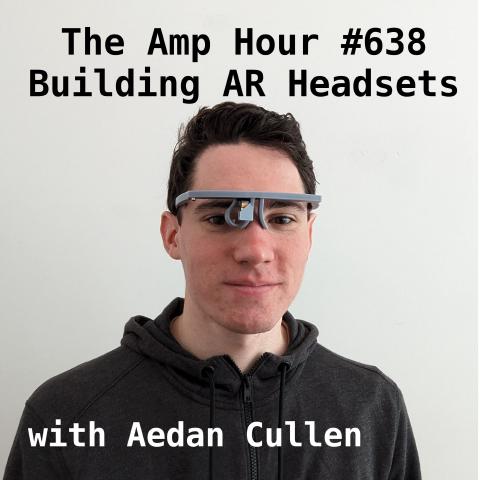
#638 – Building AR Headsets with Aedan Cullen
Download episode · 62 MB
Also on Apple · Spotify · YouTube · RSS
Show Notes
Welcome, Aedan Cullen!
- Chris first learned of Aedan from his 2022 Hackaday talk about building an AR system
- AR is "Augmented Reality", but that term is different depending on the company / headset (think "magic leap" vs "google glass")
- Got into AR because of robotics, he had be doing software around SLAM and CV
- Interacting with objects in 3D space
- The first board he was working with was the Jetson TK1
- Magic Leap's "Lightpack" had a Tegra in it
- Apple's new Vision Pro is more like VR with passthrough (and creepy eyes!)
- Being able to wear an AR unit all day
- Resolution matters
- What is it worth spending power on in a headset?
- The previous rev used the AllWinner D1 RISCV and can support one camera
- Which way should you point a camera on a pair of glasses?
- MIPI DSI outputs and DSP processing
- Lots of SIPs available for high density designs
- Octavo makes SIPs out of other companies' silicon.
- Jason and Robert from BeagleBoard talked about Octavo when they were on the show
- ECX337 from Sony needs 10V
- Torex power modules helped save space too by being stacked on top of the inductor
- Sony uses LVDS (FPDlink) and not MIPI
- Offloaded processing to a phone or computer
- Power
- Wi-Fi vs bluetooth
- New goal is to minimize power during processing, now it'll be efficiency around WiFi and Display
- With OLEDs you can selectively turn on pixels
- Goal for the battery is 8 hours for "all day"
- What is Aedan's "requirements space" and what's driving it?
- Cost has become a concern for new boards
- Using an assembly house to have one known-good assembly board
- What's on the new board?
- The new display has MIPI DSI
- The display doesn't support 2 lane DSI out of the box
- Displays are sometimes configurable in terms of how many lanes with registers
- What do the lanes refer to? Each pair ("Data lane") is a differential pair
- Most displays will do 4 lanes (8 conductors) at 1Gbps
- "Giganibbles per second"
- Silicon backplane with OLED on top
- ViewTrix
- The processor is the NXP iMX RT500
- "This is design is made for Garmin"
- Aedan is coding it in Zephyr
- Drivers are in MCUexpresso
- DCnano display driver in Zephyr
- no GPU driver in Zephyr
- 2D GPU in the chip
- WiFi module is the same as the past rev, the Si Labs WFM200S
- Sending compressed data over the WiFi link
- Mechanical
- Tweaking displays and 3D printed mounts
- Prism
- Flex cables
- XReal / NReal
- Using your brain as the combiner
- The new display has MIPI DSI
- Zach from Voidstar
- Aedan just went to the Augmented World Expo in May. "No one was wearing an AR display around the conference"
- Vision for the future
- Follow Aedan online
Transcript
Chris Gammell: This is The Amp Hour Podcast. Released July 9th, 2023. Episode 638. Building AR headsets with Aidan Cullen.
Chris Gammell: Welcome to the Amp Hour. I'm Chris Gammell with Contextual Electronics.
Aedan Cullen: I'm Aedan Cullen. I'm interested in both the hardware and software aspects of embedded systems.
Chris Gammell: Well, then you are in the right place, Aidan. Thanks for joining.
Aedan Cullen: Thanks for having me on the show. This is my first time on a podcast. I'm interested to see how it goes.
Chris Gammell: Oh, yeah. Well, you're doing great so far. I've seen you on video. I think first and foremost, I think I was watching your Hackaday Supercon talk. I actually didn't get to see it live. They started publishing all the talks and I was like, wow, this is definitely something that I want to talk to Aidan about this stuff. So you were basically, so the title on your talk, actually, I don't know the title on your talk, but you were basically talking about an AR system that you were building for yourself and for fun, right?
Aedan Cullen: Yes. So I started getting into this project after previously being interested in software for AR. So all of these sort of slam and computer vision aspects of the problem. And at that point, you know, I was in middle school and high school. There was really no hope of doing any sort of custom hardware. But then, you know, when I got to college, I decided to make an effort to learn as much about microelectronics design as I could and move as close as I could to this idea of all day AR devices. So I just started prototyping and playing with hardware and project has gone through quite a few iterations since then. It's been consuming your life, huh? Yes, it has.
Chris Gammell: As good projects tend to do. Yeah. So that's great. And you are on, what would Rev, would you say you're on now?
Aedan Cullen: So, the current board that I'm working with that we can talk a bit about, this is essentially the fourth major, I would say major redesign in terms of, you know, starting from a blank slate and doing a complete electrical and mechanical design. This particular board, I've now done a second revision of. My previous boards, some of them, you know, just I produced one revision and then moved on to a completely new design idea. But it's been about a four-year project so far with about four main design ideas.
Chris Gammell: Wow. Yeah. And I guess we should state as well. So like, you know, this isn't a, you're not a longtime veteran. You actually are a young pup in the, in the world of electronics, though, making things that I, I'm pretty sure that in my 20 years of electronics, I could not still do. So you just graduated. Congrats on that. You just graduated college, right?
Aedan Cullen: Yeah. Thank you. It's, it's definitely been exciting to try to get into the world of, you know, boards that are more similar to what you'd find in a phone than what you find on an Arduino. You know, and I, I get, I suppose I found the augmented reality idea to be a good motivation for learning that, you know, because everyone is designing phones nowadays, you know, so it doesn't seem as exciting. Who's everyone? Is this people at your university or just generally back out in the world? Well, in the, you know, in the technology industry, right? I see. Every company has their phone design and they can do that. So if you're trying to learn something new, at least for me, it's a lot more exciting to aim for something that no one really has figured out yet. Right.
Chris Gammell: So that's why novel, novel areas of inventiveness and where can you do something that's kind of out there? Yeah, that's, that's a good point. What about your exposure to AR? Had you tried it previously? Like what got you actually interested in that area?
Aedan Cullen: I originally became sort of involved in the software aspects of it from my interest in robotics. So in robot motion planning and navigating robots, you have very similar, often slam and computer vision pipelines, you know, tracking things using cameras, you know, interacting with objects in a three dimensional space, modeling the world like that. So those computer vision techniques led me to get this. Well, back in, I think, 2015 ish, 2015, 2016, NVIDIA released their Jetson TK1 developer board. So I got one of those and was playing with tons of computer vision stuff on it because, you know, it was a great platform, you know, that you could put on a robot. And that then, of course, people did put in AR headsets like Magic Leap with the subsequent Tegra SACs.
Chris Gammell: Oh, I didn't know that. I didn't know that was what was in there.
Aedan Cullen: Yeah. So Magic Leap, their like light pack thing that you wear on your waist, at least it had in the first version. Haven't taken a look at like the new second iteration of it, but it had an NVIDIA Tegra SAC. So, yeah, really those computer vision aspects got me into it. I haven't really gone around trying a ton of, you know, existing AR hardware. That really wasn't my goal in it. You know, my goal was to, you know, start and learn how I think that this sort of hardware has been developed. There are lots of people who have, you know, tried every headset on the market. That's not me quite yet.
Chris Gammell: I feel like that actually, sometimes it's better to not have done that up front, too, because then it's not like, how can I be so radically different from these other things? I mean, some of it you could kind of get a feel for what's good, what's not. But sometimes then you feel like you can't repeat the stuff other people are doing as well, which could be limiting.
Aedan Cullen: Right. I think in some regards, it's helpful to have, you know, a clean slate to start from and not compare yourself to a design that you saw previously. And then in some regards, it's also helpful to be very aware of what already exists so you don't duplicate work and so that, you know, you make progress ahead that other people find useful. Yeah. I've heard SLAM before. What does SLAM stand for again? So that's simultaneous localization and mapping, which is this sort of computer vision topic of taking one camera, multiple cameras, perhaps other sensors like IMUs, you know, and tracking the location of this camera unit in space. So mapping the world around you as you track your motion through the world. So that's really the technique that you find used on a lot of these headsets to locate the user in space so that the graphics can be rendered, you know, according to their surroundings. In a lot of cases, you know, that may not even be necessary if you don't need to have objects anchored to the real world. But that was kind of the bridge between robotics and AR that I found. Got it.
Chris Gammell: Yeah, that makes a lot of sense. Yeah, because I, okay, so I was a glass hole and those things were not locked. Those were locked to just like your field of vision, basically. So as your head moved, the whole screen moved. But you're saying that on certain things like Magic Leap, where you're trying to like have a little animated clown dancing on a shelf in front of you, you have to first detect the shelf, like visualize a flat surface and then re-render this thing to be dancing on that flat surface. That kind of idea?
Aedan Cullen: Yeah, exactly. So there's essentially an entire spectrum of design choices you could make in this field that is currently called augmented reality. And I think people are going to have to find better names for things, you know, specific devices in the future, because there is a huge difference between something like Magic Leap or the goals behind HoloLens, these large devices, well, and Apple Vision Pro now, you know, where the goal is to be able to produce this 3D immersive experience. There's a huge difference between that and something like the Vuzix devices or the prototypes I've been doing, where the goal is more to get a really low power, lightweight device with simpler graphics, perhaps just 2D graphics. What is the Vuzix you mentioned? I've never heard of that one. Vuzix is a company that they've been doing quite a few sort of smart glasses devices for enterprise applications. Most of them run Android. So if you look at teardowns of them, they're essentially more or less an Android phone stuffed into a pair of glasses. And they do applications like surgery, maintenance and such, where you want to have your hands free, right? And view reference information or telepresence, video conferencing things. Got it.
Chris Gammell: Yeah. So, yeah, I can imagine. That's the one that I always think of, actually, is that maintenance application where it's like they're looking inside a turbine. There's some kind of like QR code that like locks you to a frame of reference. And then it's like doing overlay arrows and being like, oh, you're doing a change part 74 now. And here's what's highlighted. It overlays that sort of thing.
Aedan Cullen: Right. Yeah. So there Vuzix is going for those sorts of applications. Got it. Okay.
Chris Gammell: Cool.
Aedan Cullen: Cool.
Chris Gammell: That's good to know. Okay. So that's kind of the space that we're in. And then you had mentioned that you are not playing in the super high end kind of, so you are maybe locked to a thing in space, but you're not necessarily trying to make it immersive in that you're not like a, so I guess vision pro is probably a good one to talk about. Right. That is like a, basically a, I think of actually like a VR headset where they just happen to pass through the outside cameras. That kind of feels like what that is.
Aedan Cullen: Right. So my designs that I've been doing are monocular displays. So display in one eye, you know, intended for two dimensional content. And of course, you know, you still have the potential with a monocular display to anchor the content to the real world, have it change as the user rotates their head. But yes, it's a totally separate and opposite, you know, design goal from what you have with vision pro where the goal is to have this sort of large, very powerful, immersive headset. And yes, then, then you just happen to have a pass through. What I find interesting about this low power mindset is that it's much easier to imagine how you could get to something that someone would actually wear all day. You know, if you, if you pursue low power designs, you know, applications like the vision pro and these immersive VR oriented devices, you're certainly not going to be wearing them for more than a couple of hours. But if you are just powering one display rather than two, you have, you know, limited compute on board, but perhaps you can still provide a decent two dimensional display. Then you can start to imagine, you know, how to get to something that you could actually comfortably wear. So that's the direction I've been going.
Chris Gammell: Got it. So more akin to the Google Glass of the world's look through the contextual information that you might be able to have.
Aedan Cullen: Right. I think in my view, the shortcoming of Google Glass and a lot of the VueVix designs as well. There were many. There were many. Right. One of them that I was particularly interested in was display resolution. Most of the devices you find that VueVix is making in Google Glass had relatively low display resolutions around 640 by 480 pixels, sometimes even lower than that. And I wanted to try to get a high resolution display, you know, at least something like 1280 by 720, or now I have a full HD display in my latest design. Oh, wow. I wanted to try to get this sort of high resolution display in a lightweight, low power device. Because my goal for the use cases I would like to see is to have, you know, phone style applications on this wearable display in a lightweight device. So you still have a comparable number of pixels to your phone and you could fit that sort of rich content that you expect.
Chris Gammell: And are you still thinking about, would it still also have like inside out cameras, like looking out to view the world and do that slam type of stuff? Or is it more just locked to the face right now?
Aedan Cullen: Essentially, the challenge with slam and cameras in general with my designs is just power consumption, because you don't want to spend too much power on processing for these sorts of computer vision tasks. So the question ends up being, you know, what is worth spending power on? You know, what would improve the usability of this device? And what wouldn't? So, you know, these current designs I have, my latest prototype supports one camera. So the question is, you know, you could point it at the user's eye, you know, and detect blinks, potentially, you know, track the direction that they're looking for input. Or you could point it at the world. You know, if you point it at the world, the processing on board this device, you know, is a microcontroller style system. It's not necessarily the best thing in the world for doing something complex like slam. Yeah. So there's sort of that trade off to deal with. You could, you know, you could feasibly do at least simple optical flow stuff for tracking translation of the user in space with this camera system I have. I haven't gotten into the software of doing that yet. I mean, the SOC I use has a has a DSP as well as a Cortex M33. So you could program the DSP to, you know, offload some of that vision stuff.
Chris Gammell: Okay, that's great. That's great. Okay, that's actually a good segue. Let's so let's go back to the previous version you talked about in the talk. We'll obviously link in the talk, the hack of the article, that stuff. So people can watch kind of the rich detail view and stuff like that. But can we just talk about the system, system level design of that one first? And then we'll we'll work our way towards the more the most recent prototype. Right.
Aedan Cullen: So that one used, well, at that time, it was a bit newer, but all winner had released their RISC-V chip, which they called D1. And I, you know, seeing that and being interested in RISC-V, I was, you know, immediately interested in doing a design with it. Now, that particular system on chip, you know, they include quite a few nice video processing features, you know, it has H.264. And perhaps also H.265 decoding and encoding on the chip. It has MIPI DSI outputs. It also has LVDS outputs, which were important for the display I was using at that point. So I wanted to do a design with this all winner chip because it seemed well suited to my goals of having good display capabilities. I could integrate it nicely with the Sony display I was using and fit it in this small form factor. They took that same, the same chip that's, well, the die in that D1 package. They also package it with integrated DDR2 in that D1S package, which is also called F133 because they have duplicate names for some reason. So yeah, I used that. I used that package with the integrated DDR2, which is of course, you know, it's nice because it's, you know, easy to work with and low cost. The system in package concept is very helpful for doing miniaturized designs like this.
Chris Gammell: Totally. Yeah. And I honestly, like if you look at modern, you know, you might brought up phones too, but like those are all super stacked up. You look at an iPhone, like just they're stacked chips on chips on chips. And then finally they touched down to the PCB where they need to talk to another subsystem, basically.
Aedan Cullen: Right. So previously, even before that design, I was interested in system in package. There's this company in Texas, Octavo Systems, who've kind of been, you know, they did sort of beagle, you know, beagle bone on a chip designs of sorts, right? It's an entire beagle bone black, essentially in a package that was sort of their first product. And then they moved on to doing the ST Microelectronics, STM32 MP1. So they have a system in package with that. So previously I did a board with that chip on it. I didn't show that at Hackaday Supercon. But, you know, those processors are nice for sort of industrial control and those sorts of embedded applications. They don't have great video capabilities. You're talking about the Octavo specifically?
Chris Gammell: Yeah, the current... Oh, I was going to say, those were huge when they first started doing those. They're like 0.8 millimeter pitch BGAs, right?
Aedan Cullen: Right. So they still have large BGA pitches. So they're still easy to work with. Yeah, the SoCs they're putting in them currently aren't really multimedia focused because that's not exactly their target customer right now, you know, from my understanding. So I used those in the past and I like them a lot. For what I showed at Supercon, you know, though Allwinner's stuff is terribly documented, that was, you know, a more exciting choice for my display application at that point. Yeah, totally.
Chris Gammell: Okay. So just to wrap up the system view here. So we have a display from Sony. We have this D1 system in package from Allwinner with DDR and the RIS-5 processor. What about other battery charging? What else is there? I mean, it sounds like that's the core of the thing, but what else is there?
Aedan Cullen: Yeah, so there's a single cell lithium ion polymer battery charger. That's just a typical linear battery charger. And then there's Wi-Fi as well. That, well, I'm still using the same Wi-Fi module from Silicon Labs that I put on that design, which is quite nice because it has good sleep modes and low power consumption in the sleep modes. So that's why I had chosen it. I was choosing Wi-Fi over Bluetooth because of the increased data rates, because with Bluetooth, you know, having a practical limit of one megabit per second or less for throughput, that's pretty limiting in terms of sending content to the device. Because since I have limited processing on the device, you know, providing content from a phone connected over Wi-Fi or some server on the internet, that's, you know, a big opportunity for improving the capabilities of the device because you have limited compute on board.
Chris Gammell: Great. That's good to know there. What about other things? So interconnect, other power handling, what else is on there?
Aedan Cullen: So most of the interesting design challenges came with the display. At that point, I was using this display from Sony, the ECX337. So that requires, you know, 10 volts analog power supply. So there's, you know, boost converter for that, a few other random power management things. I was using on that board, these little sort of pack, they're like co-packaged inductors with a boost, well, inductors with a DC-DC converter. I see a buck converter under them from Torex semiconductor. So they're these nice little packages. They basically have the inductor stacked on top of the chip. So it provides a really nice small footprint DC-DC converter with pretty good efficiency. So I was using those around the entire board for various power supplies and such. The Sony display, you know, it has its 10 volt supply and it has this LVDS video input. That's kind of the most annoying part about the Sony displays. They're not using MIPI DSi inputs. So you either have to have LVDS outputs on your SoC, which the Allwinner T1 does, or you have to use a bridge chip. So previously, when I did a design with Octavo's system and package, the STM32 MP1, I had, you know, parallel RGB signals going to a bridge chip to LVDS, then to this Sony micro display. And of course, you know, the bridge chip occupies board area, consumes power. It's just, you know, an annoyance to design around it. You know, so then you start deciding to just choose SoCs with the correct display interface already and not bridging it. Yeah, yeah, yeah. But I mean, LVDS, I suppose, is technically the better name is FPD Link, which came from TI and National Semiconductor, I think. But it's, you know, kind of old. Not many people are using it in mobile devices currently.
Chris Gammell: Yeah, it's interesting hearing, like, I mean, what that sounds to me like is like, so you chose the display for its specs, for its size. And then that just like had this cascading effect throughout your design, which is, I feel, super common, you know?
Aedan Cullen: Right. And in this case, it's like that because of the miniaturization required, right? I don't want to spend board area on a bridge. Yep. You know, I don't want to deal with routing it. It's too much of an annoyance in this tiny form factor I'm going for, yes. Interesting.
Chris Gammell: Okay. So then, so you got the board. This is what you're talking about. Did you get all the way up through sending data? I mean, able to send data, able to send images over Wi-Fi?
Aedan Cullen: Yeah. So I've been doing also currently a lot of work in figuring out the most efficient ways to do that for user interfaces, because of course you can easily just stream video over Wi-Fi in the standard ways people will do, you know, just taking a transport stream and, you know, throwing it over the network. But then of course, you know, maybe you want to turn the display off sometimes. You want to start and restart this. You want to maybe not send entire frames, just refresh part of the display. All right. So at that, you know, I've kind of had this trend of finishing a hardware design like that, you know, then working on the software and then wishing I had different hardware, right? Oh, yeah. Because you're always thinking of what could be better and what could be next. So, you know, it would certainly be nice to eventually get more people developing software for this because I just keep going back to doing another hardware revision. So, I mean, I didn't spend too much time doing like application level software development for that, you know, beyond bringing the thing up and getting stuff running on the display and such because then I was onto another hardware design. Yeah.
Chris Gammell: It is an interesting idea to kind of just almost have a mirror of like you could have like a Wi-Fi connection and then stream like a mirrored view of a computing device to like a laptop that might be, you know, sending stuff over Wi-Fi as well because then it becomes a computer side software problem versus a display side problem. Like it feels like a lot of the, again, my main context for all this is Google Glass, but they used an OMAP on that, right? That was the TI chip that's in the Beagle as well. And like they basically rewrote, I mean, they basically wrote a quasi Android thing for that as well, where they're, you know, they're all cards and they're all, it's all embedded processing. If you wanted a new feature, you had to push firmware down to it and then it could talk over Bluetooth to your app on the phone sort of thing instead of the phone just doing the heavy lifting and streaming it up to the device.
Aedan Cullen: Right. Yeah. Yeah. I think offloaded processing to a laptop, if you're by a laptop or your phone, if you're walking around, I think that's going to be a big trend in these sorts of designs because people do want to just put a low power, you know, microcontroller or very basic Linux system into something like this without spending too much power on doing a very complex OS. At least people who are interested in this sort of low power all day wearable. Of course, if you're doing a big bulky thing that you don't expect the person to wear all day, then you have tons of leeway.
Chris Gammell: What about power? So let's talk about power too, because again, my Google glass had like a four or 500 milliamp hour battery on it and it just, it just didn't, it didn't last. Yeah. But I imagine wifi streaming as well as even in low power wifi is it take, you know, there's just a lot of electrons flowing around here. Yep.
Aedan Cullen: Yeah. That's, that's really a challenge with choosing between wifi and Bluetooth as well, because, you know, using there, there's not really a very satisfying low power personal area network, you know, beyond Bluetooth. If you want higher data rates, because, you know, Bluetooth is great for low power consumption and like Nordics NRF series of chips are awesome for that. But if you, you know, if you want to transport wifi over it, Bluetooth is not, sorry, if you want to transfer video over it, Bluetooth is not the best link to choose for that. Then you're forced into wifi and yes, then you have this sort of order of magnitude power consumption jump. Yeah. Right.
Chris Gammell: My friend actually was at a startup that did that. They basically tried to do, they, I mean, they, they successfully did video over Bluetooth, but they abused, they didn't abuse the spec, but they basically kind of, uh, squeezed a lot of efficiency out of the spec because it's just like not what Bluetooth is designed for. Right. And it, even then it's like low bandwidth, that sort of thing.
Aedan Cullen: Right. It's not right. Not what it's designed for. And I suppose in this, in this area, you can make a lot of progress in some cases by using things in way they, in ways they weren't, weren't intended to work. Right. On the display side, I've also been doing that a lot recently. With this other non Sony display that I switched to using. Okay.
Chris Gammell: Yeah. No, so that is interesting about that. I mean, that I think just packaging up frames and sending them over wifi is an interesting idea, but like, like we said, like the, the power is a concern. What was the battery size you were kind of targeting and what was the, what was the relative, you said an all day device, what is, how do you, how do you kind of define that or benchmark
Aedan Cullen: it? So my goal now is for most of the power consumption to be in things like the display and wifi. So I want to try to minimize power consumption in processing. So that design that I was showing at super con doesn't really align with that goal yet, you know, because just running that chip with the DDR and running Linux and power management for the risk five core, all that stuff consumes more power than I would like. You know, I sense moved to doing really low power microcontroller systems with the goal of having the display and wifi data transport being the main consumers of power. So then you're only, you only want to consume power in that view on things that are facing the user or delivering content to the, to the user. I want to try to get as much processing as possible off the device. So you don't have to spend much power on that. So with, with that sort of mindset, when power consumption is dictated by the display, then it's really the type of content that determines how long you can run it for. Of course, if most of the pixels on the display are off, you know, in these OLEDs, then those pixels are not consuming power. So if you just have some small UI, you know, floating in the center of the screen where those pixels are, then the display consumption is pretty low compared to the maximum if all the pixels were white. So I want to be able to, you know, eventually get to the point of, you know, eight hours or so that's what I considered all day with that sort of lightweight information. Of course, if you decide to, you know, mirror your computer screen in these cases, it's hard to get, you know, a solid eight hours, you know, from a display that's fully. Right.
Chris Gammell: Without having like a hip backpack or a hip pack of batteries or something. Right. Yeah.
Aedan Cullen: The, the design I had at Supercon had a 500 milliamp hour lithium ion cell. And then the prototypes I'm doing now, I'm trying to, you know, cut that down to more around 200 milliamp hours or so.
Chris Gammell: Oh, okay. Yeah. That's great. No, that's, that's a good kind of, I think this, that's the thing where like you, you're, like you said, you started from a blank page. And one of the problems there is that you're defining your own specs as well. And we haven't even talked about like cost and you know, the requirements you're creating for yourself sounds like they're very reasonable, but they are also for a user of one versus if you were like making this a product. So just thinking about like the kind of the requirement space that you're creating for yourself, it's, it's interesting to hear your process around that, honestly. Yes.
Aedan Cullen: I suppose in, well, in my more recent design since Supercon cost became more of a consideration because of this was my first HDI board. And so it was a sort of unknown area in terms of fabricating things in, for my design that I showed at Supercon, those were also the first boards that I did, you know, did full turnkey assembly and just had a contract manufacturer build them for me. Yeah. Because at that point I had kind of become tired of the stress of hand assembling, you know, 0402s, 0201s.
Chris Gammell: Just wanted to make sure that, like I, I, I put enough flaws into my own designs. The soldering doesn't need to be one of them. That's, that's how I think about it, you know? Right.
Aedan Cullen: Right. Yes. And then I, you know, I wasn't going to try, well, you know, I probably should at some point, but at that point I didn't feel like spending the time, you know, assembling three or four, you know, 0.4 millimeter pitch chip scale packages on this board.
Chris Gammell: Well, and you should, yeah. And you should eventually, but after you have a working unit, like a golden unit that you can compare against, you'd be like, oh, this isn't like some, if you do it on your first board, it's like, is it the soldering or is it the code or is it something else? You know, like if you at least have one working, that's a good starting place. I feel like. Exactly. Yes.
Aedan Cullen: So fortunately these first prototypes that I did earlier this year for this new design, they did essentially completely work on the first revision, which I was happy about. Yeah. And given that there were some things on this board that were not tested on like a larger evaluation style platform first, kind of the particular risk that I took with this design was with this new display I chose, which is a MIPI DSI display. And then I'm connecting it to this SoC from NXP, which also has a two lane MIPI DSI interface. The really interesting thing to talk about with this design is the fact that the display is not really supposed to support two lane MIPI DSI. They intend to use four data lanes or eight data lanes rather than two. So there was a kind of interesting roller coaster ride and can stress right roller coaster ride and configuring the display to work in this system.
Chris Gammell: Could you could you explain the lanes thing? Because I so I'm not a display person. I don't know if I've ever done aside from like hooking up a CM4 on a project like I've never gotten that stuff. I've never dug into it enough that I've needed to do this sort of thing. So what is that? What are the lanes refer to?
Aedan Cullen: Sure. So in MIPI DSI, the display serial interface, the data is transmitted as, you know, a serial stream of bits over these differential pairs. Each pair transmitting data, they call it data lane. So typically, like on the Raspberry Pi's connectors, you'd find four. So four bits are being transmitted in parallel. And then, of course, you know, in a large serial stream overall. So there are four differential pairs for data, one pair for the clock signal for the high speed clock. And most displays, you know, for the typical DSI standard will run, you know, those four data lanes at around one gigabit per second. And you can get, you know, full HD at 60 frames per second through that just fine. But then, you know, some displays use more non-standard configurations. In some like watch designs, you'll find people with one data lane for their MIPI DSI interfaces or two data lanes. So in this design, I was really interested in using this chip from NXP, which is part of the IMX RT family. So these are kind of high-end microcontrollers with some nice graphics capabilities as well. So this chip I'm using is the RT500. And when you look at it, your first thought is this is designed for Garmin because Garmin has been using NXP microcontrollers, well, previously Freescale, in their watches for quite a while. And this particular one has five megabytes of SRAM on board. So, you know, that's... For a micro, that's big, yeah. Right. And the reason it's there is for a display frame buffer because Garmin puts these in their devices and they don't have external memory, you know, but they still want to be able to drive reasonably decent displays over MIPI DSI on their watches. So, you know, it also turns out this is a nice fit for what I'm trying to do. You know, I also want to have reasonable display capabilities. It also has like a simple 2D GPU and such in this really low power, you know, small package. So it has, you know, two MIPI DSI lanes out, right? And this particular display I'm using, you know, you go ask the manufacturer, you know, can we use it with two lanes? They're like, no. So...
Chris Gammell: Real quick on the lanes thing too, just to do some additional math on like board layout and stuff like that. So like, so you said most displays will do four lanes at one gigabit per second. So that would be eight conductors for those four lanes because they're differential pairs and then an additional set of conductors for a clock. Is that right? So 10 total conductors? Right. Yeah. So that's what you'd typically find. Okay. And then so, and that's at one gigabit per second on each pair, but there's four lanes being four bits. So is that an equivalent of like 500 kilobytes per second? Because that would be double, it's like a nibble.
Aedan Cullen: So you have essentially four giganibbles per second. Yes, I suppose. Giganibbles per second. Oh, I like that. If you want to measure it in nibbles.
Chris Gammell: Yes. You know, I have to, I have to make the name of the show. That's something that like makes people understand who you are and what you do. But if this had been a normal amp hour show, giganibbles per second would totally be the title. Yeah, that's very nice. Yeah. Right. Okay, great. So, so then when it gets kind of decoded on the display side, then something you have to do inside the display tells it I'm sending you four lanes or eight lanes or whatever the available things are. Here's how you kind of unwind that to get the data into your localized memory. That is that how it works?
Aedan Cullen: Right. So some displays you can't configure the controller IC to use, you know, a different number of lanes than, you know, really was intended. So some you find, you know, can be switched between four lanes and two lanes. You know, some are only intended to work with the standard sort of four lane setup. And these display controllers can sometimes be annoying to deal with because of course, they have tons of registers for configuration and the documentation of what the registers do can be quite hit or miss. So like this particular... Got it.
Chris Gammell: Because these are like a custom, custom silicon, often out of China sort of thing where you just, you're usually working with an FAE or something like that. But if you're not, then you don't have someone to just set it up for you.
Aedan Cullen: Right. Yeah. So, you know, this particular display, you know, it's a silicon backplane with the OLED structure on top of it. And then this silicon backplane has the driver IC on it. And then this driver IC is responsible for, you know, taking those lanes, shuffling the data around, and then, you know, driving the actual array of pixels. And, you know, from this particular company, this company is Vutrix Technology, who makes this display, particularly the backplane they design.
Chris Gammell: Do you think they say the name out loud before they decide this is going to be the company?
Aedan Cullen: Yeah, I don't know. I mean, yeah, it's... They have a website which sometimes loads and sometimes doesn't, Vutrix.com, V-I-E-W-T-R-I-X. Yeah. Wow. So, yeah, this particular display, there are eight data lanes in hardware that you can have because they want to be able to refresh it at like 90 hertz and such. But then you can also run it with a typical four-lane interface. And the interesting thing about it is you can configure it to only refresh parts of the panel. You don't have to send an entire panel's worth of data to all the pixels at once. So there are registers that can configure it for two-lane mode, but I had to poke around quite a bit in order to find where they were and, you know, email back and forth with Vutrix.
Chris Gammell: So basically, it's beg for help as a small-time person, but then sometimes they do help.
Aedan Cullen: Right. Yes, sometimes they do help. I mean, at first I was sort of reverse engineering the thing and I dumped out all the registers and I was trying to look, you know, where can I flip bits and potentially make this happen? And eventually they did help me enough to get it to work. Got it. But then, you know, since the display is so poorly documented, there are essentially an entire separate, you know, set of problems in getting the microcontroller, you know, the display controller in this MCU to talk to it because of just all the other considerations and how this data is formatted. Some displays, like, require you to keep the clock running during the blanking periods. Some displays require the clock lane to be put in the low power mode during the blanking period. So you have to, like, figure out what the proper configuration is. It's like the magical sequence of all the events you have to do, right? Exactly. Yeah. So in this case, you know, NXP's driver didn't support putting the clock lane in low power mode during the blanking period. So, like, I have to go and, you know, add that this is in the Zephyr real-time operating system. Oh, it's in Zephyr. Nice. Yeah. Yeah. So I've been using Zephyr for this, which has been quite fun so far.
Chris Gammell: Good promo. Okay. Yeah. Yeah. That's great. Okay. So then, so now you have this, okay, so you have this new processor, the RT500. And if people don't know the RT106X, 1062, I think, or 1064, that's what's on the TNC4. So that's the size. That's the beefiness of those processors. They're called crossover MCUs. And I know some of that team. Yeah. No, it's definitely, it's got some, it's got some heft to it. That's great. So now you have a two lane setup to the screen. What does it take to actually like write a driver that makes it all kind of go?
Aedan Cullen: Well, of course, NXP, you know, already have, you know, in their MCU Expresso sort of SDK, they have drivers for all the peripherals on this chip. You know, often you find things that weren't completely thought through for the particular application you're working on. So of course, one of those is this sort of configuration detail I had to deal with. You know, Zephyr is also kind of a young project in the sense that support for those NXP chips is kind of developing as we speak. The particular driver for the display controller on this chip, this DC Nano display controller just showed up in Zephyr earlier this year. So you end up, you know, poking around a lot as things change in order to get things working how you like. So, you know, there were some, you know, minor bugs in terms of managing frame buffers and things like that. So I haven't, you know, done complete drivers really for anything in this system yet, because NXP did a lot of that work. But you have to be willing to dig into the details to fix problems. I suppose the one unsupported thing currently in Zephyr is the GPU. Oh, yeah. GPU driver, I don't believe has any sort of integration with Zephyr. So that will be the next step. And that will be fun. And what is that?
Chris Gammell: So, you know, I hear GPU a lot in that they get repurposed for AI crap. But in this case, the GPU, is that to process the frames that you're kind of sending out to the display? How is that actually used in a display context?
Aedan Cullen: So in this SoC, there are kind of, well, I would say three parts at work in this sort of, well, four if you count memory, in this typical display sort of setup. So you have the actual display controller itself, which is a block, you know, connected to a bus in the SoC, so it can access memory. It can go read the frame buffer from memory. And then it formats that, you know, with the proper timings, sends it out to the MIPI DSI PHY, which then transmits it to your display. So you have the display controller. Its job is just to, you know, pipe frames out to the display. Of course, you have the CPU, you know, managing the display controller, setting all of this up, you know, potentially touching frames in memory and whatnot. There's the memory itself. And then over on the side, you have the GPU. And the GPU in this system is from Vivante, now called Very Silicon. I think they were like acquired. And it's called... More great names. More great names. It's called, well, it's one of the GC Nano series. I think the full name is like GC Nano Ultra Light 5 or something. Yeah, it also has like a numerical name, GC, and then three numbers. I forget what it is. But it's essentially a small 2D GPU intended for vector graphics. Okay. So it has some like limited 2D rasterization capabilities, but it's supposed to support OpenVG, I think 1.1 or something. I'm not totally familiar with the OpenVG standards. It's meant for those vector graphics applications.
Chris Gammell: And so these exist. So it has a different brand name, but it does. It exists in inside the silicon that you're already using, right?
Aedan Cullen: Yep. Yeah. So NXP, of course, goes to them and uses their IP in the silicon. Yeah.
Chris Gammell: Got it. Oh, okay. So it's like a partnership type thing or whatever. And then eventually NXP will buy them. Maybe. Maybe. As large companies are likely to do. Yeah.
Aedan Cullen: Yeah. I mean, you find that with a lot of blocks in these SOCs. You know, they're designed by other companies other than the SOC maker, and then they get dropped in. So like the display controller itself is like from the same family of products. It's called DC Nano. I thought DC Nano.
Chris Gammell: I thought it was the name of the display driver. Is that different? Or is that the same thing?
Aedan Cullen: Well, DC Nano is the, you know, name of the IP block, which does the display control. Then of course, you know, there's a driver, which is the DC Nano driver. Oh, got it. Which, you know, NXP has put together. Yeah.
Chris Gammell: Interesting. All right. So then, so 2D GPU in this case would be like, would that be to create animations that overlay on top? So a GPU in that, in that scenario is being used to actually process. I'm really out of my element here, Aiden.
Aedan Cullen: So like, what does the GPU do? So in this, in this sense, the 2D GPU, they intend for doing, you know, sharp text rendering as vectors, right? So if you want to do, you know, text that you can scale to any size, have it look clean, you can render that really nicely. Of course, you can do arbitrary paths, you know, fill the shapes, other sorts of, you know, solid colored UI elements with various, you know, outlines and shapes like that. In terms of raster stuff, you know, if you have bitmaps, you can transform them, do all sorts of rotation and scaling stuff. So it's, you know, it's meant for producing the sort of GUIs you'd find on a smartwatch where maybe you have some buttons, some text, some small icons. Okay.
Chris Gammell: So then how does this all translate to, so if it's the 2D GPU, what you're going to be pushing actual, like fully formed frames over Wi-Fi? So like, what is, what is the, what is the connection there? Like, how does, how does that all, how would you be able to use a GPU if not in those legs
Aedan Cullen: vectorized ways? So that's a good question. And that's to some extent still, you know, an open question. How do you best utilize this sort of on-device processing with content sent over Wi-Fi? So that's definitely a question I'm still thinking about. With the transformation that you can do on the GPU, of course, you can imagine things like when the user rotates their head, well, you potentially want to move the content very quickly, you know, transform it so that it appears to stay in a certain place. And that, you know, those sorts of very fast closed loop interactions between, you know, motion to a frame on this, on the display, those have to be done on the device. So you could, you know, you can certainly use the GPU to shuffle things around like that, even if it's not producing the actual sort of rich content. And then, you know, how you encode or compress this content to send it over Wi-Fi is another, you know, question. And, you know, some people will do things like just, you know, simple drawing instructions, like put text here, put vectors, you know, here, draw this path, right? Pipe those over Wi-Fi, have the GPU draw it on the device. You know, of course, the advantage there is you use your nice little GPU. The disadvantage is, well, now you have to program in this, you know, language of your small GPU rather than using what you have on your phone.
Chris Gammell: Got it. Okay, so let me paint a picture for listeners then maybe. So we're watching, we're watching an episode of Rick and Morty on my computer, and I want to push it to my eye display. What are you calling this thing, by the way? Oh, it doesn't really have a name yet. I mean, have you thought of Vutrix? Oh, it's taken, darn.
Aedan Cullen: Yeah, I just have like random numerical, you know, code names for my boards to keep track of them, but I don't have any flashy marketing style names yet.
Chris Gammell: All right, we can do a contest as part of the Empire episode if you want, and it would be called probably viewing a view face or something like that, right? Yep, yep. That's how it all goes. Okay, well, whatever this thing is going to be called. So I'm watching a Rick and Morty episode on my computer. I'm like, all right, I want to switch it to the eyepiece. Now, something on the computer packages up an individual, so it's like watching it 30 frames per second, frame one out of 30 in a second. It packages that up, sends it over Wi-Fi, the device gets it, and then it can like transform it, like almost like just a flip book of JPEGs. Is it coming through how little I know about displays?
Aedan Cullen: I hope it is. In reality, compressing video is a lot more complex than that because you want to be able to handle similarities between frames and take advantage of those to reduce the information you have to transfer. So that's already all handled by very smart people designing codecs. You know, we know with H.264 and H.265, AV1, all the fancy codecs, which I know really nothing about how they work. So those are very impressive at what they accomplish. In this particular piece of hardware I have, I don't have a hardware decoder for those codecs, right? So, you know, decoding them in software is not feasible, you know, on a microcontroller. So my goal essentially would be to come up with some other, you know, lightweight forms of compression for simple graphical content so you can still pipe that over Wi-Fi. So you wouldn't expect to be doing, you know, doing full, you know, complex videos with, you know...
Chris Gammell: Okay, so watching Rick and Morty on my display might not be the right fit for this design.
Aedan Cullen: Right. Watching movies is not really the intended application. The application would be, you know, graphical user interfaces and such where you may be able to compress them more effectively. Got it. Taking advantage of the fact they have these structured elements.
Chris Gammell: Okay, so more like the heads-up display that Tony Stark uses in the Iron Man film, something like that, where it's like a graphical thing that's a part of the screen is not sending everything, that sort of idea?
Aedan Cullen: Right. Yeah, I haven't... I'm not a big movie person, but yeah, doing sort of, you know, assistive user interface overlays, overlays, that's really... Right. That's the goal. Right.
Chris Gammell: That's what I was doing instead of, you know, doing this kind of design in my free time. I watch movies instead of this. I can imagine the stuff you're doing takes a lot of time, though. It's very impressive.
Aedan Cullen: Yeah, it does.
Chris Gammell: Yeah. Okay, cool. So in that case, though, so what is actually sending... Is there like a helper program that would be on the computer or the phone? Is that the idea?
Aedan Cullen: Right, yeah. So you need a helper program like that. And I've been working on some things pretty similar to that. And of course, the disadvantage there is, you know, you consume some extra power on whatever device is transmitting this data, you know, so you're saving power on the actual wearable device, you know, by doing this concept of transmission over Wi-Fi, but then, you know, your phone's battery life is going to have to take a bit of a hit. But these are the trade-offs we have to deal with, you know, trying to make any progress in this area. Yeah.
Chris Gammell: So then do you create like, either on past versions or visions of this most recent version, do you create like a simulator to kind of... I don't even know what it would look like, honestly. Like, how do you prototype stuff before you actually send it down to the device? You mean prototype this sort of processing? Like what a single frame would be. So if you had like a HUD style, kind of like a heads-up display type frame that you're going to send over this link to this device, how do you know what it's going to look like? How do you code that up, I guess, on the computer side or on the phone side and then kind of visualize what it's going to look like when you view the world? Do you build a simulator first?
Aedan Cullen: Ah, so like I don't have a simulator of that sort yet. The, you know, the optics on the device are definitely a big challenge in making things look nice, determining how things are going to look. And that's really still a big area of exploration for me because I'm not a big optics design person. Currently, you know, the display in this device is oriented, you know, as a typical 16 to 9 ratio landscape display. So if you have content that, you know, fits that sort of form factor, of course, you could also put it in portrait orientation. You could expect it to look, you know, reasonable, just prototyping it on your computer screen. But in terms of like the actual usability of this, you know, in the real world, you have to, you know, certainly wear the device and try it. Yeah, right. And that also comes into the mechanical designs of it, you know, where the display is placed, whether it's comfortable to wear. Right. There are all these problems.
Chris Gammell: Right. Yeah, that's definitely interesting challenges. I mean, like, I guess one use case that I've seen a similar thing in the past and I mentioned before the show is Zach Friedman from Voidstar Labs. Like he has a display that he created just mostly just for, I think, a teleprompter. And similar kind of thing, though. It's like an overlay that he then kind of scrolls through content, that sort of idea. But it's known content because it's just written and he's kind of looking through that written content.
Aedan Cullen: Right. Right. And I think you also brought this up before the show. The big questions, you know, turn out to be where should the display be placed in your vision? You know, do you need the display to be sort of positioned so that it's, you know, sort of front and center? Can you put it in the corner of your vision? It all depends on, I suppose, the sort of use cases that you could imagine for this. And that does get into these sort of considerations with the display flex, like you mentioned earlier. Oh, yeah.
Chris Gammell: We were talking about flex before the show. Yeah.
Aedan Cullen: How you lay out this sort of thing into a physical device, especially if you're trying to, you know, 3D print it, how do you assemble this sort of thing?
Chris Gammell: Right. Right. So how did you, what was your process when you were kind of figuring out the flex circuits because you were kind of getting this all put together?
Aedan Cullen: I think I've probably spent too much time on this to some extent because when I get into, you know, CAD and start doing 3D models for the enclosure of this device, it's difficult to decide. I mean, it's very difficult to decide where to put things because you don't have, at least not yet on the computer, a good simulation of what your actual eye would see as a human. You have to actually print the thing, assemble it. Humans are squishy.
Chris Gammell: Yeah.
Aedan Cullen: Especially eyes. So the process ends up being, you know, build something in CAD around a 3D model of a human head, you know, positioning things the best you can, print it, assemble it, and then just, you know, I have an entire bin of, you know, failed revisions, which all look the same, but are like millimeters different in various areas, you know, in order to try to tweak this so that it, you know, so the display is positioned reasonably. So in terms of planning, when I do the board design, I really, I do have an idea in mind of where the display should go, how the flex is going to need to be folded to put the display in that correct orientation, but I'm also trying to keep it as open-ended as possible so that I could change plans and try different things without, you know, re-spinning the board.
Chris Gammell: Yeah.
Aedan Cullen: So like this most recent board I did, it kind of has the display connector on the end so that the flex goes, well, this board is sort of long and narrow, 58 by 10 millimeters, and then the flex, you know, leaves the end perpendicularly to the length of the board. So if you put the board sort of horizontally across the top of the front of your glasses, sort of above one eye where your eyebrow is, then the display flex can come down nicely, and put the display just beside your nose. So that's what my current prototype is doing. But then you can also put the board lengthwise on the side of the glasses in the sort of frame by your temple, and then fold the flex behind the board, make a 90 degree turn in the flex by folding it, and then have the display come forward, kind of where Google Glass used to have. Right.
Chris Gammell: Yep. Yeah. And then they had a prism as well. So you have to have prisming in yours as well to get like the shooting in your eye kind of thing?
Aedan Cullen: So that's an interesting problem because if you do want to have a see-through, you know, transparent display where the display is, you know, partially artificial content and partially the real world that you can see through, you do need some sort of combiner. So people do prisms, they do like birdbath style combiners, like the NREAL devices. Now NREAL is called XREAL. And then there are people who do diffractive waveguides, reflective waveguides. And all of these have, you know, advantages and disadvantages. Of course, the combiners like waveguide style things, diffractive and reflective, are very, you know, slim and nice looking in terms of replicating a real lens that you'd find in a typical pair of glasses. The disadvantage is, well, currently they're expensive and hard for me to get my hands on to prototype. And their optical efficiency is pretty terrible. So you lose a ton of energy by feeding more light into the system than you will get out of the system.
Chris Gammell: Right. So then the battery suffers and... Exactly, exactly.
Aedan Cullen: So most, you know, most of those waveguide systems you find, they will not be using OLED micro displays because this OLED on silicon technology is not really currently bright enough for the requirements of those waveguides. So you'll see people doing like DLP things with essentially tiny projectors in your, you know, glasses frames or liquid crystal on silicon with bright white LEDs as the light source.
Chris Gammell: You know, SyFy has told me that I was supposed to be getting lasers that directly draw on the back of my retinas. And I've not yet gotten that one. Oh. Not sure I actually want it, but that's what SyFy told me I would be getting.
Aedan Cullen: Right. And there are people who do laser beam scanning too. No way, really. Where they, they'll have, you know, red, green, and blue lasers, combine those, then have a MEMS mirror. You know, sometimes one mirror scanned in two axes in like a raster pattern or two mirrors.
Chris Gammell: And then you just get like persistence of vision to, you just depend on that to actually like maintain the image.
Aedan Cullen: Right. So at least one of the HoloLens designs used that laser beam scanning, you know, with various degrees of success. You know, some people are very critical of, you know, the LBS designs. Some people are still going for LBS.
Chris Gammell: I honestly, so first off, I should have said up top, I'm super impressed that you're doing this on your own, on your own dollars, like just for like learning and all that stuff. I cannot believe that HoloLens still exists. I cannot believe that Magic Leap still exists. Like how much money have these companies wasted on this stuff? It's just insane to me.
Aedan Cullen: Right. Yeah. And my, my personal view of the design is I'm trying to keep it a lot simpler than you have with those diffractive waveguides and LBS technologies. You know, so the OLED on silicon displays are definitely the most mature display technology, which is small enough to fit into something like this. You know, so I have those. And then I'm not using a combiner right now. The most recent idea I had was to put the display essentially right beside your nose so that as you look, so if it's in your right eye, for instance, as you look to the left, your right eye looks kind of over the bridge of your nose. And in that, in that position, your right eye can view the display while your left eye views the real world beyond. There's nothing obstructing your left eye. So then you end up getting this effect where, you know, you have an overlay. Right. If the display is off, you know, you can still tell it's there. It's not too obtrusive, though, because your brain essentially kind of makes it look transparent because of your left eye still being able to see the world beyond it. If you have the display on, you can, you know, convince your, convince your brain to view it pretty nicely, at least in my experience. I have to try this with more people. Yeah, I mean,
Chris Gammell: and I think that's another thing where it's like, you mentioned moving from a 3D model of a head to like an actual head and then just the differences between people, too. I like, I look at a lot of the design decisions in a lot of these things and just when you start to really look at a wide variety of faces, just, you know, Google human face on the internet and like, just like how much differentiation there is with pupillary distance and just, you know, head size and all these, all these factors because people just look different and like that actually really impacts how your experience would be, too, which sucks.
Aedan Cullen: Right. And I suppose with the monocular display, I'm trying also to avoid some of the issues with the interpupillary distance adjustment that other headsets have to deal with if you have two displays. It's definitely interesting to try sort of wild things like using your brain as the combiner between the two eyes, like I'm trying here. some things like that, you know, perhaps they could be useful. It depends, in my most recent design, it really depends whether the entire optic setup can be small enough that it doesn't look too bulky being beside your nose because if it, you know, if it becomes too bulky, it starts to come out in front of your eye, which you don't want. Yeah. You know, you still want your eyes to be clearly visible from the front so if someone's talking to you, it doesn't look like there's something obstructing your eye.
Chris Gammell: Are you sure you don't want to just project a copy of someone's eyes onto the front of your device and these creepy digital eyes? I don't know what the hell Apple was thinking with that. Like, it looks, even in the promo video where they, like, could make it look the best it possibly could, that lady looked weird. It just, you know, like, my brain was just like, that doesn't look natural to me.
Aedan Cullen: I mean, I suppose, I suppose if you want to have, you know, the chance to do fully immersive stuff with, you know, high resolution displays in VR, you have no choice, right? If you want to be able to see the person's eyes, you have to do that.
Chris Gammell: I mean, that's the other thing too is that, like, all of these things, they just look so dumb. I'm not, I'm not saying yours in general, but I'm just like, like, the Apple thing, it's very nicely done for what it was, but like, HoloLens looks so, so dumb and the Magic Leap looks so, so dumb and honestly, Google Glass looks so, so dumb and that was nicely designed too, I thought, you know, but all of these things, it's just like, you mess with the view of what a human normally looks like and it's like, wow, that, that doesn't look right. So, it's starting to be a bad place. Right, which was,
Aedan Cullen: you know, part of the motivation to just get, you know, if you can get the electronics really, really tiny and the display really, really tiny, you know, then maybe, you know, it can fit in something that looks like a normal pair of glasses, but that's always, you know, the big challenge. I, I suppose I find at a lot of events, even industry conferences in this area, like I was at the Augmented World Expo in, at the end of May, you don't see people wearing these sorts of devices around, you know, even though here are all the people interested in this technology, you know, no one is wearing anything around and I suppose that's a good indication of the status of that industry.
Chris Gammell: Yeah, that's a really good measure. Yeah, yeah. So, do you wear these at home or do you just not want to wear them because you don't want to look stupid in public?
Aedan Cullen: Actually, yesterday, I was wearing them, you know, out at a sort of social event pretty much the entire time for several hours. So, you know, trying to wear them around to get a good idea of your dog food, the comfort aspects of it. Yeah. In terms of actual applications, you know, obviously, I spend so much time on hardware and then I have to be like, okay, now I have to switch into software mode, right? And come up with some actual good applications for it, you know, or get some other people to do it, ship them some hardware, maybe. They might have to start doing that.
Chris Gammell: Yeah. Well, let's start to wrap up on that. I mean, what's your vision for the future of this stuff? I mean, this is super awesome so far. I don't know if I've complimented it enough yet. I'm very, very impressed, Hayden.
Aedan Cullen: Thank you. Yeah, the vision for the future is essentially to, well, at this point, I think the hardware prototyping is going to be on a bit of a pause for the rest of this year while I do software development for this, you know, microcontroller platform because I'm pretty happy with the status of that and its capabilities. Long term, you know, I'm definitely going to try to continue working on this in some form. It's always an exciting sort of hobby project to pursue. I've been quite happy so far because the original goal for it was really to learn about this sort of microelectronics design. You know, when I started college, I really, I hadn't even done like assembly of a BGA or really anything beyond through hole, simple through hole boards. So it was pretty nice to just, you know, spend a few years and now feel confident that if I want to design a board, you know, I can do it. I can, you know, have a set of requirements and fulfill them and bring up something that actually runs software and works. In some sense, the, you know, the purpose of the project is fulfilled, but, you know, the long-term purpose, I suppose, would be to find applications for it. Maybe I open source some of this stuff at some point. Everyone, you know, always asks me if I've considered doing a startup related to this technology and of course, that's also a possibility. Yeah,
Chris Gammell: the downside to that is that if you started, then that means you got to run it and that's not the fun part. Yeah,
Aedan Cullen: for me, the fun part is the engineering and solving problems. So, I'll always be chasing that. Yeah, definitely.
Chris Gammell: No, that's great. Hopefully, if people hear this, they can reach out and watch the video and, you know, see if there's other people interested. Yeah, it's definitely a great hobby project and maybe more. I'm sure, maybe I could ask this. I mean, if you don't mind me asking if you're interviewing or have interviewed, did you bring this to interviews with you?
Aedan Cullen: I haven't ever brought like a, or let's see, I've brought boards, individual PCBs to interviews. I haven't brought, I don't think, this like complete physical device. I haven't like demoed it to someone at an interview, for instance.
Chris Gammell: But yeah, I would recommend it. I mean, that would blow me away. If like, if someone walked in with this thing, you know, that would blow me away.
Aedan Cullen: But yeah, it's always the software work that gets in the way of having nice demos. You know, I have to be like, okay, Aiden, stop doing hardware, you know, start doing software demos.
Chris Gammell: Yeah. Well, and are you, as you figure out what's next, are you interested in working in the hardware space or the software space or both?
Aedan Cullen: You know, I did a lot of software work in the past for fun. And, you know, now I've been doing mostly hardware for fun. I still find both of them exciting, but I don't like doing, you know, generic application software on normal phones, normal computers, right? Normal computing systems are not interesting. I like special computing systems, robots, wearables, things that require special thought in terms of what software you're going to write for them.
Chris Gammell: Hmm. Cool. I have no doubt that you will find some interesting places and interesting stuff to work on, most notably because if you don't like your day job, it sounds like you can just go home at night and work on this stuff. Yeah. Yeah.
Aedan Cullen: I definitely spend a lot of nights working on it so far. Yeah. Yeah. And that probably won't stop.
Chris Gammell: Yeah. That's great. Where can people reach out, learn more, see your next prototype as that becomes available? Where can people find you online?
Aedan Cullen: If I post additional like design details, they would show up on my GitHub, github.com slash Aiden Cullen. I also have a Twitter account at Aiden Cullen. I've never been a huge social media person, so there are not a ton of things on my Twitter, for instance, but those are where you would watch if I ever...
Chris Gammell: There's more and more social media networks every day, apparently, so... Yeah. There's more places to not post as well. Right.
Aedan Cullen: Yeah, exactly. Yeah. So I suppose I would post something on Twitter or on GitHub. Okay. That sounds great. Future details. Cool.
Chris Gammell: Well, thank you for coming on here to talk to us about it. I'm really excited to see where you go in your career and just all the things that you work on because, boy, you've had a good start. This is really impressive, so keep up the good work.
Aedan Cullen: Yes, thank you very much for having me. It was great talking about this project. All right. We'll chat soon. All right. Thank you.
Aedan Cullen: Thank you.
Speaker ?: Thank you. Thank you. Thank you. Thank you. Thank you.
AllWinnerApple Vision ProARAugmented RealityGoogle GlassHeadsetMagic LeapMIPINXPOctavoSony
Keep current
Every episode, plus the occasional job post, in your inbox.