
#529 – Embedded Hardware with the Raspberry Pi Team
Download episode · 80 MB
Also on Apple · Spotify · YouTube · RSS
Show Notes
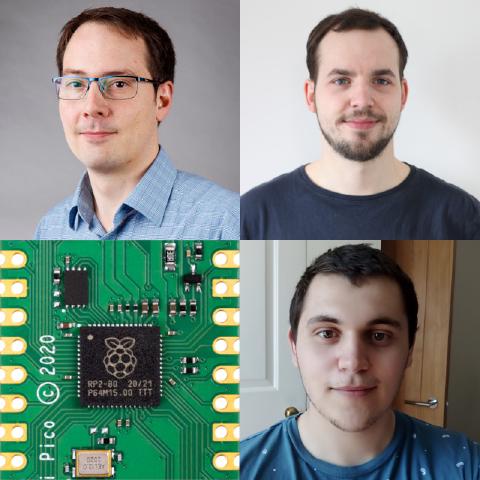
Welcome James Adams, Liam Fraser and Luke Wren of Raspberry Pi Trading!
- Raspberry Pi Trading vs Raspberry Pi Foundation
- The RP2040 is a new custom chip that Raspberry Pi released and is integrated on the Pico dev board
- 2016 start of RP2040
- Why the Pico form factor? Driver was cost (common answer throughout this interview)
- DIP form factor is interesting
- Two layer board to keep costs down
- PIO started in 2017. The idea has been around since the 60s though.
- Like a processor but very stripped down. The main thing is that it's very deterministic.
- Demos online like driving a VGA monitor (and a demo on how to do it yourself)
- Limits are tight timing
- The RP2040 documentation and getting started guide (datasheet)
- It's extra easy to get started using MicroPython
- Liam doing chip architecture work now, with new hardware experience in it
- Being able to push and pull across the documentation
- Raspberry Pi Trading has a flat structure so the engineers float across different projects.
- They always maintain a super low cost focus. How does that affect things internally?
- Building out test systems and automation at the factories
- Cost engineering
- Pushing cost savings back into silicon
- Volume discounts
- No reset button (because of cost)
- SWD is via a few wires (because of cost)
- Using another Pico as a programmer
- Benchmarks:
- .93 DMIPS
- Two core
- Symmetric cores for processing
- Comparing 2 M0+ vs M4
- Using 2nd core as debugger for first core (a forthcoming software project)
- To answer Dave's question about the RP2040 being a microcontroller vs microprocessor in episode 528, it's a "flashless microntroller"
- The flash is external (because of cost). They can create 20,000 die per wafer on 40 nm (!?!)
- The prototype of the Pico/RP2040 devices had flash, but they decided it was better to trade out for SRAM.
- The Pico team is 3 or 4 people mostly, with many more working on the Linux side of the house.
- RP2040 SDK
- Chris asks if the RP2040 will be used as co-processing on the RPi5, but it's unlikely (because of cost).
- What about future chip development?
- Will they design big silicon like for future versions of the Raspberry Pi? Probably not (because of cost)
- RISC V? Why didn't the use it here?
- During the time of the design freeze, the M0+ was the best fit, because it was low cycles per instruction and you can push the M0+ to higher clock rates.
- Interested in buying RP2040 to integrate on your projects? Probably Q2 availability. It's tough to get your hands on Pico boards right now, as well, but you can sign up to be notified on different distributor sites.
- The boards come on tape and reel (because of cost) and because they expect some people to integrate these directly into future projects using the castellated edges.
- What are people missing about the boards?
- USB host should be possible soon
- Demos using USB ethernet
- PIO
- Interpolator
- Super Mario Kart
- RPi Pico's PIO vs the BBB PRU
- Is the RP2040 Low power?
- It was design on the 40 nm LP process.
- Dormant / coma modes
- Stops all of the clocks running
- GPIO edge wakes it back up
- Memory powerdowns
- Dynamic power is pretty good, as that's what they optimized for
- Static power is not as good
- CM4
- Genesis of the compute module
- James designed RPi4
- Temp ranges were targeted to work in harsher environments than the RPi4 would expect to see for commercial settings.
- On the CM4 they swapped out ethernet phy
- There is a compliance program for CM4 (Roger Thornton), so you can get your device tested using the same compliance house
- The cost basis was not as we speculated in episode 528.
- Why the dual micro HDMI on the RPi4? Because they expect some people to be using it like a computer.
- The PI 400 is a keyboard based computer.
- Chip choice on the Pi
- 2835 chip on the original
- James used to work for Broadcom as well as Eben Upton (on TAH 97!)
- RPi4 is 2711 on 28 nm
- 2835 was a co-processor for phones
- Why are there reduced schematics for the RPi4?
- How you can help
- Pull requests to SDK
- Contribute to Rust support
- Got to blinky in a couple days with the chip
- They are looking at FreeRTOS support in the future
- Follow everyone on Twitter: James, Liam, and Luke
Transcript
Raspberry Pi: This is The Amp Hour Podcast. Release February 7th, 2021. Episode 529. Embedded hardware with the Raspberry Pi team.
Chris Gammell: Welcome to the Amp Hour. I'm Chris Gammell of Contextual Electronics. And I'm James Adams, COO and Hardware Lead at Raspberry Pi Trading.
Liam Fraser: I'm Liam Fraser, an Engineer at Raspberry Pi Trading.
Luke Renn: I'm Luke Renn. I'm a Hardware Engineer at Raspberry Pi Trading.
Raspberry Pi: Welcome, guys. The Raspberry Pi Hardware Team, or some portion of it. So let's first talk, what is Raspberry Pi Trading? I've heard Raspberry Pi Foundation before. What is Raspberry Pi Trading versus Foundation? How does that all fit together?
Chris Gammell: Okay, so the brief synopsis is that the Foundation is the charity, and we are basically a subsidiary of the charity. So we're the technical side, the technical team that designs all of the products, as opposed to the guys who do the outreach so much.
Raspberry Pi: Great. Okay. Yeah, that's really cool.
Chris Gammell: You can just imagine us like a typical kind of technology company. We're just owned by the Foundation.
Raspberry Pi: Okay. Yeah, and I mean, I feel like sometimes even just knowing like non-US corporations, I get confused. So it's good to understand that kind of how that's all set up. That's really cool. Well, first off, I'm very excited to have you guys here. I'm very excited about the new Compute Module 4. I am excited about the RP2040 and the Pico board. So I'm generally very excited here. So let's get started with the RP2040. So this is the new microcontroller, microprocessor. Well, that's what Dave was all on about last time. I'll ask about that in a bit here. But this is the new custom silicon from Raspberry Pi. I'm just going to say generally. What is the genesis of the RP2040?
Chris Gammell: Who's going to answer that one? Perhaps that one's for me. So genesis, it's difficult to put a finger on when exactly we decided to do it.
Raspberry Pi: I think it's been a... Right, right. Is it like when you cut the check to the fab or is it like when you dream it up or like what happened?
Chris Gammell: Well, I think for a long time, we have been interested in the microcontroller space. And we've always wanted to do something in that space. It's kind of a natural fit for what we do. But we also are very aware that there are other people in the space doing good things. And if we were ever going to enter that space, we need to come up with something that was quite differentiated. And of course, we also wanted to build something that was low cost. So in everything we do, we try and make things low cost so that it's accessible for people. And these days, we also build stuff for industry and sort of real work, if you like, as well as for education. So, you know, there was an idea there for quite some time, I think. And I guess at the end of 2016, we sort of started kicking it off. And we worked through various iterations of sort of design and test to come up with what we have today. So, you know, it wasn't a fully formed thing at the beginning. It was, hey, let's try this out. Let's see what we can do. And we've evolved it as we've gone along into what we've ended up with today.
Raspberry Pi: Yeah, that's great. I mean, that's a longer timeline that I expect, but it's also shorter. You know what I mean? Like 2016 feels like, I don't actually know how long a chip kind of takes, you know. Like, I don't actually know. Like, when does the meaty kind of development actually start then?
Chris Gammell: Yeah. I mean, I'll let Luke and Liam talk a bit more about the development side of it. But I guess back at the end of 2016, we were just starting to talk about it. And it probably took a good six months before we even started doing any real kind of solid engineering on it, if you like. So at the beginning, you have to go out and say, well, hey, what processor call do we want? What's the sort of what kind of architecture do we think we're going to have? And where do we get the IP from? Which bits are we going to develop ourselves? And, you know, you've got to sign a bunch of NDAs and you've got to get a bunch of contracts for IP and, you know, look over all this stuff. So there was a lot of that going on for a good while before we actually sat down and did anything engineering-y, if you like, apart from the kind of top level.
Raspberry Pi: Right. I think the big thing is that, like, from the outsider perspective, right, you know, one day I don't know anything about it. And then the next day we hear about the, you know, the chip being out there. And obviously you guys launched everything all at once. And so it was just like, oh, wow, this thing popped out of nowhere. But very obviously that is not how chip development works. So, yeah, there's a lot going into it. What was the, I mean, so we have the RP2040. We talked about it a little bit on the last episode. But thinking about, like, actually implementing it on a board then. I mean, that's what you guys have been working towards as well. The Pico is the main offering there. Like, what is the thought process around what you expect that to do? Like, why the Pico? Why that form factor?
Chris Gammell: Okay, I guess that's me again. So it's cost engineered. I mean, the principal kind of driver, I guess, for this has always been cost. What we can do in a very, very low, few dollar kind of envelope, if you like. And dip form factor. That was a big thing. I think that, well, I was pretty keen on it. And I also wanted it to be kind of modular usable. So it's kind of a component in itself. So you could take it, build it into products and projects, even into serious ones that you want to go sell somewhere. Because, hey, people build Raspberry Pi into a lot of things. We've seen this happen a lot. So building something that's actually able to, you know, to be used in that way is good. And so the kind of the form factor, there was always a sort of idea to do a dip-like form factor. And it kind of evolved from the work we did on the pinout of the chip. Because, you know, it takes a lot of iteration to make sure the pins are all in a sensible order. And having a board to do that with, we sort of co-designed the board layout and the chip pinout to make sure it's both easy to do for everybody else, but also for our own product. And that's where the pinouts kind of come from, I guess. And really the rest of it's just like, how small can we make the PCB? How many pins do we need? Because we've got this many IOs. We want a really simple power chain, but flexible. And so all of that came together into the Pico, right? So it's a two-layer board. It's got a simple yet very flexible power chain. And it's single, you know, single side surface mount. Easy to automate. It's easy to package. So therefore, you know, as low cost as we can make it.
Raspberry Pi: That's great. And so maybe we can dive right in then. So the PIO is something that's been called out as a very interesting feature. Can you guys kind of talk through what that is up front?
Luke Renn: Yeah. So PIO started in summer 17 during my internship. There's been an idea kicking around since the 60s of having something that is programmable, like a processor, but is very stripped down and specialized to IO. So you can have things like FPGAs on board your microcontroller, but they have a high area and power overhead. And they tend to be quite a steep learning curve to program for software engineers. One of the big things we wanted to do with this chip was make it as low cost as possible whilst having as much memory as possible. And that forces you to outboard a lot of your analog hardware. It forces you to have as few pads as you can get away with. And that means you need to be as good as possible at serial IO with things on your board. So we set out to make something that you talk to, like a regular serial peripheral, like an SPI, UART and I2C, but you can program to do other things as well. We've posted some demos online of doing things like VGA, I2S, SD cards, even DVI. And it's quite flexible, but it has around the same area and power overhead as a regular serial peripheral.
Raspberry Pi: Great. Yeah. So the thinking is just that it's really, again, for that optimization for the super low cost because you're offloading a bunch of the processing.
Luke Renn: Right. So it is programmable in the sense of a processor, but it's much more of a focus on being very deterministic, being very good at toggling pins, but not for doing arithmetic because that's the job of the processors in the system.
Raspberry Pi: And then, I mean, so people can go check out the demos and things like that. I mean, how extensible do you expect this to be? I mean, so you've shown the DVI, the VGA, things like that. What do you think the limits are of using a peripheral like that?
Luke Renn: The limits come in when you have very complex protocols with very tight timing turnarounds that you need to offload onto software. So if you have some really complex and unusual checksum or something like USB where you have very tight bounds on the responses, then because PIO is meant to do just the bit banging part and you're meant to offload the rest onto software, at that point you do hit some limitations. But for any strange serial line format or something like that, it should be pretty flexible. We've got examples for, you know, your classic Manchester serial, differential Manchester, all those kinds of things.
Raspberry Pi: Cool. Okay. Yeah, that's great. That's great. I mean, more broadly too, I mean, so Raspberry Pi always has like a educational bent. One thing that I was trying to verbalize when we were talking about this last week was like thinking about how this might impact the educational side of things. Do you see that like, are you expecting that people will be using this in an educational context or how do you think it will be?
Luke Renn: Yeah, I mean, we did set out to build a useful general purpose microcontroller, but I think there is a lot of educational benefit in the platform. I mean, we've worked really hard on making the documentation as thorough and easy to read and as transparent as possible. I think that there's a lot of educational value in having a dual core system that fits onto one lecture slide. And I think PIO lets people explore IO in quite an interesting and tactile way as well.
Raspberry Pi: Yeah, I mean, the other interesting thing, I've seen a lot of people kind of like raving over the, you know, the MicroPython integration there and just like the easy boot side of things. What is then the software firmware integration side of things as well? I mean, like, what are your expectations for how people will start using this thing?
Luke Renn: Sure. I mean, I think we all believe at Py that MicroPython and things like it, like CircuitPython, like NodeMCU, are serious tools for embedded software. They're more accessible than, you know, bare metal C. They do have some higher runtime requirements. And that's one of the reasons we set out to build a system that offers as much SRAM as possible at the lowest possible cost. It's because we think part of the reason things like MicroPython aren't used in, let's say, more serious embedded contexts is because of the cost that comes with those runtime requirements. So we think that MicroPython is a much better entryway into embedded programming than things based on embedded C and C++. And we've really tried to push that and get that entry as slick as possible with the drag and drop programming and the boot rom and things like that.
Raspberry Pi: Yeah. Yeah. One thing that's exciting about it all for me is just like, so assuming that there's an accessible programming interface like that, I mean, it feels like the processing side is, if you ignore battery, you know, battery type applications, it's very obvious now. You know, you have 133 megahertz dual core processor on here. Like the computing is just so cheap compared to what it has been historically. So like that then enables things that are maybe not super efficient, not super timing, tight, tight timing, like a, like a MicroPython. But who cares at that point? You know, like it's just, we have such a computing surplus.
Luke Renn: A lot of people will come in and say things like, well, in this benchmark, I found that MicroPython is a hundred times slower than C. But if you'll see codes a hundred times faster than you need, it doesn't matter. You know, you just write the code that you need. You focus on the parts that add value to your project and then you move on to the next project.
Raspberry Pi: Yeah. Yeah. I feel like, especially like, okay, so it's a hundred times faster. Does a school kid care about that? I don't really, yeah. I don't think that there's a ton of. Yeah.
Luke Renn: Like you can blink an LED at 30 megahertz and see, but it's not actually that useful.
Raspberry Pi: That's right. That's right. Well, let's, let's take a step back. I mean, so, so we've talked about Raspberry Pi trading, like, and you guys have mentioned your titles as well, but like, how are things split up there? Like what, so, so James is, is the boss man. Luke and Liam, you're both engineers. Like how do, you know, what are your days to days look like?
Liam Fraser: Maybe I can answer this. So at Pi, because we've got quite a small team, everyone tends to like not stay within one discipline. So probably me, especially compared to Luke, I joined with no, you know, hardware Verilog or like chip design knowledge at all. And I've sort of learned through, you know, the process of chip designs being going on and I've gone, oh, that's interesting. Can I do some of that? And now I'm sort of, you know, doing a lot of the like chip architecture work. So I would say sort of, it's, it's sort of split 50, 50 between hardware and software for me. And the nice thing about chip design is you can design some hardware and then write some software, run a simulation and it, and you can see your C code that you've just written running on the hardware that you've just designed, you know, as a way to verify it. So it's really nice to be able to like work from both sides. Yeah.
Luke Renn: Yeah. We, we tend not to silo engineers in one discipline so much. And there are, we do have some really experienced ASIC folks. So it was a great environment to learn and to learn that kind of thing. I think there's a lot of value in owning both sides of an interface. So whilst you're designing hardware, also thinking about the software interface to it and pushing complexity back and forth over that barrier to try and make something that was actually ergonomic to use.
Chris Gammell: I mean, that's one thing that Raspberry Pi is very good at is doing that whole stack thing, right? So you can see it with the Pico where, you know, Luke and Liam have both been doing hardware and software. And, you know, I did the Pico board design and we can optimize the pinout. We can go backwards and forwards across the whole stack. Right. And including the documentation. I mean, look at the documentation. It's absolutely, you know, fantastic. You know, when we set out to do documentation, we didn't think it would be this good, although we obviously wanted it to be great. But that just shows, you know, a small team, a small team of really good people working on everything in a very flat structure, usually sitting next to each other in the office, although not so much now, at least not for the moment. And it can really, you know, really knock it out of the park, right? And people are, you know, we employ really good people and they're all conscientious and they're technically very good. And they all want to, they're all aligned to the same goal of producing, you know, something really good. And everyone has fun doing it. And so, yeah, so Pi is very, very flat structured. You know, it's basically sort of Ebon at the top of trading and then me and Gordon and a couple of other guys and then the engineers. And largely my job these days, at least, although I do still do quite a lot of engineering, is to make the engineers' lives easier and sort of get out of the way and let them do their thing, right? So, yeah.
Raspberry Pi: That's great. Yeah, I mean, that push and pull like from software and like that full stack idea, it feels like that's almost required at the volumes and the cost targets you guys are shooting towards. I mean, how does the super low cost focus end up impacting things?
Chris Gammell: So, do you mean how do we make it low cost or what challenges does that present? Or both, I guess.
Raspberry Pi: Yeah, I think probably the latter. But I mean, yeah, I mean, then how do you do it? I mean, some of it is like I would feel like on the marketing side, like people are interested in it enough that they're buying it. And there's enough of a price incentive for people to be very interested and obviously it's good products. Like all those things end up driving towards a highly available, you know, thing that drives down the cost. So, that's one thing that I kind of take as a given. But really, I think about the decision-making process that you have to go through then in order to then maintain that super low cost focus. It's like how does – and some of it even being the long-term focus, right? Because if I go and say – so, I start a board tomorrow and I say, hey, look, I'm going to sell 10 million of these units. I go and engage Broadcom and try and encourage them that I'm going to sell 10 million units. They should give me a chip at this price. All of these different things that had to happen in order for the original Raspberry Pi to happen and now these other additional products. It just – it feels like – it feels insane to me. But you guys have navigated that and done it and executed on it. So, how does that end up impacting things internally?
Chris Gammell: Okay. I guess we are now in a pretty lucky position that we have this really strong brand. And we've learned as a company, as a team, how to build, you know, high-quality products at scale. So, something like the Pico is actually ignoring the chip side, right? Because that is difficult and that costs a lot of money for the development. But on the rest of it, the sort of board build and test, we know the guys who can do this stuff at scale. We know how to build test systems, automated test systems. So, the Pico is fully automated. Well, right now we've actually got people putting stuff in test sockets still. But very soon it's going to be robots only, right? So, you saw all components at one end. It all gets automatically built, surface-mounted, depaneled by robots, put in a jig by robots, tested by robots, packaged by robots. And then reels come out the other side.
Raspberry Pi: Man, we're living in the future, guys. I don't know.
Chris Gammell: When you take the humans out, the cost goes right down in terms of that kind of build and test side of it. But we also have good relationships with a lot of electronic suppliers, a lot of the development work for Pico. I spent a lot of time talking to different guys to pick the right, even though there's only about 40 components on it, like find the right switcher. We went around the loop with various companies, tried to find the right price. Everything's priced. We care about the cents. We even have metrics for how many placements, what's the cost of a placement, right? So, actually reducing placements even saves you money. So, we're kind of at that level, right? And this is what we do day in, day out for all of the products because we have to. And we're just very good at it. So, we're very sort of diligent. We like to come up with simple yet effective hardware. And that's kind of the challenge, right? It's fun. Yeah. Yeah.
Raspberry Pi: And I'd imagine now, too, that, I mean, does that same cost basis then push itself back into the silicon now that you're making custom silicon as well?
Chris Gammell: It will do. I mean, we're kind of just getting started in this space. So, we won't be getting the best prices for things, for sure. I mean, we have a good brand, so people are keen to work with us. So, it's about, you know, over time, doing the same thing we've done in the electronics board space, in the silicon space, learning where the fat is, learning how to make things more efficient. To take cost out. So, I think the cost for the devices we've got at the moment is pretty good. It's certainly completely sustainable. The only reason supply is limited at the moment is just because we're sort of ramping, right? So, but the automated build system and all the rest of this stuff is all built so that we can run at extremely high run rates. So, everyone who wants a Pico can buy a Pico, right? And hopefully, they'll be fully available at the $4 cost everywhere, you know, fairly soon.
Raspberry Pi: Yeah, right. Right. And that's tough, too. Like, setting that. That's one thing that's always been interesting with Raspberry Pi of, like, setting a price first. And then it's like, everything else works around that versus being like, well, we're going to offer it at our two distributors at, you know, X price. And they're probably going to offer it at 1.5 X price or some multiple of X in order to make their own margins work. But it's like, that isn't necessarily what happens because of the branding around, you know, $35 Linux computer, $4 Pico, those sort of things.
Chris Gammell: Yeah. I mean, we have sustainable margins, right? But they're lower than most people. And our network of resellers and our, you know, RS and Farnell and the guys who sell our product know the deal now, right? And actually, it's part of the brand, as you say, to keep these prices low. It's what we do. It actually helps with the scale, right? Because these things are cheaper. We can make more of them. Because we make more of them, we can get better pricing. And, you know, we can implement all this automated. Yeah, it feeds back on itself, right? Yeah, it's just a big feedback loop and actually improves the quality, right? So the products we have, you know, we know because we build millions of most of them that they are, you know, they're good quality and have, you know, good sort of error rates or defect rates, right?
Raspberry Pi: So what about the pricing then? So Dave and I kind of talked about this last week as well. Like the pricing then, okay, now I buy a $4 Pico. I'm like, this is great. I'm going to just solder this down with the castellated edges to my board. There's going to be a higher cost there. How is that cost determined? I mean, is that now kind of at the will of the distributors? Or what determines that price when I say, oh, Pico works fine for my production?
Chris Gammell: Oh, do you mean do we control the price of a widget that someone's built that uses a Pico?
Raspberry Pi: No, more on the, there's like a promotional educational price, low volumes, single volume type price where it's held down and you can't necessarily buy. You can't buy 10,000 of something at the distributor price. Maybe the distributors are holding that down. But like what then determines the volume pricing of a CM4 or a Pico or RP2040?
Chris Gammell: So the volume price, so the price we set for CM4 and Pico is the price that you'll pay. So that's the idea. We want to make it the same price for the guy who wants to buy 10 as the guy who wants to buy, you know, 10,000. And there should be no difference there, right?
Raspberry Pi: Okay. So, yeah, it's the one of the assertions that Dave thought was the, was that you would pay a higher price. So like the first 10 or 20 were at the, you know, $4. I'm just going to use a Pico here as an example, but you're going to pay that $4 price for the low volume stuff. But then there's some step function, higher cost past that. And then it goes into like distributor pricing where volume starts to kick in. So that doesn't sound like that's actually the case.
Chris Gammell: Note that the highest ever price you should pay for a Pico is $4, right? Plus tax, plus shipping, of course. But, you know, you should be able to buy, once we've got the production ramped up, you should be able to buy reels of 480 Pico boards, as many as you want, you know, for $4 a piece, you know, for $4 for each unit. Got it. That's the idea.
Raspberry Pi: Same thing on the compute modules as well. I mean, I know that there are different prices with different feature sets.
Chris Gammell: That's the idea. Yeah. And I mean, if distributors want to give a volume discount, then they can. Some of them might do, but we kind of cap the maximum price, right? Got it.
Raspberry Pi: Okay. That's great. Yeah. No, that's great. I think that we had a fundamental misunderstanding about that then. I had thought that there was, you know, because there's limitations on how many you can buy at certain distributors. I think some of that is just to hold down their own stock so that it's not like one person comes, swoops in, and buys out an entire run, and then that distributor gets stuck with like zero stock. So they limit it more from a volume basis than a pricing basis. And I misconstrued that. Yeah, no, that's exactly right.
Chris Gammell: At the moment, the distributors have turned their units per customer down just because they won't get enough stock. They'll just go out of stock in five minutes.
Raspberry Pi: Yeah, yeah, yeah. One question. So I've been taking Twitter questions as well throughout the day. One question someone, Chris, asks is, and this might apply to the Pico and the low cost, but why isn't there not a reset button on board? So it has to be done via a pin?
Chris Gammell: Is that right? Okay. Why isn't there a reset button? Because it costs money. There we are. Okay. Yeah. I mean, really, that's the short answer, right? Which one's more valuable, boot sell or reset? Well, boot sell. And I think we kind of think that if anyone's doing any long-term sort of more serious iteration of development, you should really learn how to use the serial Y debug port and get that all set up. And then you don't have to worry about your reset button. But it's easy enough to add one, right? I think there's been various videos and people posting stuff on Twitter about, you know, just basically get a button and short your 3v3 enable to ground or your run pin to ground. And that will do it for you.
Luke Renn: That's great. Yeah. I mean, once you've got the debug set up, you can reset the cores, load code and all that stuff. It's all very slick. I think people will see the four pages of instructions to get the debug set up and they kind of just go to use the USB bootloader. Once you've got the debug set up, it's pretty slick. We are looking at options to make it easier for people who want to just stay with the USB bootloader. One of them is the ability to reset the board over USB when the USB serial is attached. So you don't have to have a button. You can just type a console command in, reset the board. But currently, you need a separate button.
Raspberry Pi: And then the single-wire debug, rather, the SWD, is the thinking there that that's doing OpenOCD over a Pi? Or what is the suggested method for actually doing that debug on Opico?
Luke Renn: Well, it's fairly agnostic as to which debug probe you're actually using. You can bitbang it from the GPIOs on a Pi. You can use another Pico as a debug probe, which is just about the cheapest way to do it. And we are adding support for other probes as we go. OpenOCD puts quite a lot of protocol in the probe-specific drivers, so they are coming in one by one. And also SEGA are adding J-Link support. PiOCD are adding upstream support. So you will be able to use whatever probe you have and just debug and load code that way.
Raspberry Pi: Great. Yeah, I feel like some of that is... I mean, some of these things are... You know, it seems like at the top level, most people are going to use it over USB, right? So they'll use MicroPython. They get started. They drag and drop. Like, that's just... I feel like that is just so important to get that first blinky, to get that dopamine rush.
Luke Renn: Yeah, it's the energy barrier to get that first dopamine rush of, I did the thing with the board. And then you get hooked and drawn in, yeah.
Raspberry Pi: Yeah, exactly. I mean, do you guys see the... On the education side, do you expect, like, school-age kids to be doing debug, things like that? I mean, is that kind of the hope in the future or kind of just wait and see?
Luke Renn: I was going to say, I don't see why they shouldn't, but I'll see what Luke thinks. The USB bootloader is definitely the quickest, absolute lowest friction way to get started. I think if you have a classroom full of Pies already, then you just run our setup script and the debug is just a question of running a script, pressing enter, getting a cup of tea and connecting up three wires. If you have your own debug probe that you want to use with our board, you might have to do some extra setup to use your probe. But if you already have Pies installed in your classroom and you want to use Pico's, it's pretty low friction to use the debug as well. And that's all integrated into the IDE that we ship. The other thing is, I expect that MicroPython will be quite popular in an educational context, in which case it's all USB anyway. As soon as you have the firmware installed on your board, you just open up Thonny or whatever IDE you choose and you start typing. And that's just a USB connection. Yeah.
Raspberry Pi: Yeah. I mean, for people who haven't done that yet, it's just... Actually, I remember seeing that at a meetup when I was in the UK. Someone, I think it was Tom someone, I forget who it was. Someone had shown me basically a USB bootloader, just simple code manipulation. And it just felt so, so magical. Because it's literally just hitting save in a text editor. And then, oh, hey, it rebooted. It knows there's something here. The LED changes. And that's just like, that's so radically different from how I had operated in the past. Sure.
Luke Renn: Sure. And I think you can get a lot of mileage and a lot of new understanding in embedded software without having to understand how C works. And that might annoy some people. But, you know, MicroPython lets you talk to a lot of sensors. It lets you embed software into a lot of devices. And making MicroPython as slick as possible and minimizing the hardware requirements there is what we really optimized for.
Raspberry Pi: Yeah. I think it's that, again, it comes down to that first experience that, you know, there's really no reason to scare people away with just being like, well, let's talk about assigning memory. You know, like, let's talk about pointers. It's like, nah, let's maybe not do that right away. We can do that once people are excited about the thing that they're doing with the hardware first.
Luke Renn: Yeah. I mean, I don't think C is going away really ever or other much lower level languages like Rust, which some people are also playing with on RP2040. But the real value add is in blinking your light, not in allocating your memory.
Raspberry Pi: Yeah. Yeah. Yeah. I mean, so let's talk a little bit more about the RP2040 core as well. I mean, so obviously people can go and check out more about the deep dive into it, the documentation you mentioned is really great. But like, do you have like a benchmark or similar processor that you kind of point to and say, oh, it's kind of like that. It's maybe at the same level.
Luke Renn: It really does depend on workload. A lot of people have also asked us to compare it to a Pi. And the answer is, well, they kind of do different things. I mean, an Emzera Plus gets a surprising amount done per cycle. If you want Drystone, if you think that's a good benchmark, it's about 0.9, 0.93 D-mix megahertz. So if you clock them hard, which you can do on 40 nanometer, we get a lot of integer throughput. I mean, any core running at 133 that isn't messing about spending 10 cycles doing something, you're going to get a lot done. And the other thing we focused on is, well, we have a two core system because we think that is a great way of getting a lot of instructions and data through the system when you have a lot of memory parallelism available. And we've made sure that those two cores can genuinely execute at full throttle all the time and not getting each other's way. So actually, in terms of shoveling data around and doing simple DSP type things, we're pretty fast.
Raspberry Pi: Yeah. Okay. Okay, great. And the dual core, so you mentioned like doing that. I mean, are there other expectations from like the future proofing side of things? I mean, I've seen some people asking about, obviously, there's no comms on the Pico to keep cost down, but is the thinking there that maybe at one point the second processor will interface to like a simple Wi-Fi modem or something like that?
Luke Renn: The two cores aren't to do with Wi-Fi. They are two symmetric cores for doing more processing. And that can really simplify your firmware sometimes if you have trouble with, you know, if you've got some complex single core app where it all runs fine for an hour and then you have all of your interrupts lined up just right, they all preempt each other and you blow a timing budget. The ability to just take some real hard real-time interrupts and pump them onto a different core can really make your firmware more robust and actually simpler. We also have the option in hardware.
Raspberry Pi: So it sounds like it's almost more like, why wouldn't we have a dual core? You know, it's almost like at that point, if we're going to make a thing, it's going to be new. Why not make a dual core to make it more robust? Yeah.
Luke Renn: I mean, I think there are a lot of benefits to it. If you compare two M0 pluses to an M4 connected to the same system, you get a lot more execution throughput from two M0 pluses because they make better use of their bus ports. We also have the option, although we haven't got the software in place for it yet, of using the second core as a debugger for the first one. So you lose your USB and your second core. And what you get is a very cheap single core microcontroller with an integrated debugger. And the second core can take control of the resets and load code and all that stuff. There's a little bit of software engineering to do that. But I think that not having to have a second device on the board to debug is going to be quite interesting.
Raspberry Pi: That's on the roadmap or what's the thinking there?
Luke Renn: It is on the roadmap. It's purely a software problem at this point. Yeah. There is an ARM guy who's hacking on that with CMSysDAP, but the problem is squeezing all the USB code into the USB data RAM.
Raspberry Pi: Huh. That's really cool though. I mean, that would be... I mean, I've seen that. Obviously, dev boards are like that now, but there's literally two chips on board, right? I mean, that's...
Luke Renn: Yeah, it's normally a second microcontroller with a USB interface that's bit banging the SWD port on the first microcontroller. And actually, if you do that all internally, it costs you almost nothing to do that and have integrated debug over USB.
Raspberry Pi: All right. So you mentioned microcontroller. I have to ask because Dave asked me to. Microcontroller or microprocessor, what are we working with here, guys?
Luke Renn: I would say this is a flashless microcontroller, which I think is pretty common already and is going to become more common. When I think of a microcontroller, I think of something that is highly integrated, very low cost, very low cross-system latency, and more of a focus on IO and hard real time as opposed to processing throughput. You try and integrate as much as possible, but the reason you do that is really about cost. And the question is, is it cheaper to have the flash on board than it is to have it out board?
Raspberry Pi: So, yes, I mean, you mentioned 40 nanometers. So that's the process this thing's on?
Luke Renn: Yes.
Raspberry Pi: So could you give us a rough estimate for like the, I feel like this is maybe touchy because it's asking about cost numbers, but like, obviously it was a cost-driven decision, but like, was it enough of a, that seems like this is a decision that was made like right at the beginning. So like, how did this decision-making process go to put flash external?
Luke Renn: It's definitely been one of our main design briefs to make it as low cost as possible and also to offer as much memory as possible at the lowest possible cost. So we are roughly a two square millimeter device on 14 nanometer. We get about 20,000 diaper wafer. Oh, wow. It's crazy. Yeah. We actually, so this is the second iteration of this device. The first one was more of a test bed for the analog hardware. This is B0. That was A0. On A0, we did actually have the flash on die. We completely bottoms out on that development possibility. And we think that economically it's the wrong thing to do. So that device had 256k of onboard flash and 32k of onboard SRAM. And because flash is more dense than SRAM, that was a smaller device to produce. But actually because of the extra passing steps involved in building the flash, it was the same cost as B0, which is a larger device. So I think if you asked your average software engineer, would you like to trade all of your flash for SRAM at constant cost and then spend a few cents if you need to initialize it or execute from an external device? They'd probably say yes, because bumping up against limited memory is one of the constant frustrations in embedded software. And actually, SRAM can be as cheap as flash if you make some hard-nosed decisions about what else you have on die.
Raspberry Pi: Well, that's a really interesting insight into that decision-making. I was just looking, when I first heard about this, I was just thinking like flash is going to be on an advanced node anyways. I mean, it chases the bleeding edge anyways, just so that flash makers can keep up, it feels like. I mean, having worked for one of them.
Luke Renn: Yeah, but there are already people who are making silicon that's really highly optimized to make flash at a low cost. And the 40 nanometer process we've used with the metal stack we've used is great at making logic and SRAM at a low cost. And actually, if you try and put those both on the same die, you might expect that integrating it makes it cheaper. It actually makes it more expensive.
Chris Gammell: I was going to say the net cost is probably slightly in favor of the external flash. As Luke says, this stuff isn't completely obvious, right? I think it was about 35% cost up to add flash to 40 nanometers, something like that. Don't quote me on it exactly, but significant. And then you've added the flash on your die, and then you've taken away all the space where you can put your SRAM, right? And it's a slightly more funky process than a standard 40 process that everyone knows and loves and all the IP is developed for. So you also have to sign a bit of a waiver on your IP saying, hey, we're using this slightly funky flash process. Maybe your IP isn't going to work. So we kind of, after having the first initial test silicon and looking at the whole thing in the round, it just made a lot of sense to put the flash external. And then also, of course, then it gives you the flexibility to have as much or as little as you want. So that worked out very nicely.
Raspberry Pi: Yeah, I would think in the future too. I mean, like if you guys are setting a cost target at $4 now, like in two years from now, if it's still $4, flash is getting cheaper. I assume that your process is going to get cheaper too. You'll be able to get process efficiencies, things like that. So yeah, I'd imagine that in all cases, this actually probably, it's probably a lot cheaper to go and switch out a, you know, the engineering cost to go switch out a external flash chip in the future is probably a lot lower than a cost down or a size down, whatever they call it for silicon for your own die design, I would imagine.
Chris Gammell: So that's sort of true, but not completely. I think on the flash side of it, the sizes of flash we're using, we're at the bottom, right? Of the trough of flash pricing, right? It's a very small flash. It's on a quite old process, very cheap. You know, we can't squeeze much cost out of that really.
Raspberry Pi: Likewise, 40 nanometer. I just meant like at the same cost. Yeah. You're at the bottom of the trough. I just meant that the other entrance into that trough would then be bigger. So maybe for the same cost, you'd get bigger flash in the future. That's all I was thinking there. Yes, that's probably true. Yeah. Cool. Yeah. That's a very, it's an interesting insight. I mean, like, again, these are volumes that I'm just not privy to, you know, like I just don't, I don't, I don't get to have these kinds of conversations ever.
Luke Renn: So, I mean, speaking of volume flash is going to be a lot higher volume than any microcontroller, you know, serial flashes in everything and microcontrollers never going to approach that volume.
Chris Gammell: Yeah. Right. I mean, the cost of the, another interesting fact is the cost of the packaging of these silicon devices, the flash and our, our microcontroller is a very significant fraction of the cost of the device. Right. So it's interesting to look at it from that, from that point of view as well. Right. The flash, the package of the flash is put in is, it is probably more expensive than the actual silicon that's going in it. And that's also pretty much true of, of our, uh, our microcontroller.
Raspberry Pi: So this stuff has been very interesting on the Pico and the RP2040. I think I will get strangled by our audience if I don't start talking about the traditional Raspberry Pi or Raspberry Pi 4 and the CM4. So I guess the first question I have about, about just kind of switching a little bit to that is what is the, what's the division? I mean, how much focus is there on the, the large Linux stuff versus this new kind of lower level microcontroller stuff?
Liam Fraser: Maybe I can speak about that. So the, the Pico team, especially from a software and documentation point of view is really tiny. There's probably, you know, three or four people at most working on the SDK, but it, you know, rarely it's been mostly done by me, Luke and a guy called Graham Sanderson. And then there's a couple of extra people who've sort of wrangled us to write documentation, but we've been writing documentation for the last nine months. And to sort of go back to what we were talking about before about tool chain and stuff. Even though the C and sort of C++ tool chain is more difficult to get going with than MicroPython. It's still very easy compared to a lot of other microcontrollers, particularly if you're on Linux or a Pi, because, you know, I wrote a setup script that just installs everything you need. You can open VS code, wire up your two wire and press play and you're debugging. So the, the sort of barrier to getting debug on a microcontroller is, is something that, that we wanted to focus on. But the other thing is that the SDK is really clean. It's really nice. It's, it's quite state of the art. And like I say, cause we've, cause we're a small team, that's why we sort of focused on making a decent SDK that other people can then build their own stuff on. You know, Arduino have got a product coming out, so I'm sure they'll port the Arduino IDE, which will just use our SDK underneath.
Raspberry Pi: Yeah.
Liam Fraser: And then it's, it's really a sort of whole other set of people that do the, the Pi 4 software side. There's, there's a really long tail of like software, you know, always like porting the next Chrome version over and there's always firmware and kernel updates and all that kind of stuff.
Raspberry Pi: So you guys are like the team within the team within the team. It sounds like, cause it's like a hardware within the Raspberry Pi hardware software ecosystem within the Raspberry Pi trading within the Raspberry Pi foundation. So it's, we're, we're deep here, folks. We are, we are talking to the people, you know, that's great. That's great.
Luke Renn: We all wear a lot of different hats at work and we tend to group people by topic instead of by discipline. So I've worked on hardware and software, but it's all been on RP 2040.
Raspberry Pi: Cool. Yeah. That's great. Well, maybe a good transitional thing to talk about too, is like, do you see these things merging, merging in the future? I mean, like one, one thing I've seen prognosticated, but not, uh, not confirmed is just like, how is the RP 2040 going to interplay with a large Linux system in the future? I mean, like, is it like, are you thinking like pairing them together, having, you know, co-processing style things done the Raspberry Pi four, you know, there's discussions about that sort of thing or five rather. Sorry.
Chris Gammell: I think there's a, you know, there's a natural synergy there, whether we're going to pair them in products. I'm not sure because we're so cost focused. I, I doubt that something like the Raspberry Pi five will have an RP 2040 on it. If that's what you're asking, especially, especially when we, you know, I think it's completely conceivable. We will use this in our own products going forward. If we need microcontrollers in those products, that would make a lot of sense.
Raspberry Pi: Got it. So like, you're not going to add it just to have it because of the cost focus. Like, yeah, but it's so, it is cheap enough that you would choose this if you were reaching out for a microcontroller, but you would not, you're not just going to throw a micro on there just for funsies. You're going to, you're going to cost down and optimize the bare minimum of what's needed.
Chris Gammell: Yeah, absolutely. I think, you know, there, there are definitely areas where it would probably make sense to use our own microcontroller from a cost point of view versus other silicon. And we're quite good at that kind of sort of slightly innovative use of things. So if we can do something on a micro in software, then we'd choose that over a slightly more expensive, dedicated chip for doing something else. Right. I mean, we always like to find those little hacks to, to, to make the products cheaper if we can.
Raspberry Pi: Yeah. I mean, so like if I could, if I could make a pitch, I mean, uh, one thing that I'm doing with, uh, with Raspberry Pi stuff right now is, uh, is I have a kind of a co-processing model where I throw commands down to an embedded thing and then it goes and shuts off the Pi. And, you know, that's common just for battery saving techniques. And people are just seem to be putting Raspberry Pis and CM4s into everything anyways. So that's one thing where I was like, I was looking at the RP2040 and being like, oh, well, it would probably be on the software side because you could use a wide range of other micros that are out there. But, you know, just throw commands down to the micro side, have it shut down the Linux system and then have it gracefully come back up as needed. That, that's, that was my first thought, but probably because I'm already working on that sort of thing for myself.
Chris Gammell: I can imagine. I mean, my hope is that it would be relatively straightforward for someone to build a hat or similar for the Raspberry Pi to do that, I guess, as you're doing, right? Yeah, exactly. Exactly.
Raspberry Pi: I think it just, yeah. Yeah. And I guess there's not a need from a, you know, a product perspective too. It's not like people who are building home media systems are like Jones and for like battery savings, right? They're like, no, I'll take more power. Yeah. More. I'll just take all, all of the graphics processing you can do. Thank you very much. Yeah.
Chris Gammell: I mean, it is so cost driven. You know, to, to, to add, add something like a RP2040 is difficult to justify. We try and get the kind of 80% model, right? We want to add, if we add a feature, it's got to be good for about 80% of people who might buy the thing. And we're always very cost constrained. We really, really are. And every generation we, we pack more stuff into the same price point. So we get bigger, we get better pricing and we get better systems and techniques, but you know, we get more stuff to put on the board as well. So it's, it's, it's always a big, big challenge every, every generation. Yeah, totally. Totally.
Raspberry Pi: I mean, so you guys have talked a little bit about future stuff. I mean, so more custom silicon in your future? Good question. We have a chip team now. Yeah. I mean, yeah, you got to use it, right? So, uh, so I think, yes, you know, you don't put your best players on the bench. Come on.
Chris Gammell: So, um, we've, you know, we've, we've got a team, we've developed some nice, you know, part of the thing we're doing this kind of chip design is it takes a long time to get, get, get kind of all the flows and all the tools set up and all the rest of it and get people happily working, working together. Right. So we've got all that now. So yeah, there will be future stuff. If, uh, if everything goes smoothly, what that is, uh, I think I can't say we're not quite sure perhaps ourselves anyway, there's obviously some options.
Raspberry Pi: Yeah.
Chris Gammell: Someone asked me on Twitter, if we do a big, a big, you know, will we do a Raspberry Pi processor for the main Raspberry Pi board? You know, one of these big, big silicon SOCs. And the answer to that is definitely not. I think because that's kind of like a couple of orders of magnitude more difficult than doing, uh, doing, doing a microcontroller. But yeah, we'll see, you know?
Raspberry Pi: Yeah. I feel like at the cost basis you're at and because, so like the Broadcom chip that you guys use and have been working with, I mean, it's just like, that's already so cost optimized that it's, you know, you're, you're basically leaning into that in the first place. It feels like, you know, basically pulling in all of the feature capabilities that Broadcom does like, okay. And especially on the graphic side, there's just, you have to be bare bones cost otherwise. So you'd have to basically be planning to build millions of units and all of the cost stuff to, to go and build a high powered graphics chip at the same level. It would just be very difficult money, money-wise I would imagine.
Chris Gammell: Yeah. Yeah. Pretty much that. I mean, the teams are much, much bigger. The silicon's bigger. You need more tool licenses. It takes a lot more time, you know, the, you know, the, all of the, everything just gets much, much harder. And then verification is, you know, sort of almost scales exponentially with, with the size of the system. So, uh, yeah, it's not something we're going to be thinking about anytime soon, but, um, but we will be, we will be definitely doing something. Uh, just what that is. I, we, I'm not really sure. Probably in a similar space, right? You'll figure it out. We'll figure it out, right? It's fine. I was going to say the challenge right now is just, you know, getting, getting the Pico out, getting the production ramped, getting the documentation, tidied up as people come up with bug requests in the SDK. So we're quite focused on that, on that right now.
Raspberry Pi: Yeah. Those, those robots aren't going to program themselves guys. I mean, you know, someone's got to set them robots up for now, you know, until the robots figure out robots and then we're in big trouble. Uh, one thing that was surprising to me is, you know, 2021 on the amp hour, especially we talk about risk five all the time. And I think you've answered this question already, you know, having started in 2016, but I was surprised that it wasn't risk five, but then again, like 2016, it's like risk five wasn't a thing in, in 2016. Is there thoughts about that in the future? Looking, looking at, you know, more the open ISA type stuff.
Luke Renn: Risk five was definitely around in, in 16. Uh, I I'm personally a huge fan of risk five. I mean, if you look at my GitHub, you can see risk five implementations I've worked on. One of the things that really pushed us into QualixM is that at the point we had to freeze this design at, you know, the block diagram level, the, I think the debug specification for risk five was still in draft status. So like risk five is a brilliant architecture. It's a really beautiful piece of engineering. There's a lot of, uh, great implementations out there already. And even at that point, there were some great implementations, but the, the debug specification, you know, that's not just JTAG. That's things like new CSRs for the core, that's an entirely privileged mode. So that's core semantics of your processor that are still subject to change whilst you're trying to design a JTAG and debug really is everything in embedded because you can't see inside the system any other way. So we wanted something where the debug would just work. There was existing open source infrastructure to build off a debug. And that pushed us towards CortexM. And we think the M0 plus is the best CortexM for this system.
Raspberry Pi: Yeah. Yeah. That's interesting. Yeah. I, I kind of, I mean, in my own development too, like I'm not ever bleeding edge anything, but I will, I will lean into like what's most popular and what is known to work as well. Just because like, I don't, I don't have time to do that other stuff. I'm not good enough, honestly, like as a, as a sole engineer, I'm not good enough to go do that stuff. You guys are good enough to go do that stuff, but you're trying to maintain low cost. You're trying to maintain a huge user base. I just imagine that would potentially be a big deal to, if it, if it didn't work at any point, it would be just detrimental.
Luke Renn: A processor is a huge, a huge project in its own right. And it's not just designing it, you know, by the time you've got to, to running print F on your processor, you're maybe five, 10% of the way there. The rest of it is verification. And that is a long multi-year project with a lot of people involved. And in terms of getting a cheap microcontroller on the market, we weren't in a position to start developing our own processor. And we didn't feel like any of the existing implementations were the right fit at that point. Yeah.
Raspberry Pi: Yeah. That's interesting. I mean, the, so you'd, you'd mentioned as well, Luke, like the M0 plus was the best fit. Could you, could you explain that a little bit deeper?
Luke Renn: Sure. So on, on, on 40 nanometer, you can push M class cores up to higher frequencies than you might traditionally expect to see that particular core. So, you know, M0 plus, you may normally expect that to see clocked around 48 and M3 or an M4, you might expect to see a little bit faster. It's physically a very compact little core. And on 40 nanometer, you can get it fast enough. I mean, 133 for an M0 plus where pretty much every instruction is a single cycle. It gets a lot done per clock. You get a lot of clocks. So actually you get a lot of throughput from M0 plus. And the other thing is because we have a huge amount of, you know, have a lot of top, top level bus fabric ports. We have a lot of memory ports. We get a lot of memory parallels. And you want something that can just suck a lot of data through the system. And again, two M0 pluses is a lot more throughput for random integer throughput than let's say one M4, which takes up the same number of bus fabric ports.
Raspberry Pi: Yeah, that's really interesting. I had no idea about that. That's really interesting from an optimization standpoint. So that's really cool. What about on the, so one thing that we, I think we mentioned last time, and I've definitely talked to other people about, like you guys have chips out to other maker companies, SparkFun, Adafruit, Arduino. What about more broadly available RP2040s? Like when can I buy one on a distributor website? Is that coming or is that already there and I didn't look hard enough?
Chris Gammell: So that's coming. We've publicly stated Q2 this year is when we're going to try and make that happen. It's obviously subject to fulfilling our internal pipeline of just building Picos. And yeah, we work with SparkFun, Adafruit, Pimeroni, and those guys gave them engineering silicon and made them sign a waiver saying, hey, we don't even think this is going to work. But if you want to go build a board, off you go. They're pretty happy with that. Yeah. And they produce some really great stuff.
Raspberry Pi: Yeah. I think I was watching Lemur's feed and she's mentioned like she only got 10 of them and she was just like tried to build as many as she could with 10. I was like, that is, that's awesome. You know, like that's really cool. Like that you guys were just spreading around like that. I like, I like that methodology.
Chris Gammell: Those guys have provided really good feedback on the device and the SDK and we've, you know, so, you know, it's been super helpful to have them on board and building products, right? It's very valuable for us to do that. And obviously we want people to go and build with this chip. So, you know, the intent is to make it available as a standalone device and hopefully we'll get there sooner than later.
Raspberry Pi: Yeah. Okay. And then, and do you have, I mean, you're setting the Pico price at four bucks. Are you doing the same for the RP2040 or is it more just normal chip kind of distributor stuff?
Chris Gammell: So it won't be four bucks. It'll be significantly cheaper than that. We haven't decided on the final price yet, but we think a lot of people will probably just take the chip. But we'll see. I mean, Pico's got a bunch of other stuff integrated and it's very easy to solder into, you know, into projects. So, yeah, you'll get the choice.
Raspberry Pi: Yeah, that's cool. And I like the idea of on tape too. That's interesting. And I think that's going to fit a lot of, you know, a lot of projects type things. I'm guessing we're going to see a Pico outline on a lot of boards in the near future here.
Chris Gammell: I certainly hope so. Yeah. It was nice to get it in tape and reel, actually. Initially, we had a few ideas of maybe we could actually sell them as multiple. Because the problem here is trying to get the packaging cost low, right? So, it's some initial ideas where maybe you have like a, you sell a couple or three of them for some fixed cost and then you break them apart yourself. So, you're trying to aggregate the packaging cost across multiple modules. But in the end, I talked to some tape and reel guys. We weren't sure if that size of, you know, board would actually fit in the tape and reel. But it turned out, yeah, it did. So, it kind of seemed like a very obvious way to package and ship these things nice and easily. Especially as people might end up picking and placing them onto their own products. So, therefore, in tape and reel, it's kind of perfect. So, that works out very well.
Raspberry Pi: I'm looking through other questions and a lot of them on the Twitter thing I asked for. A lot of them are related to the Linux side of the house. And I think we can maybe end with that. But I guess before we switch to that, and I realize as well that you guys are the micro team. So, it's like that's also just kind of a broad questioning set. But what am I missing on the 2040? Like, what are you guys most excited about? What should people be digging under the hood for that they might not have heard about yet?
Liam Fraser: One thing I would say that exists but needs a lot of software work is USB host. So, you know, most examples for microcontrollers have it as a USB device. But we can actually do USB host as well. But the problem with that is that the tiny USB stack that we use, the device side of it is very well supported. But the host side is very basic. So, you can basically plug in a keyboard and mouse. But, you know, I've had like USB sound cards working. Oh, wow. It would be really nice to get like a USB Ethernet device, you know, all that kind of stuff. But the problem is, is you don't, you know, if you plug a USB device into Linux, you've got the driver there. But you'd basically have to port a Linux driver over to the tiny USB host stack to get all this kind of stuff working. But it is possible. And it's kind of like the sort of, you know, one core debugging the other core and like the sleep modes and stuff. It's all possible. But you've got to sort of build your software differently, you know, to like not use the memory that you're powering down or not use the memory where the other core is running the debugger. So it's, and because it's a small team, we don't really have the time to like dedicate to that kind of stuff. But it's a great experiment for someone to do. Particularly if you've got a USB analyzer, you can, you know, plug a device into a Windows box, dump what it does, and then go and write a driver for it. And it's quite fun, actually.
Raspberry Pi: That's cool. That's great. Other things? I mean, I guess what I'm really hoping for is like there's like Easter eggs that you'll just tell me about, which is not really the point of Easter eggs. But I guess also like as people are starting to buy, you know, they're so cheap. I've seen people just like be like, well, yeah, I just threw them in my order. I'm just going to buy a couple just to have them around. But then what should people be thinking about? Maybe, maybe not even just for the, you know, they can go check out the demos. But then like thinking about like, how do we get these integrated into products? What should people be thinking about these in product development side of things as well?
Luke Renn: So in terms of integration, I think people are going to have a lot of fun with PIO. You know, if you scroll through the data sheet or you look at the PIO chapter in the SDK book, that should give you a good idea of what it's about. We set out to design something that could talk to anything. I think we got about as close as we can with the hardware envelope that we have. There are plenty of examples out there. And then that's all about doing really tight deterministic IO to strange serial formats or parallel formats without any processor load. You mentioned something about Easter eggs. We do have one quite fun hardware Easter egg, which is the interpolator, which is some core local arithmetic hardware. It's quite useful for, you know, fixed point DSP type things. But the original purpose of that hardware was to run Super Mario Kart at 48 megahertz. And you can have a lot of fun with that. But I think PIO is my favorite feature in terms of integrating this into other hardware, which is, I think, the job of a microcontroller is to be the ambassador and the go between bits of digital hardware. Yeah.
Raspberry Pi: Yeah. Yeah. Yeah. I think that's where I'm going to point people, especially for the, I think the demo stuff is like that, that kind of makes it feel like magic. I mean, like one very obvious example I feel like is like just, you know, people love 28, WS 2812s and like, that's just such a messy serial format. But like now it's not, you know, it's just like, okay. Yes.
Luke Renn: And a lot of people say, oh, you only get 32 instructions in the PIO. A 2812 is four instructions total. And you can just shovel pixel data into a FIFO and send it out to as many strings as you want at full speed without any processor overhead. I don't think that's a particularly important industrial application. But I think that the 2812 encapsulates a lot of the fun things about PIO quite nicely. And there's a long write up about it in the SDK book.
Raspberry Pi: Okay. That's good. I'll point people at that. Yeah. I mean, I remember at a friend who was trying to do like a, you know, a huge LED panel. He was using WS 2812s. He ran into a bunch of problems with it. And then he used a BeagleBone Black, right? And it's got PRUs in there and he had to do that and write all these spy drivers for it. And it's like, but now it just gets smaller and simpler. Like, you know, BeagleBone Black is a huge device comparatively, you know?
Luke Renn: So I've seen a few comparisons between PIO and the PRUs on the Sitara. I think if you take the scale of a Sitara where you have a big, I think it's a big Cortex A of some kind, and you have a little PRUs, which are kind of microcontroller cores, and you scale the whole system down to your Cortex A becomes an M0+. You've got a similar size ratio between that and the PIO state machines. It's the same job. They offload stuff that is really hard real-time and low processing requirements from the processor. The difference is the M0+, is already pretty good at hard real-time. So it can take over some of the protocol stuff and PIO is just there to accelerate precise timing on the pins.
Raspberry Pi: What about other low power type stuff? I mean, is there other power modes that are maybe lower than expected because of 40 nanometers? Or does that make it worse?
Chris Gammell: So we use 40 LP. So that means low power. So that means the gate oxides are a bit thicker and some other magic stuff that I probably don't even understand that they do to basically...
Raspberry Pi: Just for like leakages and things like that?
Chris Gammell: Actually, what it does is it makes the leakage less and actually increases the dynamic power a bit, I think, because you're driving more capacitance on your MOSFET gates. Yeah. So we have put a few interesting things in for low power. But in general, we haven't engineered this for super ultra low power. And when I say super ultra low, I mean we're not doing any kind of crazy biasing to really get down into the tens of microamps type range. You know, there are microcontrollers out there that do that kind of thing. It's something that we are certainly interested in doing for any future silicon if we do another kind of microcontroller in this space. It's just a function of engineering team size, right? We chose to focus on the stuff that we're good at, which is the architecture, the digital side. And getting something out, a first shot at it to see what people think. So we've sort of done the best effort on some of the power stuff. I don't know if Liam or Luke want to talk about the dormant and coma modes.
Liam Fraser: Yeah. So we've got two sort of modes of sleep, really. One is where you can send both of your processors into what they call deep sleep. And then once neither of the processors are requesting clocks, you can then turn off the clocks to most things. So there's basically a sleep enable register which says, what do you still want running? So in that case, you can basically run just like the RTC to wake you up in like two minutes time. And that will then wake you back up and only have that clock running. There's another mode called dormant mode, which we also call Tacoma mode internally, which basically stops all of the clocks running. So there's no clocks running on the chip at all. But you need some kind of external source to restart those clocks. So a GPIO edge or going high, that kind of thing. And you could, for example, keep the RTC running by supplying an external time reference to it. But the oscillator and the ring oscillator are both stopped. And then on top of that, we've got memory power downs, which do definitely help with your power consumption. But like I say, it's tricky to build the software when you start turning off memories, especially because our memories are laid out in a sort of striped pattern. So you get better performance out of it by default.
Luke Renn: All right. So we put quite a lot of work into the dynamic power side of things. I think we've done pretty well there. And the dormant mode where you turn off every oscillator in the chip, as well as every top level clock gate, it's quite neat. We don't do quite so well on the static power side of things. Part of that is, as a compromise, we only have one core power domain. And that means we can get great power integrity with a pretty shallow metal stack, which is important to run lots of logic fast on a very low cost die. But that does mean that it does leak quite a bit in its lowest power sleep state. We are looking at re-qualifying the silicon at higher and lower operating voltages, which will give you a little bit more headroom at the top and also let you get a slightly lower sleep current. But that's future work.
Raspberry Pi: Okay. Yeah, that's great. I think it comes back to the goals for the project. It seems like performance at low cost, that's kind of what it feels like it keeps coming back to. And it seems like you guys have hit that. Yes.
Luke Renn: And especially memory at low cost, which I think is going to, that's what enables you to use really dynamic programming languages like MicroPython in a more serious embedded context.
Raspberry Pi: Yeah. Yeah. And then that drives accessibility, that drives ease of use, that kind of stuff. And really that, that fits, it seems to fit well. I think you guys have painted a really good picture of like how it fits into the Raspberry Pi mission and what you guys have been trying to do.
Luke Renn: It fits nicely into our educational mission. I also think it's an interesting thing for software engineers, embedded software engineers to use really low cost devices that have a lot of memory available, because it changes the way you develop your software. And your billable hours as a, particularly as a consultant, are also a part of your cost of that board. If you're making 1,000, maybe you're happy to spend an extra five cents on the silicon and save yourself six hours of work.
Raspberry Pi: Yep. Yep. That makes sense. Yeah. And I mean, I mean, I play mostly in the industrial space too. And like, you know, looking at the PIO, that fits, that tickles all the right industrial nerves for me. I think that like, that kind of like offloading, that's great. And then anything else I'm doing is not like-
Luke Renn: We have some really fun uses of PIO coming up in some of our internal stuff. It's quite useful if you have some digital format on the board that's just coming out in not quite the right format, and you need to bridge it into some memory, buffer it, process it, send it back out. We're looking at integrating RP2040 and some of our stuff. And PIO is a big part of that.
Raspberry Pi: Yeah. Yeah, that's great. And I, yeah, I just think on the industrial side, it's just not, not that power constrained. I mean, so the fact that it's not is like, I feel like there's, you know, there are like, like I think James said, there's, there's different levels of, you know, how low power do you really need to go? I don't see this going into any, like, you know, I don't see this going into a Fitbit anytime soon. But at the same time, there might be other software tricks that people come up with to put it into the low power modes as needed. And yeah. So I feel like we're just so early days, it's, it's hard to, to put it into one corner anyways.
Luke Renn: Yeah. It's, it's all trade-offs. I mean, we're in a completely different class, clearly from a big CordX 8 SOC. Obviously we aren't in the hundred nanoamp sleep current class. And I think that we have use cases where, where you won't get the performance you want at the cost unless you choose RB2040.
Raspberry Pi: So that's cool. All right. So let's dip quickly into the, uh, under the Linux side. I know that you guys are the embedded thing. So maybe this is mostly for James, but there were some questions around, you know, just generally around, I have my own questions around the CM4 and things like that, where you guys see that going. I think the industrial focus or the, you know, the broadly available focus is interesting as well. What do you, what do you think into the future? Raspberry Pi kind of, I guess, Raspberry Pi trading and being this hardware company and then, you know, having the educational mission on the foundation side. But now you're, I think I keep seeing the, you know, Raspberry Pi making millions of units a year that are going into industrial products. So like, what is that trade-off? How does that end up playing into the, to the, the company and how you're thinking about things with both the CM4, the Raspberry Pi 4, and then I guess RB2040 as well?
Chris Gammell: Okay. It's a, it's a great question. So we, I mean, a long time ago now, you know, we, we noticed that people were putting Raspberry Pis into, into products and, you know, they're buying Raspberry Pis, putting them in their box and selling them. And that was kind of the, sort of the genesis of the original compute module. So I put together the original compute module partly because I thought it was a thing that should exist because we had this nice platform, but you know, there's, there's, there was obviously lots of options for form factors that we didn't choose. And it would have been nice to make a thing that people could build with. And it was also a nod to the industrial guys, but I guess it was kind of an experiment at the beginning. How well is this going to go? Right. Right. But we've continually built on that. Right. At the beginning, it was pretty, well, it was unknown in, on the compute module side. Right. So people were still using Raspberry Pis in, in products, but not to a sort of serious degree, if you like. Compute module comes along. They probably still thought, well, you know, what's Raspberry Pi doing, making this kind of stuff. So some people started to pick it up. So it's been a kind of a slow burn. So then we released CM3, CM3, and then CM3 plus compute modules. And we've continued to, you know, produce Raspberry Pis. So people, I think now people can see we're quite serious in, you know, in this kind of space. Right. So we are kind of, when we design any product now, we are thinking of the industrial applications for it. So, for example, when I designed Pi 4, I went through the bill of materials to make sure that basically all of the stuff that we put on the Pi 4 board is completely suitable to put on the CM4. Right. So, you know, we use all the components. I mean, we're not industrial temperature necessarily. Right. We're not at minus 40 to 125. We still use sort of commercial grade chips for stuff. But where we, you know, but we do pay attention to all of the other stuff that can get you. Right. So we make sure that, you know, we do a good job of making sure that, you know, all the stuff we choose is, you know, the crystals are rated at, you know, minus 20 to plus 85. And, you know, basically nothing's going to noble us and then we can just pull that straight over to the compute module, which is what's happened on the sort of Pi 4. Dominic did a great job of taking that and reforming it into the CM4. But it's kind of, you know, the kind of the same hardware. I guess the only real change is the fact that we've swapped out the Ethernet Phi from a slightly cheaper, lower, what's the word? So the one on the Pi 4 doesn't do some of the more industrial Ethernet-y type stuff. So we put a slightly more expensive one on the CM4 so it can do that, do that stuff. Yeah. Lower capability. Pretty much it's, other than that, it's the same stuff, right? The same caps, the same silicon, the same crystals. And we know that people put Raspberry Pi, you know, the main Pi product in their product still, you know, that's still a big, a big market. And now they have the option to put compute modules in which, so if they want to choose to do their own form factor or have the industrial Ethernet or, you know, have the MMC flash on the device, then they can go do that. So it's just been a thing that we've grown and it took a while for people, as I said, for people to realize we were kind of serious in this space. But now we've got, you know, we've got several generations of modular industrial products. We've got a lot more sort of collateral on the, you know, documentation and a data sheet side. We've got the compliance program that Roger Thornton put together. So that makes it easy for anyone taking Raspberry Pi compute modules or Raspberry Pis to integrate them into their product and go through the same compliance house that we use for our products, right? So that compliance house is UL. They know how they have all of the test kit and the software that we use for our own products. So they can easily help people build their products if they're based on the Raspberry Pi products, if that makes sense. So we're kind of building this, you know, we're building out this structure to help people with their industrial design. Because actually, that kind of compliance and all of that kind of stuff, it's really hard and frustrating when you first get started. And it's really, it kind of feels nice to help people along that journey. And of course, it helps sell us, sell products as well.
Raspberry Pi: Yeah. And I think that that drives down costs as well. I mean, it sounds, that kind of thing is, it seems like that's what other module makers do. It's not like you guys started as a module maker, right? It's not like you're selling only industrial modules that, you know, with super crazy ratings or anything like that. But it's, it seems like a natural progression into that space, especially to get volumes up. And I think kind of everyone, everyone benefits from that then because it helps to fund Raspberry Pi for future, future things. And, you know, more hardening, more, more Raspberry Pis everywhere, really. So that's, that part's great.
Chris Gammell: And of course, we apply our kind of costing model to the CM4 as well as Pico, which is, you know, we try and cap the maximum price, right? So people, you know, we don't disadvantage the guy in the shed who only wants to build a hundred things versus the big guys who can afford the, you know, the many thousands of units.
Raspberry Pi: Yeah, I do feel like that, that drives a lot of the, that drives a lot of the things that I've seen, you know, on the consulting side, hobby side, whatever, right? Someone who wants to buy, wants to build a hundred of something, you know, even with the CM3, it was out there, but like the, it was hard to kind of get that stuff implemented. It felt like, but now it just feels like it's getting easier and easier. I've seen a lot of CM4s out in the marketplace. I'm using one myself. I mean, I, I think it's just, I think this is a model that is, has existed with module based design. It's, there's nothing new in that regard, but I think that that, I think we're going to start seeing that more and more in terms of maker projects all the way up through industrial projects or professional projects, I suppose.
Chris Gammell: I think the key thing, the things that we've done with CM4, we've integrated more stuff and we've also integrated a simpler, we've integrated all the power chain as well, which is actually quite critical because you only have to supply five volts and it will go and do stuff. Right. So we've just taken away that last bit of energy barrier with the CM3 plus you had to supply several supplies and make sure the sequencing was correct. So, you know, uh, uh, and now, but now you buy a thing, it's got flash wifi ethernet. You just need some wires and a five volt supply and off you go.
Raspberry Pi: Yeah. I have to say, I do wish the, I wish the, the input was three volts, three, three, but that's just a personal gripe. You don't have to listen to me on that. I wish there was like a, like a solder jumper so I could just bypass the stuff. But I realized with the sequencing, like you're saying, it's all optimized for plug in and a USB connector. Right. So it's like, it's already built for that, but yeah.
Chris Gammell: Are you thinking of lithium ion batteries? Is that your. Exactly. Yep.
Raspberry Pi: Exactly. Right. Yeah. I mean, and that's by boost converters are part of my, you know, ecosystem and similar things like on the ABC board that I do, which is power back powering a pie. It uses a BQ 25, eight, nine, five, which is a great little chip for that sort of thing. And like, just to be able to, to basically look like I'm doing a USB on the go. Basically that's, that's how I get around it is basically I, I plug, I plug the output or sorry, the input of the pie is the output of a USB on the go chip effectively so that I can back power with five volts. But then it's boosting and all the noise from that side of things. That's just a personal gripe. You can ignore me. It's fine.
Chris Gammell: No, it's, it's fine. I mean, the original, the original compute module was designed with this in mind, but that's why we had those multiple supplies. Right. So you could, you could do your own thing, but that makes it more complicated. And the, the, the, the switcher silicon, the, the PMIC on, on, um, pie four, uh, it's, it doesn't go down to three V three. Right. Unfortunately. So it's, uh, it is what it is.
Raspberry Pi: Yeah. And again, it's, it totally makes sense from like, like, I think that's the thing when, when all of these decisions are out there, it's like, man, I would, I would have made the same decisions. You know, like, it's just like from a logical perspective, it makes sense. I just feel like when there's, I, I, I haven't been, well, I haven't been able to talk to you guys yet and now I get to. And so I feel very blessed for that. Uh, so, uh, I'll call you guys next time. I have a great, but, uh, not really. Uh, let's see some other questions we had out there. Uh, why dual HDMI? Why, what was the, what was the thinking behind that? I guess that's on the four, but versus like a full size single.
Chris Gammell: Yeah, sure. Uh, that's quite, I think it's quite an easy one. It's we kind of think of the pie as a PC, right? We think that's a pretty valid use case. And as, as the generations progress, we get faster and faster. So Raspberry Pi four is now a fairly, you know, convincing desktop, uh, Linux machine, obviously not for.
Raspberry Pi: Yeah. Including the, the a hundred, I forget the name of the, the little keyboard thingy that's attached to the pie. Yeah. Yeah.
Chris Gammell: So it just, you know, if you've got a, a, a computer often you want multiple screens. So, uh, we just thought, you know, this is a great feature. It's also kind of nice cause it's a feature that no one else really could offer. And because we get, because we work closely with Broadcom to sort of specify the architecture for these devices, we, we could sort of add it as a, okay, let's just add another HDMI. And, uh, I mean, it's obviously not quite that simple, but, um, it's just a feature that we think. You know, people would value and would be useful, especially in this kind of PC, you know, productivity machine or, uh, type, uh, use case.
Raspberry Pi: Okay, cool. I'm trying to make sure I cover all these questions. Some of them are silly, so I'm going to skip some of them on the, I guess, I guess kind of on that working with Broadcom thing as well. I mean, is it like, uh, you get what you get in terms of the chip that you're working with? I guess, I don't even know is between the three and four has, has the chip changed recently? Like when, when, when does that chip decision get made?
Chris Gammell: So, okay. So back in the day, the, uh, the 2835 chip that we originally used on the, the very original Raspberry Pis and the, and the, you know, the, the sort of Gen one and the zero, that device already existed. It was built before Raspberry Pi was a thing. It was the thing that, um, so I, I used to work for Broadcom. Hebron used to work for Broadcom. In fact, quite a few of the people in the, in the, in the, in the team, the Raspberry Pi team today are ex-Broadcomers who actually worked on that chip. Yeah. Back in the day. Right. So I, uh, in, in, in my old life, I, I, I was kind of the founder of the video core graphics team within Broadcom many years ago and sort of disappeared off in 2009 to do other things for a bit before coming back to Raspberry Pi. But, um, it existed Eben, that was the sort of Eben's realization was, Hey, this is the chip that I could use for the thing that I've been wanting to build for ages, which is the Raspberry Pi. Right. Um, and that's kind of how it booted up. So that already existed, but then we already had kind of a, uh, you know, we obviously knew Broadcom very well. And for subsequent chips, we've always been able to have a bit of input in, Hey, you know, can you do us a chip that will do this? And usually it's an evolution of something they've already got or an evolution of the thing we've already got. So, you know, up to Pi three B plus, even we basically, it was just an evolution of the original chip in the first Pi, right? Just take out the, the, the weedier arm cores, add some more in and then kind of cut and shut, uh, make a new chip. And Pi four, the new device on that, the 2711 is, is a whole new design on 28 nanometers. So the old Pi chips were on 40 nanometers. So that was a, a bigger engineering effort, but it's kind of, you know, more of the same and we've got more scale. So we're a serious customer for Broadcom. So, you know, we can, we can work with them to, to, uh, to do this kind of stuff. I hope that, I hope that makes sense.
Raspberry Pi: Yeah, no, that's, that's, I mean, that kind of is always what it felt like. It was like a, not quite a retrofit, but it was a using what you get for initially. And now that's interesting to hear that you're a big enough customer that like you get to subtly push, maybe push the giant around a little bit. You know, that's, that's, that's interesting. I assume for them, it's a huge marketing boon to have you guys on board. So with using those chips, so.
Chris Gammell: Yeah, there's that. And there's also the fact that, you know, we know how many Raspberry Pis we sell. It's quite easy to go and say, well, hey, you know, we're going to sell this many products. So they can do their kind of return on investment type calculations fairly easy. Yeah, exactly. Yeah. And usually what they're doing is an evolution of what's already there. So it's kind of a, sort of a, quite a low risk project for them, if you like. So it sort of makes, it wins for everybody, right?
Raspberry Pi: Yeah. Yeah. I didn't figure it was, you know, bleeding edge, but I'm sure it's more leading edge, you know, like that kind of thing of like for the newer chips. I know that the, the original chip was like, what, like for the 28 to fit 35 was like a set top box. Is that what the original target market for that was? Or more broadly than that? Yeah. Kind of broadly, broadly. Video processing in general.
Chris Gammell: It was originally. Yeah.
Chris Gammell: I was originally designed to be a, a coprocessor. So to drop in alongside. So when phones didn't really have a lot of multimedia drop in alongside the, the main SOC and do the acceleration. Got it. It ended up having an alarm core grafted onto the side of it kind of for engineering fun. And then it became useful for other things, right? It's kind of like a little system on a chip that could run Linux. And then, then, Hey, wow. It's, it's great for Raspberry Pi. So that, you know, there's just a sort of nice sequence of, of, of events that ended up making it really useful because it designed to be cheap as well. Right. Because mobile phone guys don't want to pay a lot of money for their, for their silicon. And so it kind of was all just the right thing at the right time.
Raspberry Pi: Yep. Okay. That's great. I mean, that's, that's good history. I think, you know, on the documentation side, someone was asking about the schematics. Uh, so the first Pi had a schematics, Pi 4 does not. I, I've not looked close enough. Is that correct? That is correct.
Chris Gammell: So we, uh, we, we do supply sort of reduced schematics for the, for the Pi boards these days. It's really just about the kind of IP protection. Uh, unfortunately we do, we know we spend a lot of money developing these products. We like to share as much as we possibly can with people on all of the products, but there's certain things that we, we like to keep to ourselves and maybe one day we can change that.
Raspberry Pi: But it's just, you know, when you guys make a full custom, uh, you know, all the way down to the silicon, then you, then you get to do that. Right. I mean, like, uh, but yeah, maybe. Yeah.
Chris Gammell: I, I mean, it is what it is right now. You know, uh, I like to tell people that, you know, the fact that we've built this business and it's successful and it does make some money means we can employ bright engineers. Like Luke and Liam and we can do awesome stuff. Right. So we've got to kind of protect that.
Raspberry Pi: Yeah.
Chris Gammell: Right. So we, we, you know, we want to make things as open as we can, but there's some things that we feel, you know, is, is, could be risky to open. So we, you know, just being pragmatic as a business.
Raspberry Pi: Yeah. I mean, you guys sound like great engineers and I think that the, the focus on trade off, you know, we've said trade offs a couple of times on this episode. And I just feel like that's, that is the basis of engineering and, you know, all decisions that we've discussed, it just feels like, yeah, there's trade offs. And, you know, you're making the best way forward you can. And so that's, that's fine with me. I'm cool with it, guys. I don't know if that matters at all, you know, globally, but, uh, trade offs are what they are.
Speaker ?: Yeah.
Chris Gammell: I mean, I think that is engineering in a nutshell, right? Good engineering and good business. Right. Yeah. Right. Exactly. Exactly.
Raspberry Pi: Okay. Well, anything else I should know or our audience should know, I mean, uh, how they can help maybe. And are you guys looking for that sort of thing? More demos, more help, more on the software SDK side of things. Are you hiring? What, what, what are we thinking on that side of things?
Chris Gammell: Do we have anything on the sort of software side with, uh, with Pico or RP2040, Luke or Liam?
Luke Renn: We accept pull requests to the SDK. Okay. Lots of people are working on, uh, things like Rust support at the moment. There's some really interesting stuff going on, particularly in the Rust community. I mean, they were able to get to, to Blinky based on our documentation within a couple of days. Uh, we don't have any internal bandwidth to help out with the, the Rust support other than, uh, helping out with support questions. So if you are an expert in Rust or you, you enjoy Rust, then definitely go jump on that project and help those guys out. I think Rust will be really, really interesting in this system.
Chris Gammell: And anything to say on RTOS?
Luke Renn: We're looking at a free RTOS port. We will publish more details when we have something to actually put on GitHub and have people hack on.
Raspberry Pi: Okay, cool. That's great. Throw in. I like Zephyr. If you guys like Zephyr. I'm also a fan of Zephyr. Go for that. Yeah. Yeah. Cool. All right. That's great. That's great. Yeah. So where can people find out more about you guys individually, where they can find, follow you online? And then, uh, where can they find out more about the boards? And I guess probably just we'll say Googling on, on that side of things. But if there's anything special they should see, where should they go to look?
Luke Renn: I mean, you can find me on Twitter at Ren6991. Most of that is posting about my own projects. I've got a little hobby project in the background the last couple of years where I've been trying to build a competitor to the Game Boy Advance from scratch. About 20 years too late. Nice. It's called Wisk Boy. So check that out.
Liam Fraser: Cool.
Chris Gammell: Yeah. I'm on Twitter. If you could follow me, if you like, I tweet about random things, uh, often just my own stuff as well. At James Adams 314.
Liam Fraser: Yeah. And I'm on Twitter as Fraser Liam, and I'm also on GitHub as Liam Fraser.
Raspberry Pi: Okay. That's great. Yeah. All right. Well, thanks guys. We'll have links and all the, we'll have links about everything we've talked about here in the show notes. And, uh, people can always ask, uh, questions in the comment section on Twitter as well. You can ask questions. Uh, we'll tag everybody on Twitter so that you can find everyone nice and easy. Thank you so much for joining me here. I, uh, and thanks for developing these products. I think it's going to be, it's really exciting to see what you guys are doing and what the future is for the education side, but then, you know, more broadly in terms of custom silicon, you know, where Raspberry Pi is going. It's been a pleasure.
Liam Fraser: Thank you.
Luke Renn: Yeah. Thanks for having us on.
Raspberry Pi: All right. Talk to you guys soon. Bye.
Luke Renn: Thanks.
Raspberry Pi: As you grab another slice of Raspberry Pi, we'd like to thank the naturally sweet nature of our patrons. They're in the kitchen and in the Discord channel, cooking up the next bit of technology conversation. Join the chip chat at patreon.com slash the amp hour. Come talk through your next embedded or Linux based system and join the club of amp hour listeners.
Archived Discussion (1)
Comments are closed. Archived from the original site.
Show archived discussion (1)Hide discussion
- Georgi Angelovhttps://github.com/Wiz-IO/wizio-pico
BroadcomCM4Cortex M0DIPMicrocontrollerPicoPIOraspberry piRP2040SDKSWD
Keep current
Every episode, plus the occasional job post, in your inbox.