
#361 – An Interview with Ken Shirriff
Download episode · 57 MB
Also on Apple · Spotify · YouTube · RSS
Show Notes
Welcome Ken Shirriff from Righto.com!
- Ken uses a metallugical microscope and the hyugens software package to stitch together the images.
- Inside fake RAM chips
- Armour etch will remove the top layer of oxide
- Analyzing a vintage 8008
- Mining bitcoin with pencil and paper. Ken made a video of this as well.
- Mining bitcoin on a Xerox Alto!
- Xerox Alto , precursor to (all computers, but also the) Xerox Star
- Alan Kay
- yCombinator contacted Ken to rebuild theirs.
- The IBM 1401 demo lab
- Living computer museum in Seattle
- Smalltalk -
- BCPL
- The 76477 sound chip
- Integrated Injection Logic
- Day 31 of restoration
- The Alto had the first version of tons of modern computer peripherals:
- Mouse
- Laser Printer
- Ethernet
- Ken displayed his work at the recent VCF
- They found a disk with an early version of Voice over IP!
- Bell Labs discovering big bang (microwave background radiation)
- Sinclair calculator simulator
- Ken was inspired by the Visual 6502
- CuriousMarc is a YouTube channel that followed the Alto rebuild
- TI Calculator simulator
- Ken uses lots of patents like this one from TI
- There are interesting things happening in Mac chargers (and the ripoffs)
- DS2413 1-Wire switch
- iPad chargers were interesting as well
- Sprite_tm talking about FTDI parts
- Ken also tears down vintage parts like the 555
- Figured out transistors on die from books, LT Spice
- Transfluxors - core memory
- Read more on righto.com or follow Ken on Twitter as @KenShirriff
Transcript
Chris Gammell: This is The Amp Hour Podcast. Released September 25th, 2017. Episode 361. An interview with Ken Sherriff.
Dave Jones: Welcome to the Amp Hour. I'm Dave Jones from the EEV Blog.
Chris Gammell: And I'm Chris Gammell of Contextual Electronics.
Ken Shirriff: And I'm Ken Sherriff with Rito.com.
Dave Jones: Hey Ken, thanks for joining us.
Ken Shirriff: Glad to be here.
Chris Gammell: We are big fans of your work. I think I speak for all of our audience. Every time a new link comes up, we're like, oh yeah, this is going to be good.
Dave Jones: How long have you been doing? It's Rito.com. R-I-G-H-T-O.com, which is your blog. Website. It's a good old-fashioned text blog with photos and whatnot. And how long have you been doing that?
Ken Shirriff: I've been doing that a few years now.
Dave Jones: Actually, I see 2008 is your first post. Let's have a look.
Ken Shirriff: I don't think I went back that far.
Dave Jones: Yep. Sorry. Sorry to tell you. 2008.
Chris Gammell: Well, maybe better than a when is a why, too. I mean, that's probably an interesting question. How did you get into this whole thing?
Ken Shirriff: So, you know, I've just been interested in reverse engineering old stuff. And if I do stuff and don't put it out on the web, it feels kind of pointless. I like to share what I'm doing. So, I figured having a blog is the best way to do that. And it's, you know, interesting to find out what of my posts people like, which of my posts people ignore. You know, it's really rewarding when I find a subject that I'm interested in and the outside world is interested in, too.
Dave Jones: You'll find an audience for anything, really. Yeah, but die shots.
Chris Gammell: I mean, die shots get extra awesomeness, you know?
Ken Shirriff: Yeah, the iPhone charger, that was my biggest popular post ever. People really seem to like Apple technology and finding out what's inside it.
Chris Gammell: Got it. That's not surprising at all there. The fanboys and also the electronics nerds like us. So, yeah, it's the perfect storm.
Ken Shirriff: Yeah, and then conflicts will break out with half the people saying I'm criticizing Apple too much and half the people saying I'm an Apple fanboy.
Dave Jones: You leave them alone. Stay's my hero. That's right.
Chris Gammell: Oh, man. So, how did you start? I mean, so, obviously, you have a lot of die shots. You have – what's your setup there? I mean, what's your gear like?
Ken Shirriff: So, it's, you know, actually not as complicated as you might expect. You know, I have friends with surplus electron microscopes and everything, but I just got a microscope off eBay. The secret is it's a metallurgical microscope. So, the light shines from above down through the lens rather than below with a biological microscope. And that's how it lights up the die.
Dave Jones: But to get good die shots, you've got to – you can't just put the camera on the die because you don't get enough detail, do you? You'd have to take, like, photos and stitch them together.
Ken Shirriff: Yeah. So, I usually stitch together, you know, say, 30 photos. Right. Use software called Hugin. It's a little painful, but, you know, it works pretty well to stitch them and, you know, give a detailed die shot.
Dave Jones: Right. One project on my to-do list is I've got one of these microscopes, metallurgical one, very nice. And it's great for die shots. Spared no expense. Yeah, spared no expense. But what I want to do is attach motors to the stage on it, which is the XY thing that holds your wafer. And then automate the process where it, like, steps at X amount, you know, in X direction and then automates the camera to take a shot and then takes it, you know, moves it again, takes another shot, overlapping, and then auto-stitch them together. I think that would be a cool project. So, going to have to find time for that one.
Ken Shirriff: Yeah, I just do it by hand, sitting there, turn the knob a bit, click, turn the knob a bit, click. A bit, click.
Dave Jones: Yep, yep.
Chris Gammell: So, you just have to, like, keep track of, you know, as you're going, like, as you're stepping across, basically? Is that the simplicity of it?
Ken Shirriff: Yeah, basically, you know, it makes the stitching a little harder because, you know, the photos are not all even. And the only problem really happens if I, like, move a little too far and there's a gap in the middle of the die and then I have to go back and fill in that spot. Oh. Yeah.
Chris Gammell: Okay. And so, what about, like, what's the relative magnification level that, like, so if, say, someone listening wanted to go and start doing this thing as well, is it, like, a 100x lens? To be honest, I'm pretty clueless about, you know, that kind of, the glass that would be involved anyways.
Ken Shirriff: So, I tend to look at chips from the 1970s, so I don't need a whole lot of magnification. Okay. I don't have the number, but probably about 200x magnification. Yeah, I'm…
Chris Gammell: So, surplus market, though, is possible, like you're saying.
Dave Jones: I find anywhere from times 50, times 100, or times 200 if you really want to get in close. Like, I've got a times 400 lens and it's just way too close. Like, it's too, there's too many issues with doing that. And you don't need to unless you're looking at, you know, bleeding edge dyes. But, as Ken said, yeah, most of them, you know, like older ones, which are probably the more interesting ones, perhaps. Yeah, you can do it with times 50. Or it's decipherable, right? Yeah.
Ken Shirriff: Yeah, sort of, you know, mid-1970s is the point where I can see everything with my microscope and there's few enough transistors I can actually figure out what's going on. You know, I'm not looking at my 7s or anything here. No. That's a whole different world.
Chris Gammell: Right, right. There's a lot of transistors there, that's about all I can tell you.
Dave Jones: Actually, once you get closer, you have the limits of how close the optics are to the die and you usually have to use like a special optical gel and things like that to put them in between the lens and the die and to help with the light transmission and things like that. And it gets really complicated the smaller you get. So, yeah, you know, you can't, like if you're looking for like an Intel i7 die or something and you really want to see individual transistor detail, you're not going to buy a microscope off eBay and just whack it under there and be able to see that sort of stuff.
Ken Shirriff: Yeah, my microscope has one lens like that where you need to put oil between the lens and the die, but that's just too much magnification.
Dave Jones: I said gel, yeah.
Chris Gammell: What about the, I mean, so I'm looking at, which one is this? I guess this is one of your latest posts, or maybe not, but the examining a vintage RAM chip. And so basically you're, you got this high level chip, but this is the metal layer that we're looking at right now. Is that right?
Ken Shirriff: So, so yeah, if, if, if I just pop the chip open, you know, it was a ceramic chip, so I could just tap it with a chisel and it pops open. Okay. Yeah, what you're seeing is the metal layer. You can figure out a lot from the metal layer, but it also hides a lot. Um, what, what I've found is that you can get this stuff at art supply stores called armor etch, which is designed for etching patterns into glass. If you put a bit of that on the chip, it will dissolve the oxide layer. And then you can just use hydrochloric acid and dissolve the metal. And so you can, you know, dissolve out the metal and then see the silicon layer underneath.
Chris Gammell: Okay. So you will actually step down through each, each of these layers. And because it's a 70s process technology, it's not like 300 steps or anything crazy like that. Or, well, not 300 steps.
Ken Shirriff: Yeah, it's basically, you know, one metal layer and then the silicon underneath.
Dave Jones: Right. So it's a two-step etching process. You use armor etching, then the hydrochloric acid.
Ken Shirriff: Yeah. Yeah.
Dave Jones: That's interesting. I thought it was just the hydrochloric acid. Is that, or, or is that to just decapsulate, um, like your plastic chips and stuff like that?
Ken Shirriff: No, the, to decapsulate the plastic, you typically need, um, boiling sulfuric or nitric acid. Right. And, you know, that gets a little too hazardous for me. So I, I have my friends do that and I just stick to the ceramic chips. Smart. But, so, so anyway, yeah, you need the armor etch typically because there's a, an oxide layer over the metal to protect it. Got it. And so if you just put the hydrochloric acid on, it will dissolve, you know, where the pads are and the metal is exposed, but it won't get the whole thing.
Dave Jones: So is that oxide layer put on by the manufacturer after the dye is made or just, just, just, does it form?
Ken Shirriff: Um, no, it's a manufacturing step.
Dave Jones: Right. Okay. And that's to what actually protect the dye from moisture impurities or whatnot or what?
Ken Shirriff: Yeah. Does anyone know?
Ken Shirriff: Just, you know, moisture and other contamination. Right. You know, anything that gets in can change the semiconductor doping and mess everything up.
Dave Jones: Got it. Interesting. So I'm going to have to try this.
Chris Gammell: So how are you, how are you usually picking? I mean, so you said the seventies vintage is kind of, it's kind of good just because the relative size of parts and stuff. How else are you, how else are you deciding which ones you want to start poking, poking around with?
Ken Shirriff: Well, it's a combination of chips that I think would be interesting. You know, I opened up the 8008 because of its, you know, historical interest is.
Dave Jones: You killed an 8008. Yeah. You killed a poor innocent 8008. Sacrifice for science, Dave.
Chris Gammell: Sacrifice for science.
Ken Shirriff: Then I have people who recommend, oh, you should really look at this chip. I've heard it's cool inside or I'll come across a chip and figure, hey, might as well take a look. Friends will have old chips they want me to look at.
Chris Gammell: I guess, yeah, this is probably the swap meet, the swap meet specials are coming out after this.
Dave Jones: We'll link in the one down below for the vintage RAM chip. I found this fascinating because Robert Baruch on Twitter actually posted the die shot and you saw it and went, hey, that doesn't look like a RAM chip. Then you started to analyze this and it's, what did it turn out to be?
Ken Shirriff: So, yeah, I'm, you know, I'm friends with Robert and I've given him a bunch of my old 7400 chips that are lying around. So, you know, he's a, he's a cool guy to work with. You know, he took these die photos, put them on Twitter and then it just did not look right to me. So I dug into it and it turned out to be a touchtone dialing chip.
Dave Jones: A touchtone dialing chip. Why would somebody counterfeit?
Chris Gammell: So they put it into a package labeled 74 LS at 189. Yeah. That's weird.
Ken Shirriff: I can't understand how that would, why that would be a good marketing technique. Robert told me.
Dave Jones: A relatively obscure chip like that.
Chris Gammell: Is it so your RAM could dial home? Is that what it did?
Dave Jones: I mean, these fake RAM chips, fake SRAM chips, if you remember back in the, I think it was the early 2000s, late 90s, the, the cache SRAM scam was, was big where, you know, 32K SRAM chips, which back then they didn't have the buffers. Yeah. The buffer things built into the Intel microprocessors, right? The cache. They didn't have the cache built in like they do now. So they used external 32K SRAM chips and they were very expensive. So someone figured out, hey, we can just relabel them. We can just get dead chips or blank chips, relabel them and sell them as these real expensive SRAM chips. And no one will notice that their computer is 5% slower because the cache should just turn off. Like it just wouldn't do anything. And, and your average punter wouldn't know. So there was a huge scam market for that sort of stuff. So, but.
Chris Gammell: Anything to make a buck. Yeah.
Dave Jones: But an old 7.4 LS, you know, series RAM chip. I don't get it.
Ken Shirriff: Well, the funny thing is that Robert contacted the eBay seller and told him that this chip was not what it was advertised. And the seller told him that it must have been damaged during shipping. You know, it got whacked hard enough to turn it into an entirely different chip.
Dave Jones: Wow. It happens all the time. Yeah. It happens to me regularly.
Chris Gammell: Yeah. Make sure you use lots of bubble wrap. I was going to say, ship, ship me some lead next time and I'll see if it turns into gold, right?
Dave Jones: Damn, that static damage. It can do wonders, can't it? Yeah, right. Unbelievable. Right. Now, another, like the amount of stuff on your website is phenomenal. And the amount of different stuff you've got on there. I love this. You've done mining bitcoins with pencil and paper. Like, we are not worthy. Yeah, why?
Chris Gammell: Why? Also that, yeah.
Ken Shirriff: Yeah, I got a lot of attention from my YouTube video on that.
Dave Jones: Oh, you did a YouTube video as well. Oh, you have a YouTube channel too. Oh, well, I will. I will subscribe. What is your YouTube channel name?
Ken Shirriff: Probably Ken Scheriff. Nothing too creative. Got it. I should.
Dave Jones: We'll link it in.
Ken Shirriff: Okay.
Dave Jones: Yep. Got it. Oh, 656,000 views. Yeah, that one went viral.
Ken Shirriff: Yeah, it was, you know, I expected there'd be dozens of people interested in it and it'd be more popular. That's great. Anyway, it was one of these things where I was, you know, studying how Bitcoin worked, you know, diving into the details of the algorithms. And it just occurred to me, I wondered if you could actually do these algorithms by hand. And, you know, once I thought of this, it's like I couldn't let go of this idea and I had to try it out. I got to do it now, right? Yeah. It turns out that the mining algorithm is just very simple bit operations repeated over and over. You know, this is why it's possible to make, you know, ASIC chips that can mine so fast because it's just a very simple, very simple algorithm. It's easy to build in hardware.
Dave Jones: It's easy to do in parallel. Is that the thing? Yeah. Because you're doing all the, right. So that's where the ASICs get their advantage is they're running parallel instead of a risk, like instead of a sequential processor like an Intel.
Ken Shirriff: And because the algorithm is so simple, you can fit a whole lot of those in parallel on one chip.
Dave Jones: Right. Yep.
Ken Shirriff: So, you know, I also went on to try Bitcoin mining on an old Xerox Alto mini computer and found, you know, I could get like one and a half hashes a second out of that.
Chris Gammell: So is that like just a little more than 3x your standard paper and pencil?
Ken Shirriff: Yeah, better than paper and pencil, but it's still going to take way beyond the lifetime of the universe to do anything.
Dave Jones: To actually mine one Bitcoin.
Ken Shirriff: Yeah. And then I tried using an old IBM 1401, which is a business computer that used punch cards in the 60s. And this was even worse.
Chris Gammell: What? Just because it wasn't as good as the Alto? Is that the idea? Yeah.
Ken Shirriff: Not as good as the Alto. You know, somewhat better than doing it by hand. But, you know, it shows that they could have had Bitcoin in the 60s if they just thought of it.
Chris Gammell: Right.
Dave Jones: Oh, that's brilliant.
Chris Gammell: I'll pay you in three weeks when the transaction goes through. I make it three years, actually.
Dave Jones: Tell us about the Alto, because you've been restoring an Alto computer. I've always wanted to get one. Of course, they're rare as hen's teeth. There's one at the Powerhouse Museum here in Sydney, and they won't let me take it apart. Among rules.
Chris Gammell: Also, a little bit of background, if you don't mind. No, young whippersnappers. What's an Alto? I don't know why it's important. I can tell it's a computer.
Dave Jones: Tell us, Ken.
Ken Shirriff: All right. So the Xerox Alto is one of these computers that just revolutionized everything. Pretty much everything you think of for the personal computer came along in the Alto. So Xerox came...
Dave Jones: Not commercially revolutionized, though, because it wasn't a commercial success, right?
Ken Shirriff: Well, it actually wasn't a commercial product. No. Well, yeah. Yeah, they didn't.
Dave Jones: But didn't they sell a few or something, didn't they?
Ken Shirriff: A few years later, they came out with the Star, which they sold as an office computer. Oh, right. Yep. That's what I'm thinking about. But the Alto itself was just for research. They made about 2,000 of them, gave a bunch of them to universities like Stanford Research Labs.
Dave Jones: Yep.
Ken Shirriff: So it was basically a mini-fridge-sized computer. It had a bitmap display. It was basically the first machine that had a GUI interface built into it. They developed the optical mouse for it. They invented Ethernet for it. They invented the laser printer. They invented Smalltalk and most of modern object-oriented programming. Things like scroll bars, menus, all this came from the Alto. Famously, Steve Jobs took a visit to Xerox PARC in 1979, saw the Alto and other machines, and thought this was such a great thing. And it inspired the user interface for the Lisa and for the Macintosh. So basically, the Alto is... So a little important, yeah. Yeah, what made GUI systems, windowing systems, mice, all these things, networking, you know, it all comes back to this computer.
Dave Jones: And that brings up the... That invented, almost invented the phrase, great artist steal. And that's what Jobs did. He just went... He was wowed by all this stuff, went straight back to Apple and changed everything, you know, and went, here's our future. We need to do a GUI. We need a mouse. We need the whole works. And...
Ken Shirriff: Yeah, but, you know, there was a whole lot of changes between what the Alto had and what Apple did. So it wasn't just like copying.
Dave Jones: Oh, yeah, for sure. But it was the idea. No, it was the... Yeah, the concept. Pretty much so.
Ken Shirriff: So anyway, LNK, who was, you know, big name in computers, came up with sort of the vision for the personal computer, you know, decades ago. So he's the person who was one of the key people working on the Alto. He gave an Alto to... Sorry. I lost my train there.
Dave Jones: He gave an Alto to somebody.
Ken Shirriff: Yeah. Yeah.
Speaker ?: Yeah.
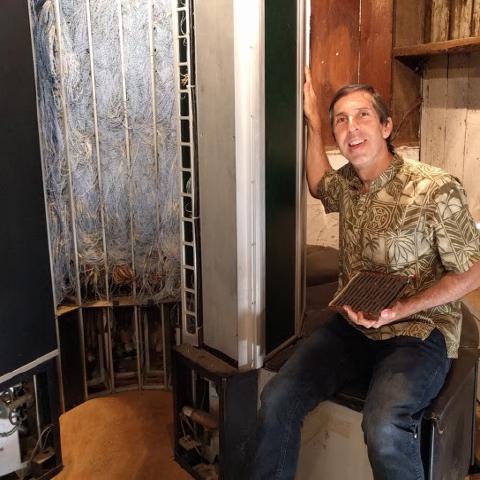
Ken Shirriff: Yeah. So anyway, so LNK gave an Alto to Y Combinator because he'd been doing some work with them. Y Combinator was looking for somebody to get this Alto running. So they contacted me. Ah, right. I got in touch with a few people who'd been working on IBM 1401 restoration at the Computer History Museum in Mountain View. Some people who actually had the hardware skills to get this machine working. And so we put together a small team, mainly Mark Verdiel, Carl Clonch, Lucas Averini. And so, you know, we worked for a year in Mark's basement getting this Alto up and running. We now have it running. We can run a lot of the old software. We're now looking at old disks that have been lying around Xerox Park to see what treasures we can find on them.
Chris Gammell: Oh, my. Wow.
Dave Jones: What major hurdles were there actually restoring this thing to working? Like getting it just to boot up? Power supplies. Was it, you know?
Ken Shirriff: Well, you know.
Dave Jones: Was there dead logic? Was it just power supply stuff? Was it just trying to figure out how it worked because it was undocumented or what?
Ken Shirriff: Well, actually, there's a whole lot of documentation online. Al Caso has put on BitSaver is pretty much all the documentation schematics you want. So that helped us a whole lot. But, you know, getting the system running, it was pretty much, you know, everything from, you know, the power supplies weren't working. So we had to replace some capacitors. The display wasn't working. We had to replace a couple parts in there. The CRT was so dim you could barely see it. And then that problem magically went away after we left it on for a couple weeks. We only found...
Chris Gammell: The phosphorus has to just re-phosphor, right? Is that some sort of contamination that burnt off?
Ken Shirriff: Oh, nice. So, you know, then we discovered that, you know, the system wasn't actually a working system. It had the wrong disk controller card for the disk drive it had. So that just would not possibly work together. We discovered that the mouse wouldn't actually plug into the mouse connector. We discovered that one of the boards of the CPU was the wrong board incompatible with the other ones. So we had to do some swapping of parts. I should mention that, you know, this is pre-microprocessor. So the CPU is three boards full of TTL parts. Oh, my God. Brilliant.
Chris Gammell: Oh, yeah. I'm looking at pictures now, too. Yeah. So you had... And you posted about this as you went along, too. So we'll definitely link that in as you're talking about this.
Ken Shirriff: Sort of our weekly updates on, you know, what we were doing to get it working. We only found one bad chip in the system.
Ken Shirriff: And then that went bad for some reason. We discovered that the disk we were... Bit rot. Yeah. The disk we were trying to boot off, someone had used it as a test disk and rewrote it with random bytes. So obviously that wasn't bootable. You know, we had a lot of help from the computer... The Living Computer Museum in Seattle. They have a couple Altos they restored. So they were willing to send us a good disk cartridge, you know, display tester, and extension boards to help us work with the logic analyzer. So we got a lot of help from them. Al Caso, who has some large collection of Alto parts, he could exchange our wrong disk board for the right disk board. So it's really... There's a community of people who appear and solved a lot of our problems for us.
Chris Gammell: That's great. Wow. How many of these are there in the world? I mean, I guess that kind of matters too.
Ken Shirriff: So, you know, they made 2,000 and there's fewer of them now. Right. You know, I know probably... If there's more, we got to worry, right? I mean... They're multiplying. They're multiplying. So, you know, when I started, I thought this was, you know, a super rare thing. And then all these people start coming out of the woodwork who have them in their garage. So, you know, I know of the order of, like, maybe 15 of them that are around. Okay. You know, maybe five of them that are running. But...
Chris Gammell: Is there any, like... There's no, like, purple screws in there, are there? Like, I mean, you said it's mostly a lot of 74... Purple screws? Yeah, purple screws. You know, purple screw. No. No. You know, like, the one part you can't break or lose. If you lose it, it'll never work. Never heard that phrase, but I understand. Oh, wow. Look at that. I got one up on Dave finally. Yeah, I've never heard this phrase either.
Dave Jones: Ah, there you go.
Chris Gammell: Oh, yeah, the purple screw. It's the one part that is impossible to find. And if you lose it, you're screwed. And, you know, like you... Yeah. My old co-worker said I didn't come up with it. So, yeah.
Ken Shirriff: Basically, all the chips you can get, you know, if you order them, you know, replacement capacitors, you know, we couldn't find exact replacements. Usually the modern ones are a little smaller, but, you know, they still work fine. It's the disk drive that we're really worried about, that if, you know, things break there, you know, we're not going to be able to get new read-write heads.
Dave Jones: It's a world of hurt. Yeah, exactly. If it's something wrong with the head, you'll be actually in there winding your own with a ferrite and some tiny, you know, thousand micron wire or something, you know. Nasty. But it all worked.
Ken Shirriff: Yeah, it all worked. You know, we have it running. We can run Smalltalk. We can run a bunch of old games. You know, it's remarkable the number of games people wrote for the Alto. Wow. So...
Chris Gammell: What is Smalltalk? Sorry.
Ken Shirriff: So Smalltalk is a programming language. It's one of... Not the first object-oriented language, but very close to the first. You know, the whole design patterns thing came out of Smalltalk. It's basically where the windowing system came from, where you can have a desktop with overlapping windows. It's an interesting language because you can change the code for the running system while the system is actually running. So... What could possibly go wrong? So, you know, as a demo, I would, you know, have the windowing system going. I would click on the object browser to bring up the code for the scroll bar. I would change the background of the scroll bar from white to gray. And then all your scroll bars suddenly turn into gray while the system is still running. Nice. So it's an incredibly flexible programming environment. It's one where you can see exactly what's happening. You know, the code is all... You can dive down and see it and modify it while it's running. It's kind of crazy.
Dave Jones: And the Alto has its own language, right? BCPL.
Ken Shirriff: What is that? So that's not an Alto-specific language. It was actually developed on an IBM machine. It's basically a predecessor of C. It's kind of like C if you made the syntax go weird and then you got rid of all the types except for structs and ints. Okay. But a whole lot of the things you see and see, you can look at BCPL and see, oh, that's where it came from. You know, everything from pointer arithmetic to the ternary operator.
Dave Jones: Ah. Got it.
Chris Gammell: This is... Yeah. Chris is just scratching his head. I know. My brain's like, so there was times before. See, I knew this. Yes. But... Sorry. I mean, like, I never got into the vintage stuff. Like, Dave did, obviously. I mean, like... And I know there's a lot of people out there like that. But it's an interesting hobby from the outside for me because it's like... Because sometimes it's, you know, there's hard to replace stuff. It's kind of relying. Like, so like you said, this isn't like relying on certain chips. But like, I know there's people that chase like those synthesizer chips for like voice stuff. Right? There's like certain chips that just aren't made anymore. And so it's an interesting intersection too with your interest in, you know, deconstructing chips and also, you know, finding... restoring parts like that or a computer like this. Yeah.
Ken Shirriff: So I recently opened up a 76477 sound chip, which is used in Space Invaders, among other things. And you reverse engineered how that worked. Oh, sweet.
Chris Gammell: What's in that thing?
Ken Shirriff: So it's an interesting chip because it's a combination of analog circuitry and digital circuitry. So it's not digital in the way modern synthesizer chips are. You know, most of it is analog and controlled by external resistors and capacitors. But the digital part is interesting because it's not TTL. It's IIL, integrated injection logic, which in the 70s was... the hot new thing that was supposed to take over the world and all the microprocessors would be built out of it. It's like a super dense form of TTL. But, you know, it didn't catch on. CMOS took over the world and now it's basically gone. But for a brief period there, it was the hot way to build chips. And when I say hot, I mean literally hot. The power consumption of a microprocessor built in integrated injection logic was so high that they couldn't use regular ceramic. They had to use a special beryllium ceramic to get the heat out.
Dave Jones: Oh, beryllium.
Ken Shirriff: And since beryllium's toxic, they'd have to stamp a warning label on the chip.
Dave Jones: Yeah.
Chris Gammell: Wow.
Dave Jones: Oh, that's great.
Chris Gammell: Is it just because it's like, because it's current based or just that it ran at high current?
Ken Shirriff: Yeah, basically, you know, CMOS, you don't have any static power usage. But integrated injection logic is more like TTL, that there's always current flowing. And the more stuff you cram on there, the more current you have.
Chris Gammell: Right. And if you're making it closer and closer together, as chips are wont to do, right? Yeah.
Dave Jones: Why did they go down that direction? Was it a speed thing or was it a... What pushed them down that higher power route?
Ken Shirriff: Well, it was, I think it was mainly a speed thing that, you know, nowadays we think of CMOS as obviously the way to go and TTL as this old thing. But it wasn't until, you know, late 70s, 80s that CMOS actually became faster than TTL and, you know, finally... That's right, yeah. ...finally killed it off.
Chris Gammell: Is that because of on-chip capacitance started going down or what?
Ken Shirriff: Well, basically, CMOS, you could scale it much better. TTL, you have all these resistors on the chip, so it's really hard to scale it down. So once you can make CMOS small enough, it just sort of beat out on TTL.
Dave Jones: Yeah. Because CMOS, for those who don't know, is just basically transistors. It's just FETs in there and that's it. You don't need the resistance. You don't need pull-up resistors. You don't need anything else. It's not bipolar. It's just, if you look at the schematic, if you look at the internal structure of, say, a CMOS inverter, it's just the two transistors, the top and the bottom one. That's it. You feed the input to the gate and the output from the source or whatever it is. And that's it, basically. So, yeah, so you can make it denser and denser because you only have to fabricate transistors. Whereas things like resistors take up a physical large amount of die space. So that's how it works. Am I right?
Ken Shirriff: Yep. I think I'm right. Very good explanation. Excellent. Don't have anything to add to that.
Chris Gammell: So, Ken, going back to the Alta real quick, I mean, I'm kind of looking, I'm kind of just scrolling through your different things here. I mean, what else did you guys run into? I mean, I'm looking at the various disc stuff. I mean, you actually did have problems with the disc or no?
Ken Shirriff: So the disc drive itself, the biggest problem we had there is it has all these foam components for air filtering. And over the decades, the foam sort of turned into sludge. Oh, yeah. So we had to clean out all the foam. We used just some weather stripping to replace it. But, you know.
Chris Gammell: Computer so big, you're shopping at Home Depot. Is that right? Yeah.
Ken Shirriff: So some of the parts in the Alta are not entirely authentic.
Chris Gammell: They would have used it if they had it. You know, they would have used weather stripping too.
Ken Shirriff: But, you know, it all works. But, you know, we had to get the crumbling mushy foam out of there because if any particles flew off and hit the disc surface, you know, it would end up with a disc crash and that would be bad.
Dave Jones: How much did those old discs store? We're talking eight-inch floppies, right?
Ken Shirriff: No, no. This is, these are hard discs.
Dave Jones: Oh, hard discs. Oh, right. Okay.
Ken Shirriff: It's a removable cartridge that holds two and a half megabytes.
Dave Jones: Well, that was, that was kicking ass back in, back in the day. That was state, that was really state of the art. Like, what the hell would you need two and a half megabytes for? You know?
Ken Shirriff: Actually, the two and a half megabytes went quickly because, you know, the Alto had, you know, the graphics that had font files.
Dave Jones: It was the first graphics computer. That's right. Yep.
Ken Shirriff: So, people would end up swapping these cartridges kind of the way people did with floppies in later years. Or zip drives. You'd put in your cartridge boot up, you'd pull it out, put in another cartridge, store files on that, keep swapping them back and forth. You might have like a stack of cartridges on your desk.
Dave Jones: Yep. Because things really changed when computers started to hold images and do, and, well, video just went orders of magnitude above. But when you start storing images and things like that, back in the days of when all your programs were just text and executables and things like that, you could fit a lot of programs on like a 360K five and a quarter inch floppy, for example. You could fit, you know, hundreds of programs and things like that because they're just all instructions. But when you start doing bitmaps, storing bitmap images and fonts and other graphical elements, that's when the explosion in the amount of memory needed took off. Yeah.
Ken Shirriff: Yeah. You know, at the time they built the Alto, it was kind of insane to have a whole bitmapped image because it required so much RAM just to display the pixels. You know, you'd end up using half of your RAM just for the screen. And a lot of programs, they would, you know, blank out half the screen so they could use that RAM for other stuff.
Dave Jones: Use the RAM. Yeah. How much RAM did the Alto have?
Ken Shirriff: So it went up to 512 kilobytes.
Dave Jones: Right. And how much of that was dedicated? So it didn't have a dedicated, it didn't have a dedicated display RAM? It actually shared it, did it?
Ken Shirriff: So basically you could...
Dave Jones: What was the architecture?
Ken Shirriff: It was a more complicated architecture than you'd expect. You could basically have any parts of memory that you want mapped from memory into the display. And so typically you would have like each line of text on the screen would be a separate block of memory. So to scroll, you wouldn't have to move the pixels around. You could just change pointers and...
Dave Jones: Interesting.
Ken Shirriff: ...change the blocks of memory you're using.
Dave Jones: So you didn't have to have a continuous block pixel for pixel. Are you saying that you could store different stuff in different parts of memory and then just pull them out and assemble them on the screen?
Ken Shirriff: Right.
Dave Jones: Kind of... Yeah?
Ken Shirriff: You could actually do that? Yeah. The downside was that there was no display processor. It was actually the CPU that was doing this. Ah. Right, yeah. So every scan line in the CPU was basically interrupted pulling pixels out of memory and sending them to display. So you could end up having like half of your CPU just used for putting pixels on the screen.
Dave Jones: Right. Wow. Wow. Do you know of any other vintage computer that has that flexibility in quote marks?
Ken Shirriff: None that I can think of.
Dave Jones: Yeah, I don't know of another one either. Like usually they have a fixed display memory. Now it might share the main computer memory, but it's like it's actually allocated bit for bit, pixel for pixel kind of thing. And then you have a display processor which takes that memory bit for bit and then maps it to the display. But this one, wow, that's incredibly powerful.
Chris Gammell: Ken, could you give us a little bit of context in terms of where, like, so first off, when was the time frame that this came out? And like what would have been its contemporaries in terms of other vintage computers?
Ken Shirriff: Sorry, there was no. So it came out in March 1973. You know, if you look at the microprocessor world, you know, things like the 4004, 8008 had just come out. You know, there was a lot happening in the minicomputer world. You know, you'd have your PDP machines. You'd have data general minicomputers. The Xerox Alto actually copied its instruction set from a data general Nova minicomputer. Okay. But as far as, you know, interacting with computers, you know, there's, you know, most business computers were using punch cards and reels of magnetic tape. People would have, you know, some CRT terminals and were doing things with, you know, 80-column lines of text on the CRT.
Chris Gammell: Yeah, true terminal, right, instead of a display kind of thing.
Ken Shirriff: So, you know, doing things with a GUI, doing things with bitmap display, that was, you know, very, very much a revolution. The Xerox Alto is actually where they invented the WYSIWYG editor. So, Butler Lamson and Charles Simone made the first WYSIWYG editor on the Xerox Alto. Simone then left Xerox, went to Microsoft, and started the Microsoft Word project. So, there's a direct connection between the editor on the Xerox Alto and Microsoft Word.
Chris Gammell: Yeah. Wow. That's crazy. Wow.
Dave Jones: Chris is blowing away. But, yeah, this was revolutionary. It changed everything.
Chris Gammell: I think that's important to know that. Yeah. I mean, just to have that historical context around, like, why – well, maybe that's another question, though. Like, why – was it just because Xerox was looking to do that next big thing? No.
Dave Jones: Well, they were a research group. That's the thing. That's why they didn't commercialize this.
Ken Shirriff: Yeah. Yeah. As far as making it into a product, Xerox is famous for, you know, fumbling the future, as the book title puts it. Yep. You know, they invented all this technology. They failed to capitalize on it. Xerox management tried to kill the laser printer project three times. It was only because the engineers could hide it away that it actually survived.
Chris Gammell: Oh, wow. Skunk working it because they had to, huh? Yeah.
Ken Shirriff: You know, the Ethernet was invented there. But, you know, then the people from that team left and formed 3Com and, you know, commercialized the Ethernet there. Ethernet, yep. Yes. Okay. So a little bit of money there, huh? So, yeah, basically Xerox management just totally did not see the reason you'd want to move computers in this direction. But as far as a research project, you know, the team, their goals were to look 10 years into the future, what the personal computer was going to be. You know, as far as that went, they really nailed it. Because if you look at the Macintosh that came out in 1984, basically 11 years after the Alto. So it was really, really they hit that, you know, what's going to be there in 10 years. You know, the Alto was way too expensive to be sold as a product. You know, it probably was the equivalent of, you know, $100,000 per machine. Oh, wow. So it's like, let's just, you know, spend whatever we can, see what we could do with this technology, and then we'll know what's going to happen 10 years from now. So it's an interesting question, you know, what would happen if you did the same thing nowadays? You know, looked at what computers are going to be like 10 years from now, built one at a huge expense, built a bunch of these, had people write software for them, and basically designed, you know, the computer of the future that way. And it seems like something nobody is doing these days.
Chris Gammell: Yeah, that's a good question, because I wonder, like, I mean...
Dave Jones: No, except in terms of AI, maybe. Yeah, maybe. Because hardware is commodity these days. It's like, practically.
Chris Gammell: Well, so this is a reconfiguring of flexible logic blocks, right?
Dave Jones: Oh, no, people are working on quantum and stuff, maybe, but...
Chris Gammell: Sure, sure, sure. But I'm just saying that, like, so this is existing hardware that was taken and reconfigured in a novel way, right? I mean, is that... I mean, I know that there... And it's extremely novel. I'm sure I underplayed that.
Dave Jones: Yeah, no, because it was all 7.4 series logic. Like, there was nothing... Right, right.
Chris Gammell: But I'm saying that if you do that these days, you have to do it on silicon, and you probably have to do it in a smaller and smaller way, so it would have to be so revolutionary these days, it feels like...
Dave Jones: It's too expensive to do, or is it...
Ken Shirriff: But it's interesting to think, if you spent $50,000 to build a cell phone today to look at the technology of the future, what would you end up with?
Chris Gammell: Your name would be Andy Rubin, and you just recently did that, right? That new cell phone. Yeah.
Ken Shirriff: Even though it doesn't seem like a 10-year future he's looking at. But you never know.
Chris Gammell: Right. Yeah. That's a very good question. And I mean, I guess this is where we get to benefit from being a podcast. If anyone knows about this and has any pointers, we would love to hear some tips to look into, because, I don't know. Where do you even start to look for that? It feels like the other thing that's missing from that whole piece is there are no Xerox parks these days. There are no Bell Labs these days.
Dave Jones: Not in terms of overall general stuff. There's lots of little groups working on specific things. There's, like I said, AI, quantum computers, you know, other stuff. But nobody would, you know, there's no one big group. Even at a company like Google, well, maybe you could argue someone like Google or something might be, you know, have groups working on stuff like that. But it just takes so many disciplines to do. Whereas back then it was just, I'm not going to say easier, but it was, you know, things were more ripe for the picking back then, I guess.
Ken Shirriff: Well, I find it kind of amazing that in that time period, if you wanted to build a computer from scratch, it was not like a crazy project. It was just something you would sit down, spend a few months and you'd do it.
Chris Gammell: Yeah.
Ken Shirriff: You know, prior to the Alto, the team wasn't allowed to buy the deck machine they wanted. So they built their own server.
Chris Gammell: You can't tell me what to do, Dad. I'll do it myself.
Dave Jones: David, my cohort, he's sitting opposite me. He just pointed out the Google D-Wave quantum computer and stuff like that. So, you know, there's people working on those sort of things. So I guess hardware-wise, you could say quantum computer is the thing that people are working on next. And software-wise would be the AI. And user interfaces, well, there's, you know, many companies working on, you know, gesture interfaces and also, you know, brain mapping interfaces. And there's lots of, you know, different input methods and output methods, you know, GUIs and like, you know, actual display systems and stuff like that. But there's no one large group doing it all.
Ken Shirriff: Well, let's come back to this podcast in 10 years and see how many of those things turned into the technology of the future.
Dave Jones: See if we can buy a quantum computer on eBay, right? Right, right. Yeah. Or if Ken's fixing one up. That's the real question, right? Right, okay, right.
Chris Gammell: So, Ken, what happened? I mean, so, okay, so obviously you said you got through some of this stuff. You got up and running. So where is the Alto now?
Ken Shirriff: So we recently took it to the Vintage Computer Festival in Mountain View and showed it off to a bunch of people there. And that was a lot of fun. You know, we showed people the old software, the text editor, the drawing programs, the games, small talk. So, you know, we have it up and running. We, you know, we're showing it off to people. We haven't figured out what to do with it long term. You know, I'm thinking maybe, you know, I could put a web server on it, put it on the internet. I don't think it's a house, right? Yeah.
Chris Gammell: Oh, yeah, you guys don't need heaters in California, so never mind. Well, you can always, you know, you can do 1.5 blocks per second. Like you said, you can mine some Bitcoin, right? Slowly.
Ken Shirriff: You can make my fortune that way. Yeah, that's it.
Chris Gammell: Okay. So is it on the internet? I mean, so you said that these things had ethernet. Is it on the internet? Does it even capable?
Ken Shirriff: So unfortunately, the ethernet is 3 megabit per second coaxial cable. So it's basically entirely incompatible with modern ethernet. Fortunately, the Living Computer Museum in Seattle, the team there built a FPGA gateway. So you can actually hook the Alto's ethernet up to this and it will talk to modern system. And so, you know, you can now connect Altos over the internet. You know, I can connect to Google and download a web page. I want to write some software so it could actually render. So you can actually browse the internet on your Alto.
Dave Jones: So you have to write your own browser. Yeah, please.
Chris Gammell: JavaScript programmers, you know, have some mercy on, you know, Ken's computer here. He can't handle those 100 megabyte pages that you're creating these days.
Ken Shirriff: Yeah, it's scary. You know, there's a lot of websites where, you know, their homepage wouldn't fit in the entire memory of the Alto. Oh, right.
Chris Gammell: That's insane. Guilty. Yeah. Yeah, I mean, yeah, probably in the amp hour. I mean, we utilize stacks based on stacks on stacks, which we don't have any idea how to write. So we're just as guilty.
Ken Shirriff: So on one of the old disk cartridges from Xerox PARC, we found a bunch of software for early experiments in voiceover IP, basically. Oh, wow. You know, Ethernet telephony, they were doing software in BCPL so that they could, you know, send voice over the Ethernet. We're trying to figure out if we could make the necessary hardware so we could run this old software.
Dave Jones: That's insane. They invented everything. Right, right.
Chris Gammell: There are no new ideas, people. No, no, no.
Dave Jones: It all comes from Xerox.
Chris Gammell: Just new ways to charge your credit card for the same old ideas. Oh, yeah. That is awesome.
Dave Jones: I can't believe I don't know this, but was the Xerox, was PARC, the Xerox Palo Alto Research Center, was that publicly funded in some way?
Ken Shirriff: No, it was funded by Xerox.
Dave Jones: It was 100% Xerox funded.
Ken Shirriff: So, you know, at the time, Xerox had, you know, pretty close to a monopoly in photocopiers. Every time you hit the copy button, Xerox would make their 10 cents. So they just had, you know, more money than they knew what to do with. Right. Right. Right. So, yeah, they started this research center. You know, it's a theory of mine that to have a good research center, you really need to have a monopoly to fund it. Yeah, yeah. Because basic research isn't really profitable on its own. Like, look at Bell Labs. How much did they make off discovering the Big Bang? So...
Chris Gammell: They might not. Wait a second. I don't know what you mean there. Sorry. The Big Bang?
Ken Shirriff: So, yeah. Bell...
Chris Gammell: Oh, you mean... Do they have... Oh, from the... Oh, the microwave telescopes you're talking about.
Ken Shirriff: So, yeah, yeah. You know, way back when Bell Labs discovered the Big Bang when they were looking for... Right. Why were they getting...
Dave Jones: The cosmic background radiation is what we're talking about. Yeah.
Chris Gammell: Okay. I was so confused for a second. I'm like, wait a second. Did I miss my history class? Sorry. Okay.
Ken Shirriff: So, yeah, maybe that's a little too confusing there. But the point is that, you know, if you have a research lab funded by a monopoly, you can discover a whole lot of things even if they don't turn out to be profitable.
Dave Jones: Yeah. Yep. Oh, yeah. If I was a squealing there and owned Google or something, yeah, I would just live down in... I'd just set up a team and just live down there and just work on cool shit. Who cares if it made money? You know? Doesn't matter.
Chris Gammell: Speaking of other... Well, maybe not monopolies because this is a secondary brand, but you've also... You did stuff with Sinclair's 1974 calculator hack. Can you tell us about that?
Ken Shirriff: So, yeah. The Sinclair Scientific... It was a scientific calculator that was like very cheaper compared to the HP's calculators. So, it did really well in the marketplace. You know, they used basically a Texas Instruments four-function calculator chip and somehow they managed to make this do scientific computation, scientific calculation, you know, trigonometry functions. So, I wondered, you know, how did they manage to do this? How long did that take you? I was going to say.
Dave Jones: I was going to say.
Ken Shirriff: That's nuts. So, you know, it turns out that, you know, they used some really clever algorithms for doing these scientific functions. And also, they didn't care at all about accuracy.
Dave Jones: It's only a calculator, you know.
Ken Shirriff: You know, Hewlett Packard went to all this work to make their calculators, like, you know, accurate to the last digit. And, you know, then Sinclair, it's like, forget that. We're going to make a cheap calculator. Most of the digits are going to be mostly accurate most of the time. And, you know, they...
Chris Gammell: If you put scientific in quotes, I think it counts, right? Scientific air quotes.
Ken Shirriff: Well, their goal was to be more accurate than a slide rule. So, you know, a few digits of accuracy would do it. One of my favorite parts of the calculator is that, you know, they didn't really have any space for ROM storage. So, they printed constants like E and pi on the case of the calculator. Yes. You just read it off the case and type it in yourself. Yeah.
Chris Gammell: Ink don't cost nothing. That's great. That's true. And so, you went and not only did you reverse engineer it, you also then, you made a simulator, which is really cool.
Ken Shirriff: It's very cool. Yeah, yeah. So, I built a, you know, simulator in JavaScript so you can run it in your browser, you know, push the keys on the simulated calculator and, you know, step through the code and see exactly how it was. How it's doing its operations. And, you know, it's all based on decimals so you can watch the digits as they shift back and forth. It's great. You know, it's like multiplying. It's like basically doing repeated addition and shifting and then for trigonometric functions, they're doing basically very small rotations over and over, which means the bigger the angle you put in, the slower the result. Oh, wow.
Chris Gammell: So, these are actually calculus. So, I'm sorry. I started clicking the buttons and I got distracted there. So, you can actually watch the custom application, like the actual, you click it and it actually inputs the, it does the full operation. Yeah.
Ken Shirriff: You can see what the calculator would be doing internally.
Chris Gammell: Wow. That is so cool. Damn. And this is what you do in your free time, huh? Yeah. Okay. Okay. That is fantastic, man.
Dave Jones: We have to ask, what is your day job?
Chris Gammell: Yeah.
Ken Shirriff: So, I worked at Google for about 12 years on a bunch of projects, everything from enterprise search to maps and location. Worked on Android before and after that was released. So, currently I've decided to take a break and so now I have, you know, much more time to devote to my random projects. That's awesome.
Chris Gammell: Oh, man. Well, any, what's your next, what's your next conquest for reverse engineering? Are there other calculators in your future? Are you?
Ken Shirriff: Well, I've got a collection of chips of various sorts that people want me to take a look at. So, I'll probably open those up. I, you know, tend to get distracted easily. So, I'm trying to, you know, keep those hidden away.
Chris Gammell: Right. Open on a rainy day kind of thing.
Ken Shirriff: So, earlier in the year I opened up a 8008 processor, did a bunch of photos of that, reverse engineered the circuitry by, you know, tediously drawing out every polygon. So, I wanted to get that running in a simulator. So, I've been, you know, talking to the Visual 6502 team. You know, they did the amazing simulation of the 6502. Brilliant.
Dave Jones: Yep.
Ken Shirriff: You know, that's actually what pulled me into trying to figure out how old chips work. You know, when I saw the Visual 6502 webpage, it's like, wow, this is amazing, but I have no idea at all what's going on here. You know, as a computer person, shouldn't I sort of understand how computers work? So, yeah, I want to get the, you know, the 8008 simulator working. You know, it's run into a few timing problems, so I put it aside for a bit.
Dave Jones: Have you got any plans to return to YouTube? Because you've basically released like five videos in five years or something on YouTube. Because you've got so much back material, I feel as though on your text blog, I feel as though you could just take that material and make YouTube videos.
Chris Gammell: Yeah, but Dave, he knows how the algorithm works, so he's...
Dave Jones: Yeah, right. Well, he can game the algorithm then and become a YouTube superstar.
Chris Gammell: He wrote the algorithm, for all we know. We didn't ask. We don't want to know. We don't know. We don't want to see from Google.
Ken Shirriff: Yeah, I'm not really big on videos. They take a whole lot of time to put together. They do. They do. So I'm more into blogging.
Dave Jones: But they can reach a much bigger audience, though. You said right at the start that finding and reaching an audience was a big kick, as all of us can understand.
Chris Gammell: All of them pretend to tell you they know what they're talking about and tell you how you're wrong. So one of the guys... No comment section on your site, I noticed.
Ken Shirriff: So one of the guys I do the Alto restoration with has a YouTube channel where he goes into great detail of how we're doing on the restoration, what's inside the Alto. And that's Curious Mark. Right. Curious Mark. M-A-R-C. So you should check that out. So basically, he focuses on the videos. I focus on the blog. And we get all the... Got it. Okay. Everything covered.
Chris Gammell: Yep. That's awesome. Did I see you have another calculator simulator, too? A TI?
Ken Shirriff: So that's basically the same chip that the Sinclair Scientific Calculator uses. So I started by doing that one until I understood how the chip worked. And then I moved on to the Sinclair Scientific.
Chris Gammell: I see. Okay.
Ken Shirriff: One nice thing about old Texas instrument patents is they go into huge amounts of detail. They'll patent some trivial thing, but they'll have like pages and pages of entire schematics for the calculator chip, all the source code that the chip is running. So it's a huge trove of information going through their old patents. And that's how I figured out how to reverse engineer the calculator.
Dave Jones: Ah. That's great.
Chris Gammell: Nice. And you're saying even to the... So source code, like the machine opcodes and stuff like that going into the chip? Yeah.
Ken Shirriff: So they'll have like flow charts and then the assembly code. And so it's, you know, the patents were clearly written by engineers and not lawyers because they actually explain what's going on, how it works.
Chris Gammell: Yeah.
Dave Jones: In plain English.
Chris Gammell: And not rewritten in gobbledygook. Oh, legalese. Yeah, legalese. Probably not English-English, but you know. Well, yeah. Engineering. Yeah. Oh, yeah. You link to it, too. 39-34-233. There you go. 50-page patent. Damn. That is crazy.
Ken Shirriff: And, you know, at the end of the patent, what they're actually patenting is, you know, something they could have probably described in one page because it's, you know, a very small, obscure feature. But I guess the engineers wanted to get everything in there that they could. And I appreciate it. Yeah. They've looked at a lot of patents and almost all of them are pretty much useless. But the Texas Instruments ones, they did a good job as far as, you know, informing people of what's going on.
Dave Jones: Round of applause for the TI nerds. Absolutely. That's great.
Chris Gammell: So what about generally reverse engineering? I mean, did you start out thinking that you were doing reverse engineering? Or was it just like, oh, I just want to see how this thing works?
Ken Shirriff: So it's, you know, mainly just, you know, I wonder what's inside this. Let me see if I can figure it out. So, you know, you know, open up a charger, see what's inside it. You know, it turns out that phone chargers are much more interesting inside than you'd expect. You know, there's a huge variation in what's inside, you know, a $2 charger on eBay. Oh, yeah. It's like so simplified that, you know, they can sell it at this price. They cut out all the safety features so, you know, it can kill you, but it's really cheap. You know, then on the other hand. MOVs? Who needs those? You know, Apple, it's just amazing. They've crammed every possible thing inside this tiny cube that they could. You know, I would call it over-engineered, but it's impressive what they can put in there.
Chris Gammell: So tell us some more about that. So, yeah, this is one of your other top posts on your site as well. So what is in one of these chargers, I mean, that was surprising?
Ken Shirriff: So basically, you know, a phone charger, it's a tiny switching power supply. It's like turning the power on and off tens of thousands of times a second to get the right voltage. At these high frequencies, they can use a very tiny transformer, you know, that can fit inside that charger. You know, this is why you can now get, you know, a cubic inch charger rather than the giant wall warts that people had, you know, in the 80s and 90s.
Dave Jones: I've got a box full of those.
Ken Shirriff: You know, there's a chip inside that is controlling it, you know, making sure that it is turning on at the right speed to get the right voltage out. Then there's, you know, a filtering stage to filter the power so it's nice and clean. You know, the Apple charger, they've got, you know, extra safety features. Your sensor, in case it overheats, it will shut off. You know, the MacBook charger, I was quite surprised to find it has a, you know, powerful 16-bit microprocessor inside. Actually, a microcontroller. You know, I figured that it was roughly the same power as the original Macintosh inside your power supply. Wow. Basically, it's monitoring when you plug in your connector into your MacBook so that it waits until you're solidly connected before it ramps up the power. And that way, you won't accidentally short it out and get giant sparks. So if you get a fake MacBook power supply and stick a paper clip into the connector, you get quite impressive sparks. But with the real one, this processor is making sure that doesn't happen.
Chris Gammell: So it's doing like a handshake first and then saying, oh, yeah, this is definitely connected? Or how is it doing that?
Ken Shirriff: Yeah. Basically, you know, it's this communication with your MacBook over how much current is being drawn. And that it's like, basically, when you first plug it in, there's only a few microamps, you know, then the MacBook will apply just the right resistance to draw more current to tell the charger that it's connected. At that point, it will ramp up the power and everything goes smoothly.
Chris Gammell: Oh, and this is like when the LED turns on in the MacBook little magnetic connector?
Ken Shirriff: Well, it turns out that that's actually an entirely different handshake, that the connector has its own little chip. And it has a serial protocol that it uses the middle pin of the connector to talk to the MacBook. So the connector itself is telling the MacBook what wattage the power supply is. And then the MacBook tells the connector which LED to turn on.
Dave Jones: Chips inside a connector, I want off this planet.
Chris Gammell: No way, man. This is good, too, because if you drop it in a thing of water, well, I don't actually know. If you drop it in water, it still shorts out or what?
Ken Shirriff: So if you drop it in water, you know, the microprocessor, microcontroller inside the power brick itself will detect things are bad and will immediately shut off.
Chris Gammell: Oh, yeah. Here we go. The DS2413 one wire. Yeah. So it's a Dallas part, the one wire protocol stuff.
Ken Shirriff: It does this serial connection over one wire, which is the middle pin of your connector.
Chris Gammell: Yeah.
Ken Shirriff: Cool. So one wire and ground. So it's more like two wires, but...
Chris Gammell: Oh, yeah. Well, that doesn't sound as sexy, though, when they say that, right? One wire, ground return, right?
Ken Shirriff: But it actually gets both the power and the signal through that same wire. So that's... Yes. You know, that's where the one part comes in.
Chris Gammell: Right, right. Yep. It draws current on the rail and then it tugs down on it kind of thing. Yep. Yeah. Yeah. Yeah. So what made you open this one up? I mean, just...
Ken Shirriff: So, you know, I had read this book about Steve Jobs where he talked about how Apple had, you know, revolutionized power supplies for computers. And I thought, wow, that's amazing. And then I researched it and discovered, no, they actually just use standard technology. Yep. But people told me that, you know, the Apple chargers were actually pretty cool inside. And I'm like, seriously, how cool can the charger be inside? So we opened them up and it's like, wow, they actually did a lot in here.
Chris Gammell: And that's across... Is that just for the MacBook or is it for other stuff too, like iPad, iPhone, stuff like that?
Ken Shirriff: So the MacBook chargers, those are the ones that have the powerful microcontroller. And then the iPad, iPhone chargers, those ones, you know, there's less technology inside, but it's amazing just how they've managed to compress it down into like, you know, a one-inch cube.
Chris Gammell: Oh, I see. And then there's a picture here you're showing, you show side by side with a counterfeit as well. So that's illustrative, I suppose, of how much stuff...
Ken Shirriff: Yeah, the counterfeits, you know, they also fit down into this tiny cube, but they do that by, you know, removing all the safety requirements.
Chris Gammell: Yeah.
Ken Shirriff: You know, you're supposed to have, you know, a certain distance between the high voltage and, you know, what comes out of the charger. And they're like, ah, forget that. Yeah, don't worry about that. Most of the time it won't kill anyone.
Dave Jones: Except when it does. Right. And that's okay.
Ken Shirriff: It's user's fault. So, yeah, I really don't recommend using the $2 chargers because, you know, first they're dangerous. And second, they cut out most of the filtering. So the power they put out is just totally full of noise. The main symptom of this is your touchscreen will stop working normally. Things will start jumping around. And that's because of, you know, noise coming out of your charger.
Dave Jones: Right.
Chris Gammell: Yeah. That is... Buyer beware, I suppose, right?
Ken Shirriff: Yeah, that's my public safety announcement for today. Yeah. Right. Yeah.
Chris Gammell: Well, before we cut off here, I'd like to kind of go way back. You also do... Let's see. You've also got a 555. You got a 7805. You got a 741. Anything that was surprising about those? I mean, these are all, you know, people that are getting started in electronics obviously will know these parts. Well, anyone in electronics will know these parts. But what was surprising about these as you started to pull them apart? I mean...
Dave Jones: And were they original ones from, like, the first year they came out?
Ken Shirriff: No, they weren't, like, you know, the classics. Right. I mean, like, they weren't the... Like Coke classic?
Chris Gammell: There's, like, the new Coke of parts, is it right?
Ken Shirriff: Well, what surprised me most was that when you buy something like a 555 or a 741, it's like every manufacturer, they're totally different inside. Yeah. It's, like, I assumed that it would be, like, a standard part. And it's basically, you know, mostly standard behavior on the outside, but totally different on the inside.
Chris Gammell: Mm-hmm. Oh, we were talking to Sprite about that a couple weeks ago. He was saying that for a Wi-Fi chip. No, it wasn't... Yes. Oh, it was the... No, the serial... What's that serial part that every Arduino has on it?
Dave Jones: Oh, the FT232.
Chris Gammell: Yeah, FTDI. That's right, yeah. So they just do it however, and they just copy the behavior, but the silicon's different, right?
Dave Jones: Yes, exactly. Because most people think, oh, these chip cloning mobs in China actually clone the silicon. They don't, because they don't have access to the original masks. So actually cloning them is quite dead. It's easier just to design it your own from scratch and just copy the behavior.
Ken Shirriff: So, yeah, it was just a surprise to me that, you know, two chips that I thought would be identical inside turned out to be totally different. You know, sometimes it's not just the layout that's different, it's the circuitry is different. That's another thing that surprised me with the chargers. You know, I've gotten a bunch of counterfeit chargers, counterfeit Apple chargers, and, you know, from the outside they all look identical, but inside they're all different. It's very different. It's like they aren't ripping off, you know, other people's counterfeit designs. They're making their own counterfeit designs.
Chris Gammell: Well, they have a name to hold up for themselves. Come on, man.
Ken Shirriff: But it does impress me just, you know, how much work they will go to to eliminate, you know, one more component and save, you know, that extra penny.
Chris Gammell: Yeah.
Dave Jones: Well, it's simple math. Do that, like, if you're making a million of these, saving a cent on each one, you know, it's serious money.
Chris Gammell: True. True. So are you seeing that as well in this? So are you saying that you also see those, like, efficiency, you know, quote unquote efficiency tweaks to try and do the same thing on silicon? Or is silicon just different because, like Dave said, they don't have the masks, so they just do it differently?
Ken Shirriff: Well, you know, I've wondered about that. You know, a chip like the 555, you know, you can pretty much look at it under a microscope and draw out the mask. It's... Yeah. You just trace it out, you mean? Yeah. Yeah. So, you know, why they make their own circuits, you know, I assume it's they figure their engineers are better than the other engineers. They can do a better job.
Dave Jones: Well, maybe it's just faster than actually trying to re-tape out the mask.
Ken Shirriff: It could be faster, but, you know...
Chris Gammell: I mean, they're probably not making much money on a 555, let's be honest.
Dave Jones: But they're making enough money to make it worthwhile to do it, obviously.
Chris Gammell: So 555, but all these chips, you were surprised by some of these, the differences and such?
Ken Shirriff: Yeah. There's no sort of canonical 555 design or canonical 741 design. It's like, they're just all over the place.
Chris Gammell: Yeah. And it looks like one of your notes on the 7805 thing is that it's even just between manufacturers themselves, right? So they all got to list different things, like 7805 is the standard 5-volt part, but even the manufacturers in the original, the older days, they were doing it different too, it seems.
Ken Shirriff: Yeah. So it's like, you think that a 7805, you know what you're getting, but it's really, it's just sort of a generic name.
Chris Gammell: Yeah. They don't do that as much as they used to, huh?
Ken Shirriff: Sorry, in what way?
Chris Gammell: Oh, like you don't see like, you know, you don't see ADI putting out a TPS, whatever chip like TI does, right? They're not doubling up the names. Yeah. Like they used to, right?
Ken Shirriff: Yeah. It seems like now they're using more unique names. That's good.
Chris Gammell: How did you, how did you start figuring out what, I mean, so like I went through these classes, I guess in school and I always struggled with looking at dyes and, you know, like the metal connection layers, all that stuff. How did you, how did you start figuring this stuff out and tracing it out? And did you have a background in that or how did you start that?
Ken Shirriff: No, I'm pretty much unqualified to do this. Oh, okay. You know, I've, I've had this collection of old, you know, books from the 1970s on, you know, microchip design and BLSI design. So I've basically just, you know, done a lot of reading and studying on my own. You know, I look on Amazon, find these, these old books that describe what the technology was of that era and, you know, how they were building things. Um, but you know, your chips like the, you know, 555, there's not a whole lot to them. It's pretty much a matter of just looking at it until you figure out, you know, this is how they're building a transistor on this, on this chip, you know, sketching out on paper where the transistors are, how they're connected and then, you know, staring at it till it, till it makes sense. Got it. You know, I, I don't have, you know, strong background in analog circuitry. So I'll use, um, LT Spice, the, the analog circuit simulator. If there's a circuit I don't understand, I'll, I'll put it into, into LT Spice simulated. It's like, oh, okay. Now I see what it's doing.
Chris Gammell: That's good. Yep. Yep.
Ken Shirriff: So it's, you know, it's a sort of hobby that, you know, pretty much anybody can get into if they have a lot of patience and you're willing to stare at a dive for a long time. Yeah.
Dave Jones: I would love to. It's just, yeah. Time investment. Try to learn that sort of stuff.
Chris Gammell: It's great though. It's really great. I know. I mean, like, yeah. I'm envious. And so, and I guess my brain's starting to fall apart here, just like looking at all this content too. So I think the main thing that we should say is that we could talk all day, but like, there's so much good written content here that you really, I, I'm very impressed with how much you've documented and as you were figuring it out and as you reported on this stuff, it's, it's really a, it's a great resource for all of us. Well, thank you. So, so, so what's next then? I mean, I guess, you know, what have you done for us lately, Ken? Come on, man.
Ken Shirriff: You know, well, I've been looking into some of the, the IBM punch card machines that were before the computer era, you know, going back to the early 1900s.
Dave Jones: They were tabulators.
Ken Shirriff: Tabulators, yes.
Dave Jones: They were tabulators. None of this computer rubbish.
Ken Shirriff: You know, they were actually doing, you know, fairly complicated, complicated work that have a card sorter that would sort cards that have a tabulator that would run through a deck of cards and add up different fields, give you subtotals, give you totals, print accounting reports.
Dave Jones: The old Holorith machines. Are you doing Holorith?
Ken Shirriff: Yeah. Stuff? So it's kind of this forgotten world. So I've been, been looking into that and, you know, writing some articles about that. You know, I also want to look into aerospace computers, which is another world that is pretty much ignored, even though there was a whole lot of, you know, innovation happening in there, you know, in the 60s, 70s. You know, people were building very powerful computers that were very small. And, you know, nobody pays attention these days to what was happening with aerospace.
Dave Jones: Oh, like the Apollo guidance computer and stuff like that. Yeah. There's a great book on that for those who don't, like how they design the Apollo guidance computer. Brilliant stuff.
Ken Shirriff: But there's a, there's a whole, you know, world of computers that led up to the Apollo guidance computer.
Dave Jones: Oh yeah, for sure.
Chris Gammell: Do you think, I mean, is that, is that kind of stuff still floating around somewhere? I mean, or, or is it in a dumpster? So yeah.
Ken Shirriff: Landfill. Yeah. I assume these things were all like, you know, destroyed as military secrets or something. So it's, you know, not, not something you can easily get your hands on, but, you know, there's, there's things written about them. You know, some of these computers, they used, you know, these cool technologies, you know, back in the 60s, they gave cool names to their technologies like transfluxors. Nice. There's this aerospace computer that used basically core memories with two holes in them. They could use these for logic and called them transfluxors. And I just think that's like, you don't get a name like that these days. No, it's great.
Dave Jones: I'm going to have to call my next product something like that. You know.
Chris Gammell: Oh man.
Dave Jones: Brilliant.
Chris Gammell: I guess, I guess if you go to the, if you go to the store and you ask for one, they'll know exactly what you're talking about, right? It's a branding exercise. Okay. Where can, where can, where can people find you online? I mean, where, where, I guess your site, are you elsewhere online?
Ken Shirriff: So, you know, my site, righto.com is, you know, where I put all my articles. You know, I'm not really a Facebook person. You know, I'm on Twitter regularly. So. Yep.
Dave Jones: Facebook sucks. Stay off it. Twitter's the guy.
Ken Shirriff: I only post things on Twitter, you know, every month or so. So, you know, don't expect to see a lot of me there, but that's where you can find me.
Chris Gammell: People need to have the patience of someone staring at a dye photo. So. And what is your Twitter handle?
Ken Shirriff: It's just Ken Sheriff.
Chris Gammell: All right. Sweet. And I, I spelled Ken, I spelled Sheriff, Sheriff many, wrong many times last year when I was emailing you for Super Conference. There are no E's in Sheriff. S-H-I-R-R-I-F-F. Is that right? Yes.
Ken Shirriff: Two I's, two R's, and two F's. Right. The two I's are not consecutive, though. No. They're not. Awesome.
Chris Gammell: Thanks, mate. Thank you so much for all this great content you put out online. It's awesome. Yep. Cool. Well, we hope to talk to you again soon as you take the next thing apart or put the next thing together.
Ken Shirriff: Well, it's been great talking with you. Thanks, mate. Catch you next time. All right. Well, thank you.
Speaker ?: Bye. We'll see you next time.
Archived Discussion (2)
Comments are closed. Archived from the original site.
Show archived discussion (2)Hide discussion
764778008AltoBCPLBell LabsBitcoinCalculatorchipDieDS2413PatentRAMsiliconSinclairSmalltalkXerox
Keep current
Every episode, plus the occasional job post, in your inbox.
One retro chip I'd love to see inside is the old handheld Nintendo Game & Watch games.
Some say that it is all pure logic, no processor, no code. Just a table and some shift registers.
I dont know - but would love to know! :)